 STRIPE
 FINLENS
 QUICKBOOKS ONLINE
DEFERRED REVENUE · STRIPE REVENUE RECOGNITION
Stripe in. GAAP revenue out.
Finlens reads your Stripe billing, builds a deferred revenue schedule for every contract and posts the month-end entries to QuickBooks Online. No spreadsheet waterfall. No manual journal.


REVENUE AUTOMATION
One engine for every billing model.
Annual plans, recognized ratably.
A customer prepays $12,000 for a one-year plan. Finlens books it to deferred revenue, recognizes $1,000 at each month-end and posts the entry to QuickBooks Online.
Journal entry · Jan 31SAMPLE DATADrafted by Finlens, mapped to the client’s chart of accounts, synced to QuickBooks Online.
Deferred revenue waterfall · 2026
SAMPLE DATARECOGNIZED IN 2026
$12,000
DEFERRED AT DEC 31
$0
ENTRIES POSTED
12
FIG. 01 · SCHEDULES
Every contract gets its own schedule.
When a contract lands in Stripe, Finlens builds its recognition schedule and keeps it current. Recognized and remaining balances show by month, line by line.
Recognized and deferred balance by month
One schedule per contract or line item
Export to Google Sheets for audit support
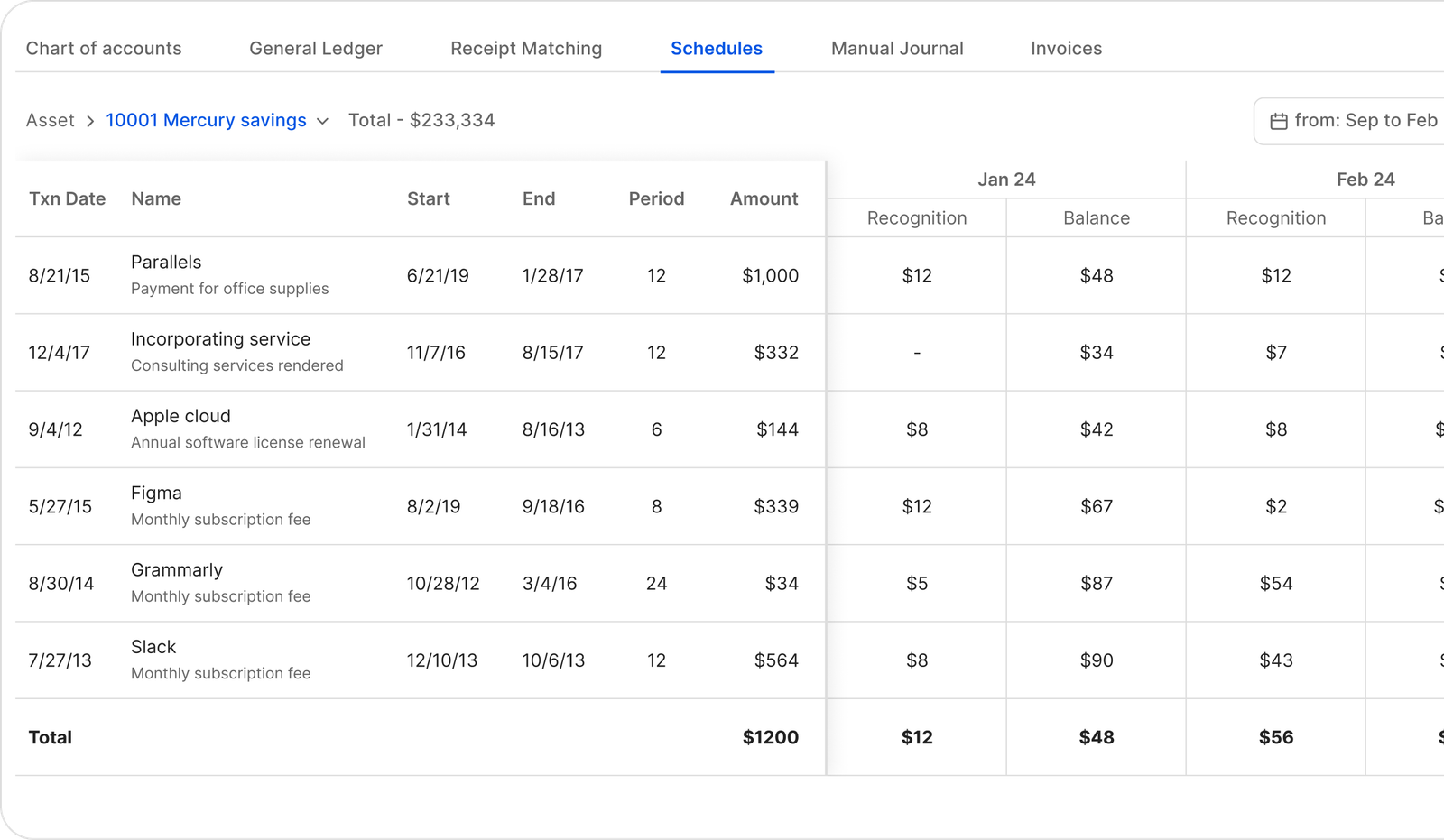
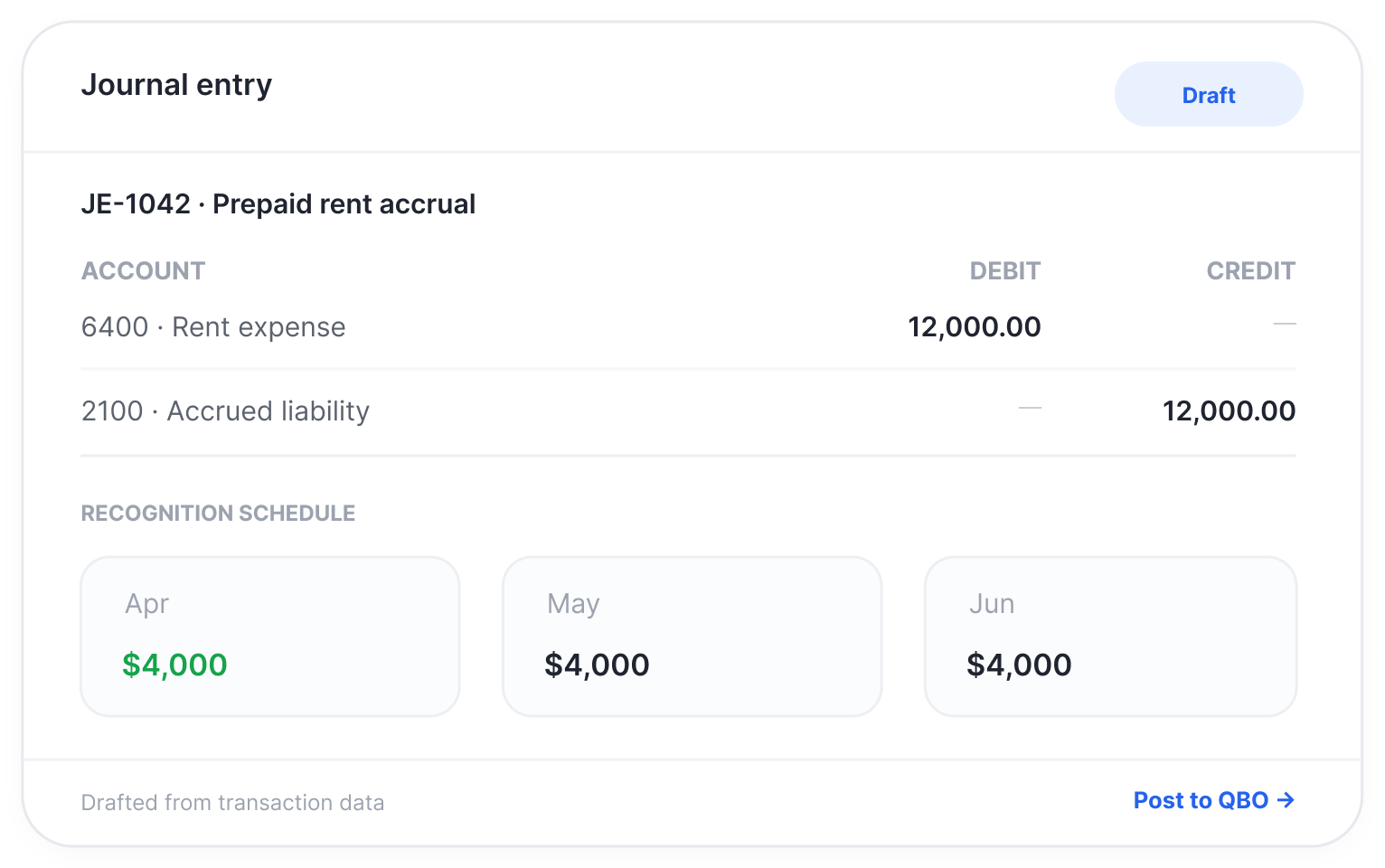
FIG. 02 · JOURNAL ENTRIES
Entries drafted. Books closed.
At month-end Finlens drafts the deferred revenue entries alongside your accruals. Low-confidence items go to the review queue, approval takes one click, and every decision lands in the audit trail.
Mapped accounts
Posted to each client’s QuickBooks chart of accounts.
Audit trail
Every post and journal entry is logged and tamper-evident.
WORKS WITH
Billing, banking and the ledger, in one flow.
StripeBilling sourceQuickBooks OnlineWhere entries post MercuryBanking
 ChaseBanking
 BrexCards & spend
 PlaidBank feeds
Finlens doesn’t replace QuickBooks. It makes it usable.
Leena · Partner, accounting firm in Austin
FAQ
What controllers ask first.
Does Finlens replace QuickBooks Online?
No. Finlens connects to your existing QuickBooks Online file and automates the work around it. Revenue entries post back to the accounts you already use, so there’s nothing to migrate.
Which Stripe data does Finlens use?
Finlens connects to Stripe and drafts revenue entries from your billing activity. [CONFIRM: the exact Stripe objects read, such as subscriptions, invoices, usage records and payouts.]
Can our auditor follow the numbers?
Yes. Each schedule shows recognized and deferred balances by month, and every post, journal entry and permission change is logged in a tamper-evident audit trail.
START FREE
Start with your Stripe account.
Create your account, connect Stripe and QuickBooks Online, and see your first revenue schedule.
Rather see it first? Book a 30-minute product tour →
Sign up
Create your Finlens account to connect Stripe and QuickBooks Online.
Start FreeContinue to Finlens to sign up with Google or email.
Have an account? Log in