Built for QuickBooks Online firms

Add more clients
without adding headcount.

Agents handle categorization, reconciliation, and journal entries. Your team just signs off. Finlens is the month-end close platform built natively for QuickBooks Online firms.

No credit card required. 30-minute call. Setup in a day.

40% more clients, same team size
6 hrs saved per client, per month
5-day average close (down from 12)
1-day setup — no migration needed

Backed by world-class investors

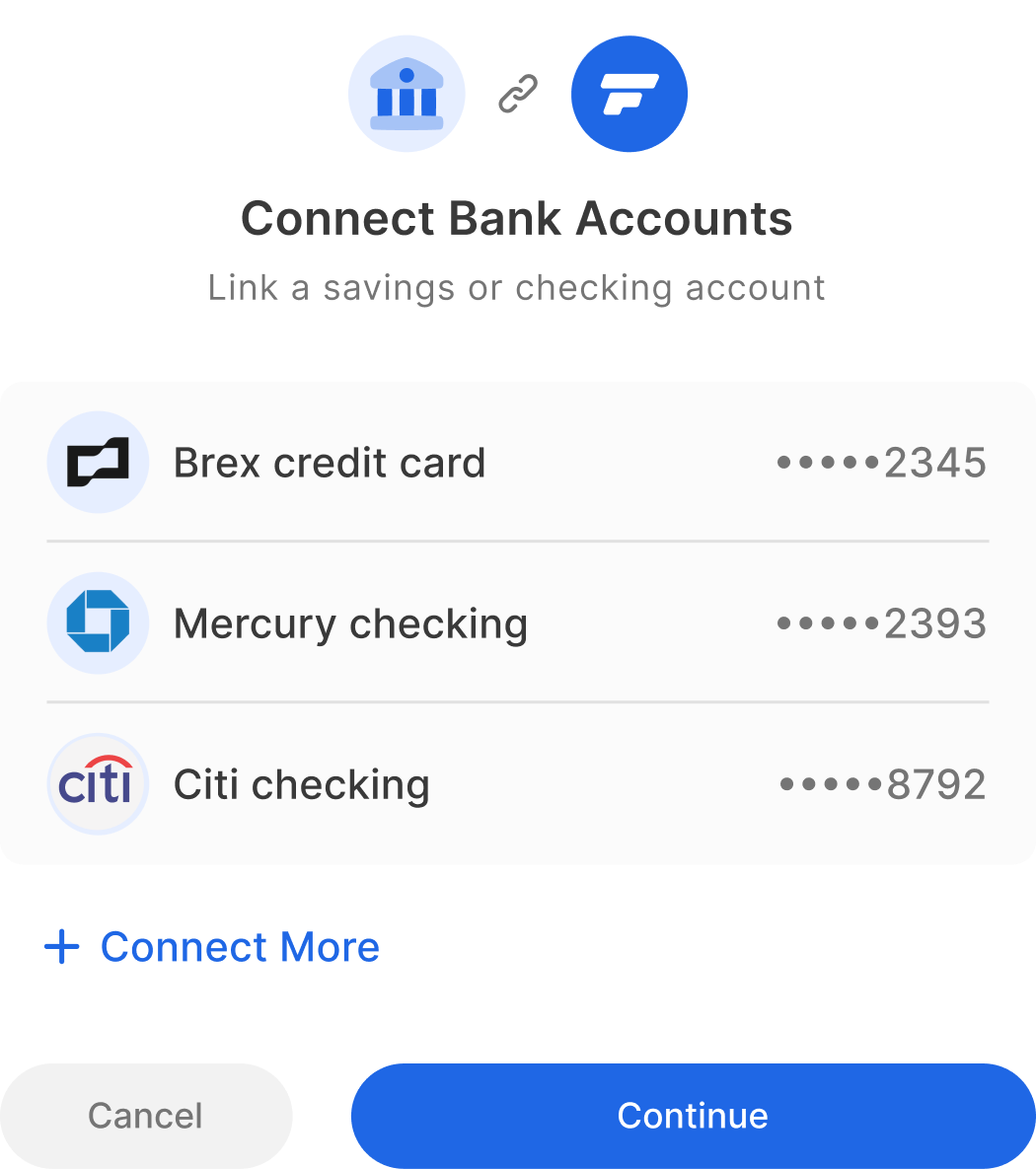
Everything flows into Finlens.
Everything syncs back to QBO.

Receipts, invoices, bank statements, payroll — all ingested, categorized, and reconciled automatically. Your QBO stays clean and current.

Receipt
Supplier Invoice
Bank Statement
Sales Invoice
Payroll / Gusto
Stripe Revenue
FINLENS AI
F
finlens

Finlens

Month-End Close

QB
QuickBooks
Categorized ✓

Your team is buried in
month-end. Every month.

The same manual work. The same bottlenecks. The same late nights. It doesn't have to be this way.

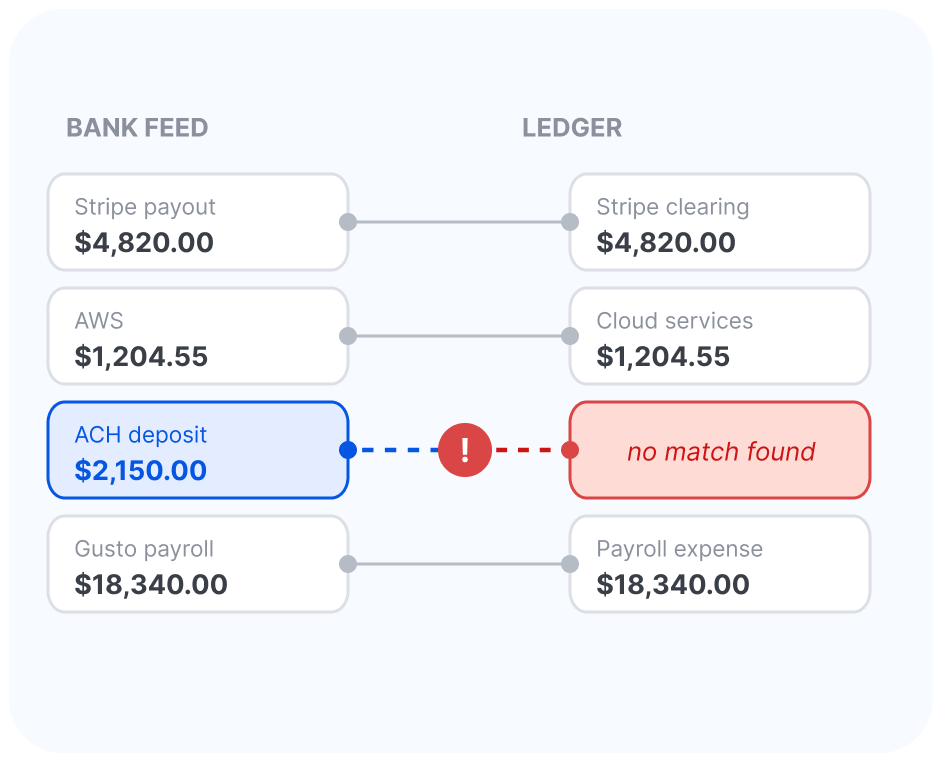
Reconciliation is a time sink

Hours spent matching transactions, chasing exceptions, and fixing miscategorized entries — every single month, for every single client.
📋

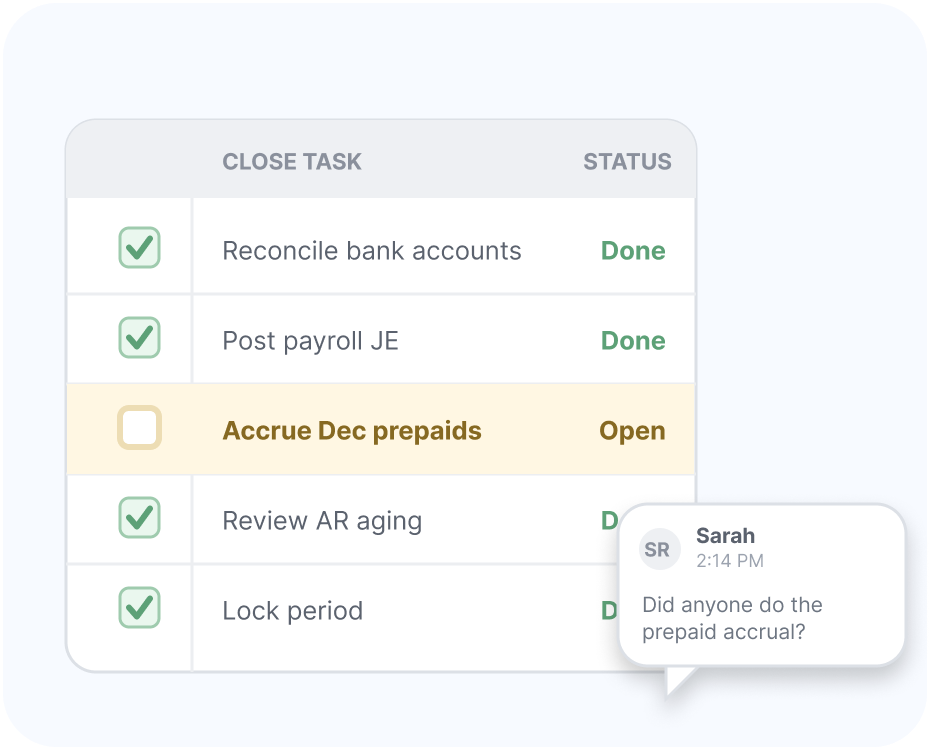
Checklists live in spreadsheets

Close tasks are tracked in Google Sheets or email threads. One missed step means a delayed close or a client restatement.
🔍

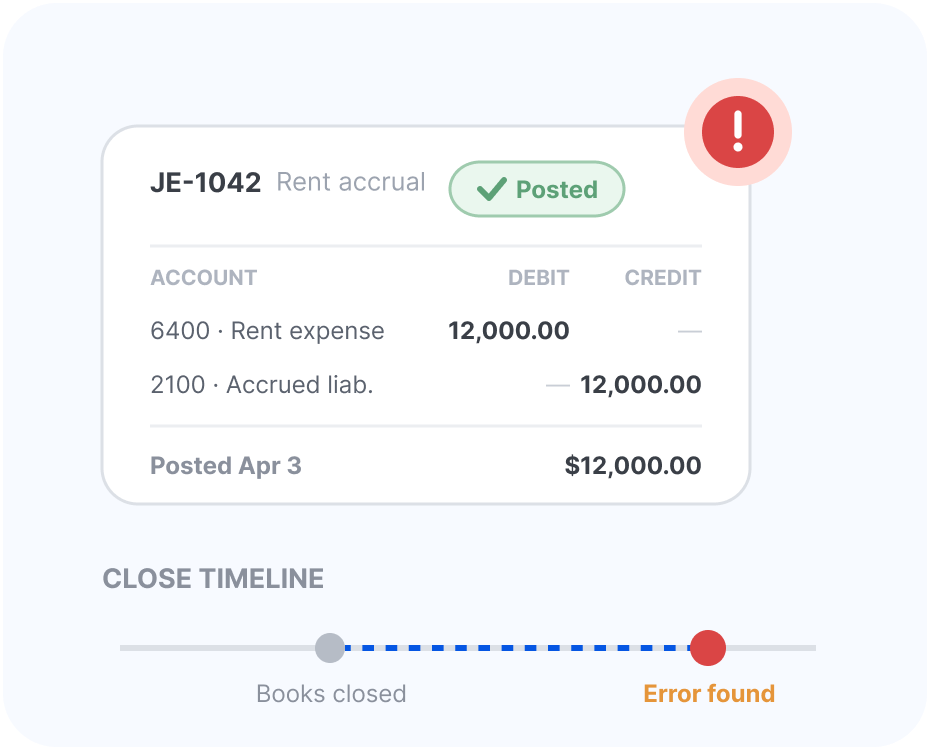
Errors surface too late

By the time someone catches a posting error, it's already in the client's books. Fixing it means more time, more back-and-forth, more risk.

Close the books in days,
not weeks.

From raw transactions to client-ready financials — automated.

Step 1 — Transactions

AI categorizes every transaction automatically

Connect your QBO and Finlens immediately starts categorizing transactions with AI — across every bank account, card, and data source your clients use.
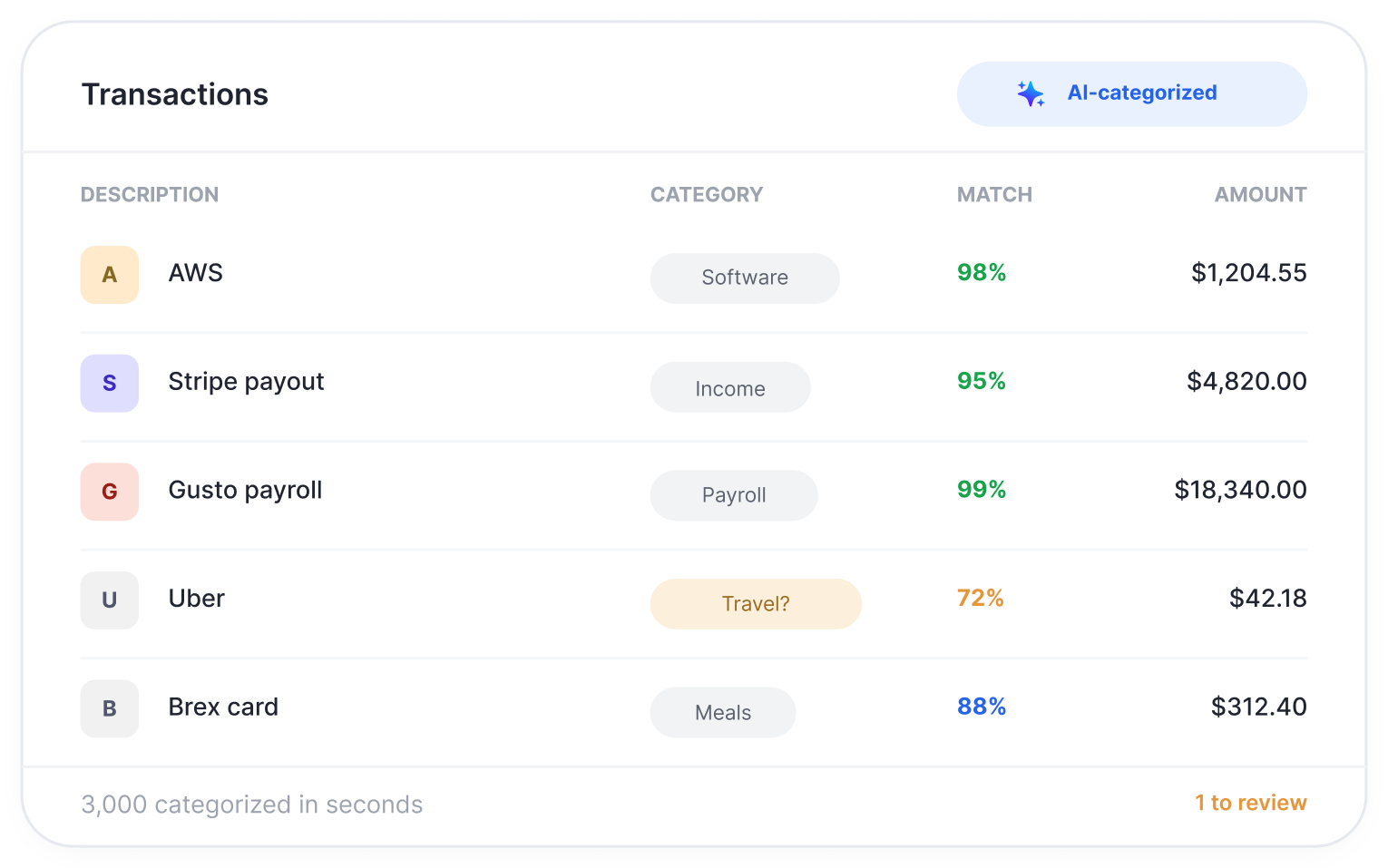
  • 3,000+ transactions categorized in seconds
  • Bills, invoices & receipts extracted and auto-matched from email, bulk upload, or Gmail sync
  • AI confidence scores flag anything uncertain
  • Rules engine learns from your corrections over time
AI auto-categorization of transactions
Step 2 — Document Extraction

Bills, invoices & receipts — extracted automatically. No Dext needed.

Finlens pulls documents straight from your email or bulk uploads, extracts every field with AI, maps to your chart of accounts, and posts the journal entry to QBO. One less tool. One less bill.
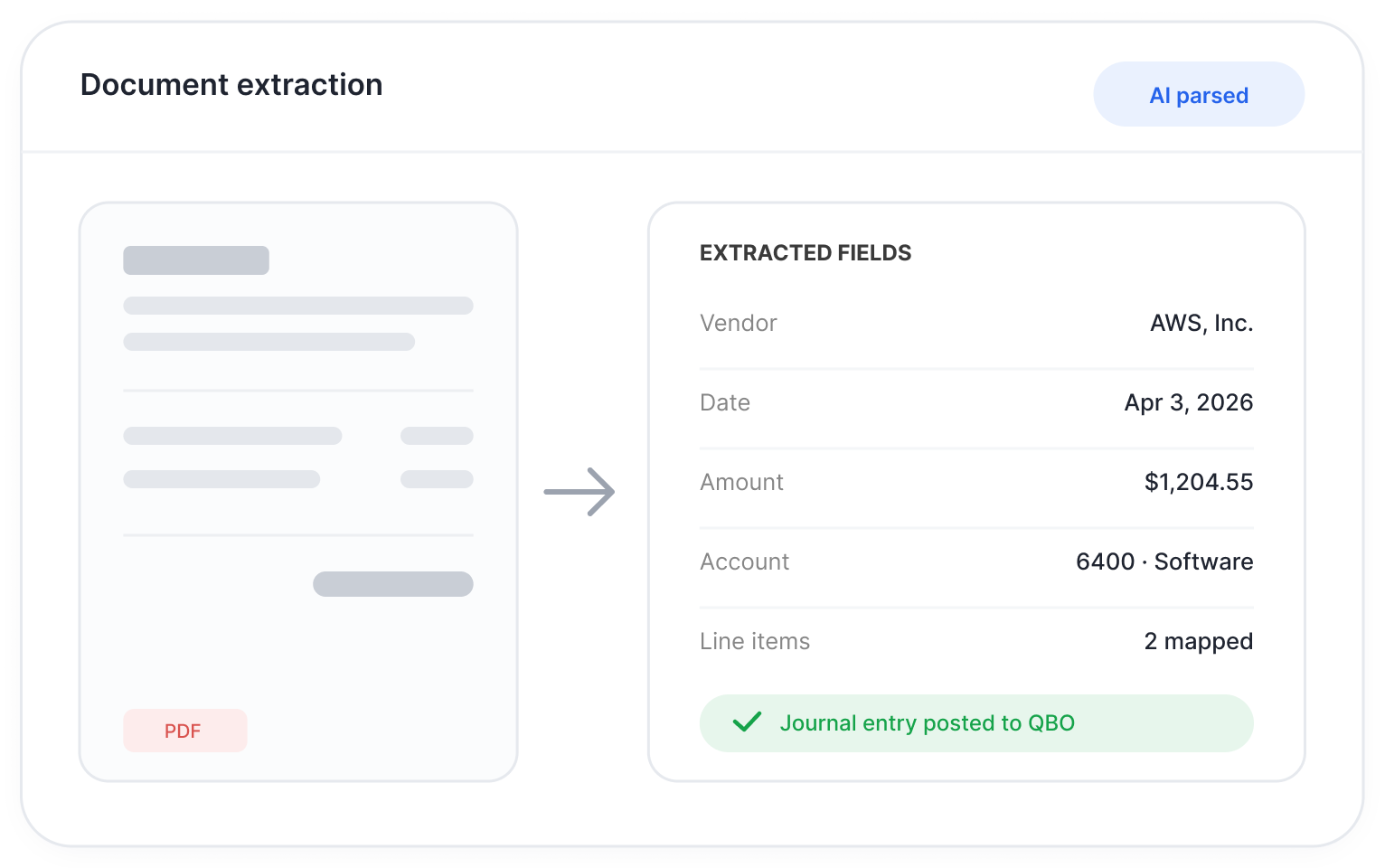
  • Gmail sync, email parsing, or bulk PDF / CSV / XML upload
  • AI extracts vendor, amount, date, and line items from any format
  • Auto-mapped to your COA — no manual account coding
  • Cash applied and journal entry posted to QBO automatically
💡 Replaces Dext, Hubdoc, and manual data entry entirely
G
Gmail / Email
Auto-parsed
📄 Bill🧾 Receipt
Bulk Upload
PDF / CSV / XML
📋 Invoice
FINLENS AIExtracting
metadata...
AI Extracted
VendorAmazon
Amount$240.00
Date03/14/26
COA map6100 · Office
Journal EntryDraft
AccountDrCr
6100 · Office Expenses
Computer Equipment
$240
2000 · Accounts Payable
Amazon
$240
1050 · Cash — Operating
Cash applied
$240
Vendor: Amazon · 03/14/26
Matched from email attachment
Posted to QuickBooks
💡 Replaces Dext · Hubdoc · manual entry
Human-in-the-loop review of AI categorizations
Step 3 — Review

Your team reviews. AI does the heavy lifting.

Low-confidence categorizations are surfaced for human review. Your accountants make the call — Finlens remembers it for next time.
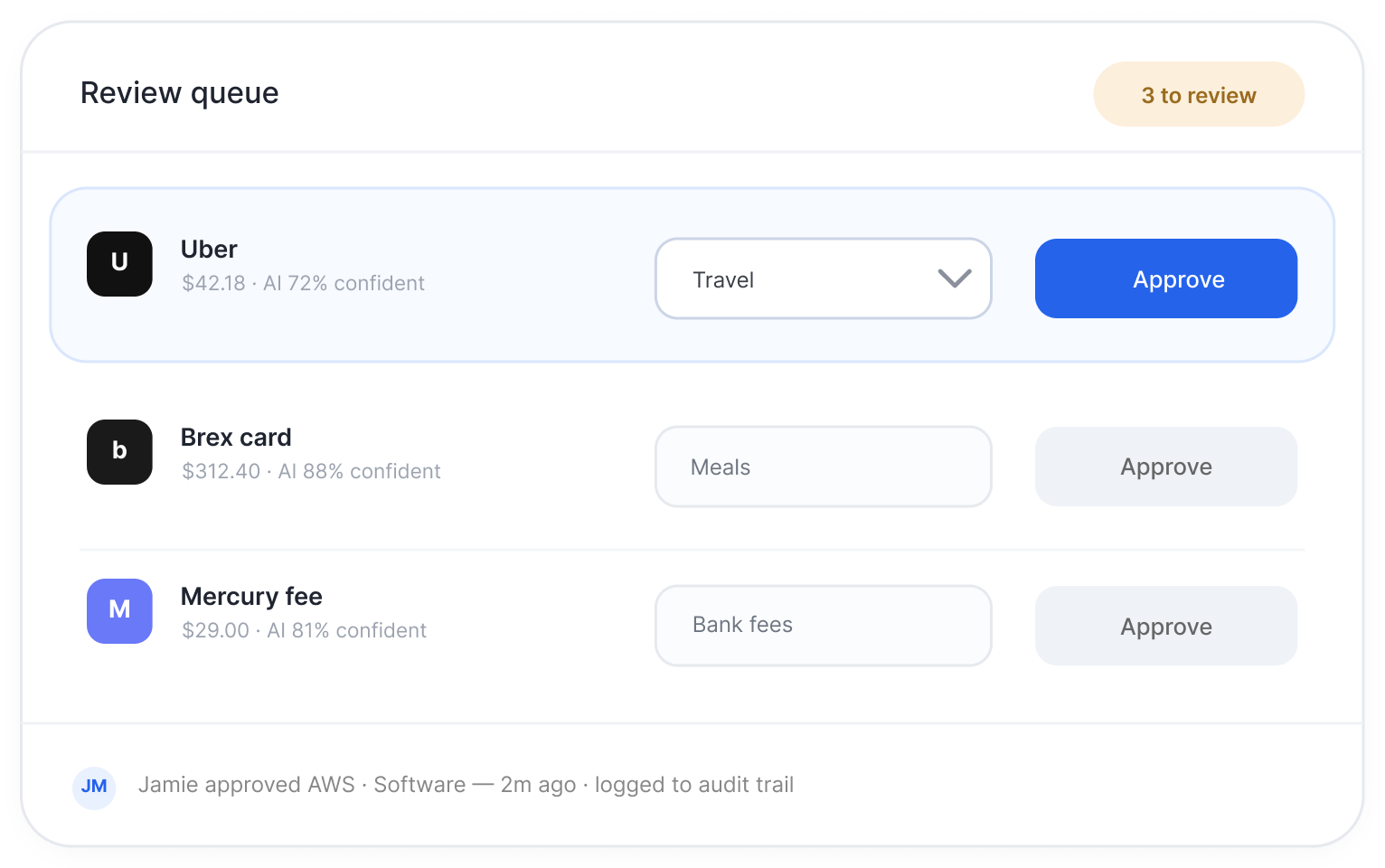
  • One-click approval for high-confidence entries
  • Category dropdown with QBO chart of accounts
  • Full audit trail of every decision made
Step 4 — Accruals & JEs

Accruals and journal entries — drafted automatically

Finlens detects prepayments, schedules accruals, and drafts journal entries based on your transaction data. No more building JEs from scratch every month.
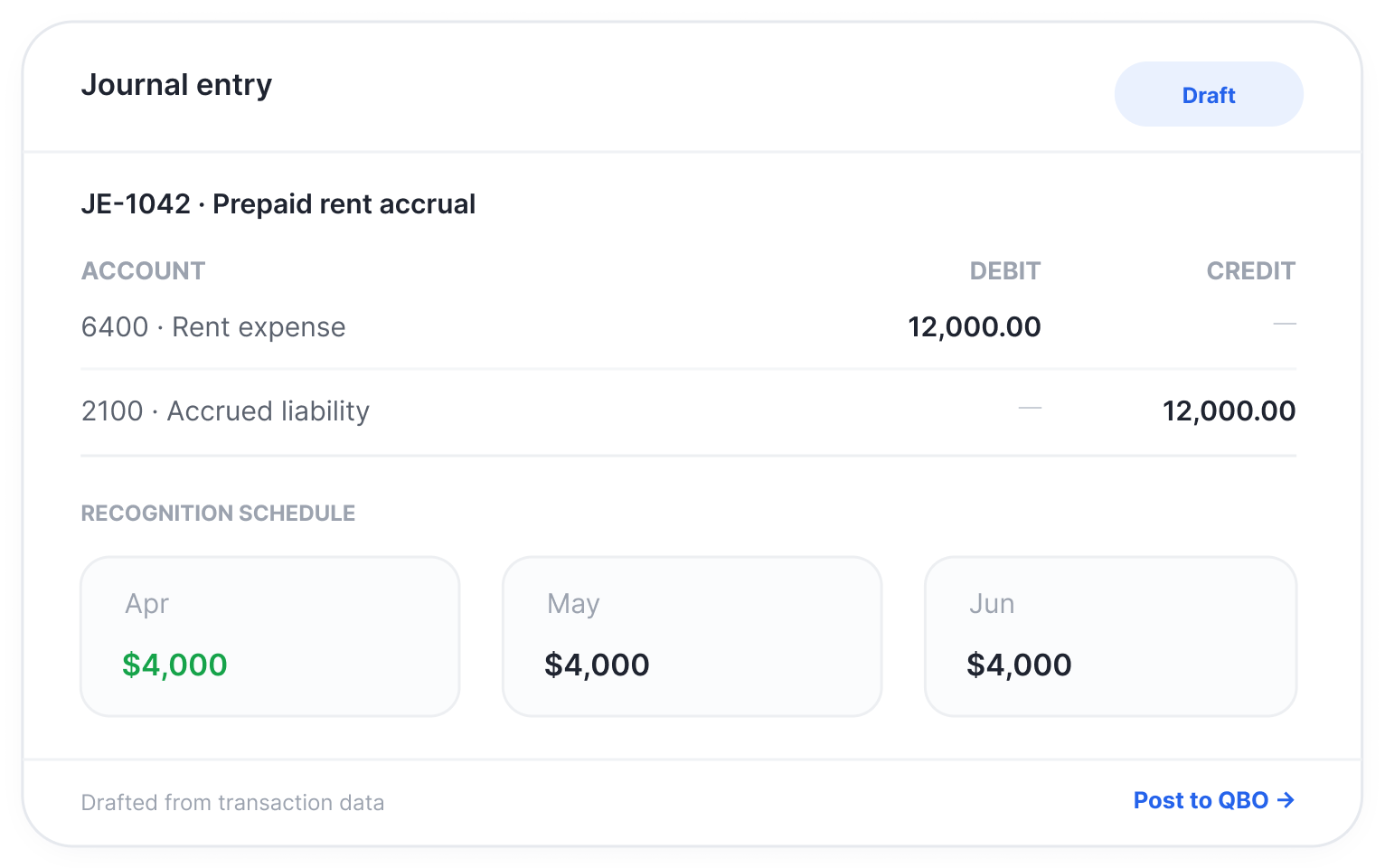
  • Automated accrual schedules synced to QBO
  • Journal entries drafted from Stripe, bills, and invoices
  • Period-by-period recognition calculated automatically
Accrual automation with QB sync
Automated reconciliation
Step 5 — Reconciliation

Reconciliation done before you even open QBO

Finlens automatically matches transactions, identifies discrepancies, and generates reconciliation entries — so your team spends minutes reviewing, not hours reconciling.
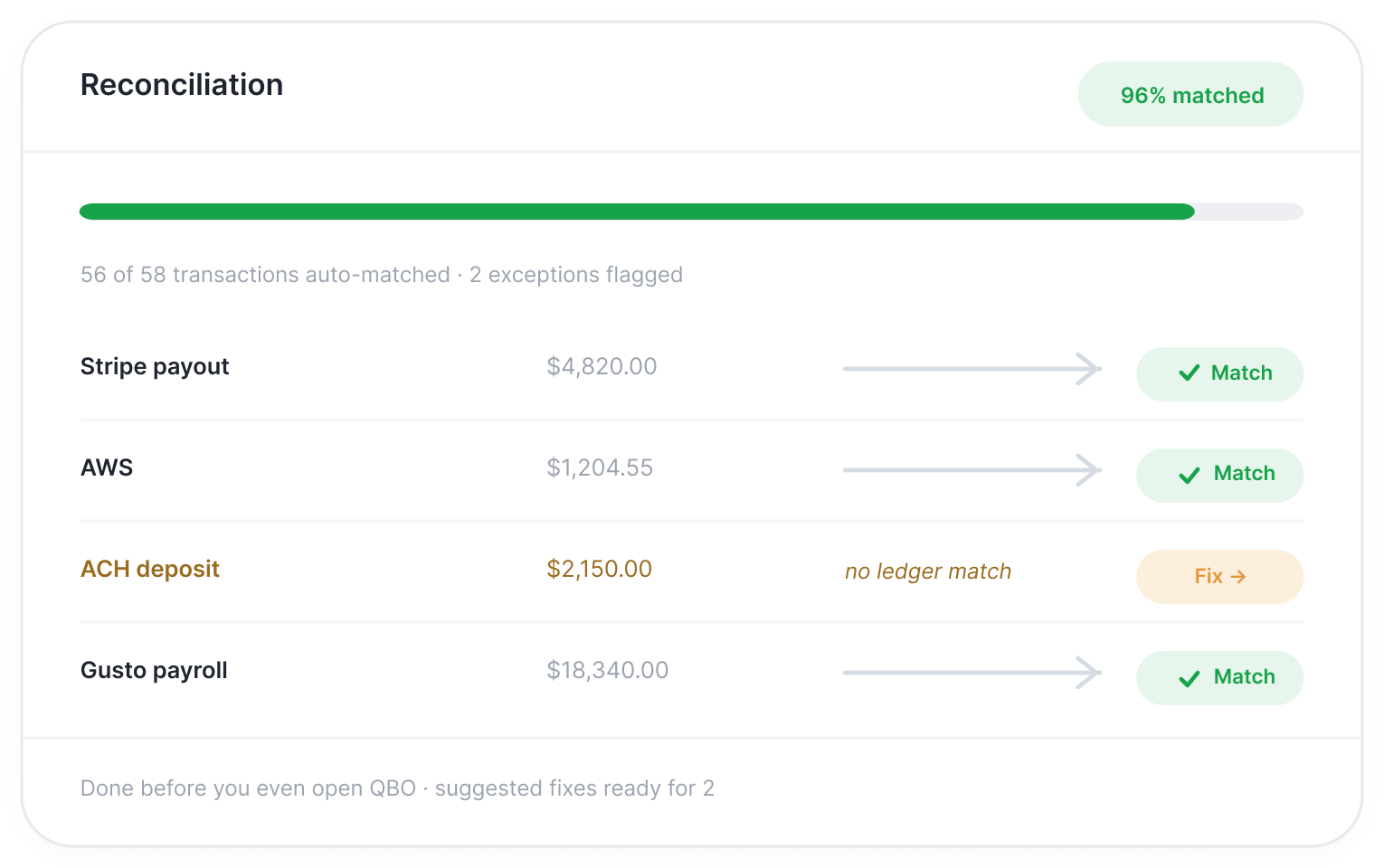
  • Bank and balance sheet accounts reconciled automatically
  • Stripe, credit cards, and bank feeds matched in real time
  • Exceptions flagged with suggested fixes
Step 6 — Close

Track every task. Close with confidence.

A structured close workflow keeps your whole team aligned — from AP/AR reconciliation to final sign-off. Every task assigned, tracked, and documented.
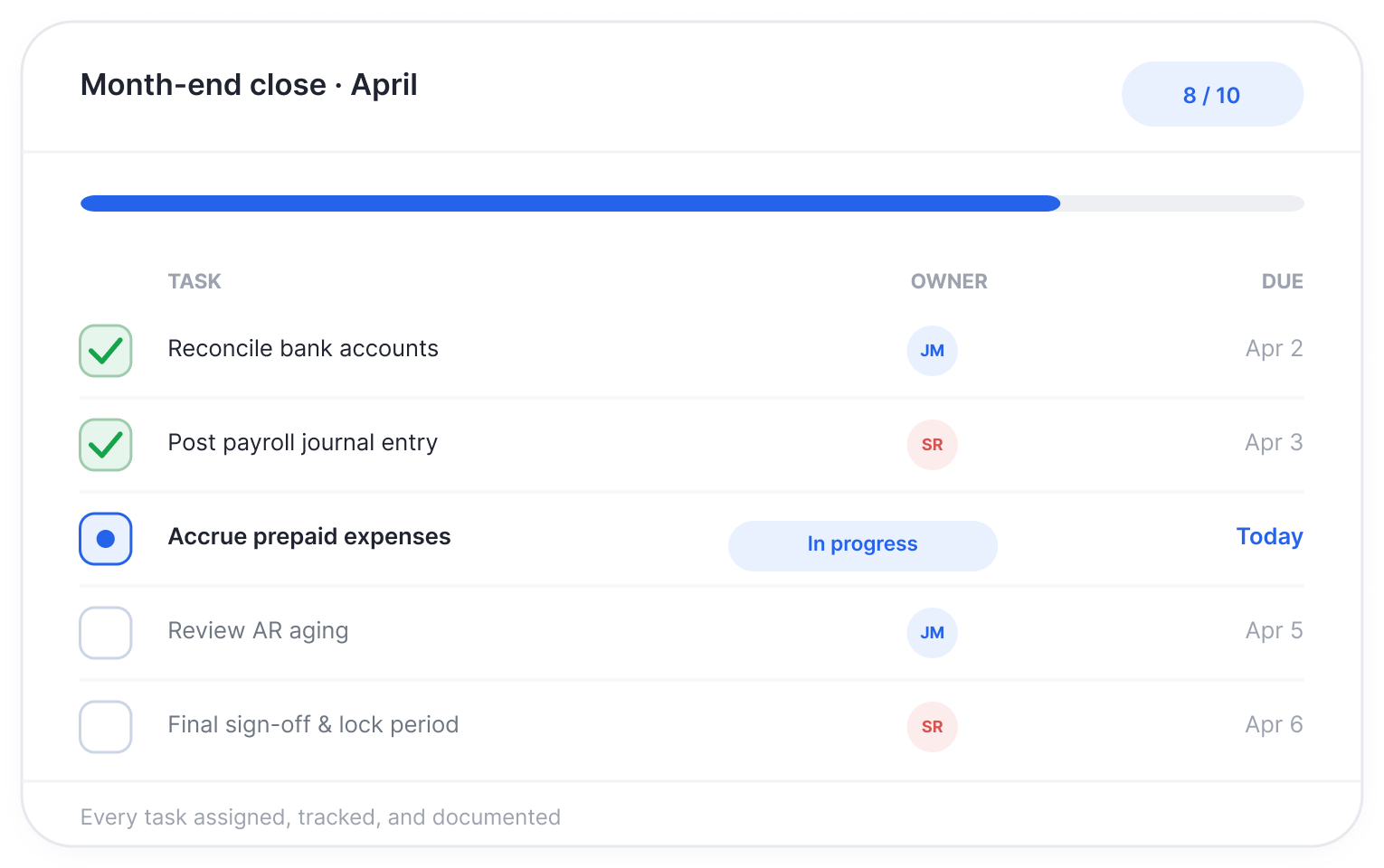
  • Customizable close checklists per client
  • Real-time status across all open tasks
  • Time elapsed tracking and due date alerts
Month-end close workflow dashboard

Your brand.
Your clients.
Their financials.

Give every client a white-labeled financial dashboard — live balance, runway, burn rate, income, and expenses — without them ever knowing Finlens is running underneath.

  • Fully white-labeled with your firm's branding
  • Real-time financial snapshot — no waiting for month-end
  • Clients see their own data, not each other's
  • Shareable dashboard link — no login required for clients
  • Replaces ad-hoc spreadsheet reporting entirely
See it in action →
finlens.app / client / nexira-ltd
White-label client financial dashboard

Works with your existing tools.

No migration. No new GL. Finlens connects to the stack your firm already uses and starts working immediately.

Zero migration  ·  Setup in one day  ·  Your clients stay in QBO
QuickBooks Online
Primary GL sync — real-time, two-way
Live
Stripe
Revenue recognition & reconciliation
Live
Direct Bank Feeds
12,000+ institutions connected
Live
Slack
Close alerts & task notifications
Live
Bill.com
AP/AR sync & payment matching
Live
Rippling
Payroll & headcount expense sync
Live
Gusto
Payroll journal entries automated
Live
Xero
Full GL sync & close automation
Soon
Sage Intacct
Enterprise GL sync
Soon
NetSuite
Multi-entity close automation
Soon

Everything your firm needs
to close faster.

🔗

QBO Native Sync

Real-time, two-way sync with QuickBooks Online. No manual imports, no duplicate data entry.

⚖️

Automated Reconciliation

Bank accounts, credit cards, and balance sheet accounts — reconciled automatically, with exceptions flagged for review.

Close Checklists

Customizable close checklists that keep every team member on track and every step documented.

🤖

AI Journal Entry Drafts

Finlens drafts journal entries based on your historical patterns. Your team reviews and posts — no starting from scratch.

📊

Client-Ready Reporting

GAAP-compliant financials and custom reports, generated automatically at close. Ready to send the moment you approve.

🏢

Multi-Client Management

Manage close processes across all your clients in one place. See status, bottlenecks, and outstanding items at a glance.

🔒

Audit Trail

Every transaction, every journal entry, every approval — logged automatically. Bank-grade encryption.

👥

Team Collaboration

Assign tasks, leave comments, and track approvals — without email threads. Built for the way accounting teams work.

See exactly what Finlens
is worth to your firm.

Adjust the sliders to match your firm. We'll show you what you're leaving on the table every month.

  • Each accountant saves ~2.5 hrs/client on transaction categorization
  • Automated reconciliation saves ~2 hrs/client on matching and review
  • Automated accruals and JEs save ~1.5 hrs/client on close tasks
How many accountants on your team?Team Members
5
How many clients does each accountant manage?Clients / Person
8
What's your average billing rate?per Hour
$150
Hours saved per month
300 hrs
Value recovered monthly
$45,000
Annual value
$540,000
Additional clients you could serve
+7 clients
without adding headcount
Book a Demo →

No commitment. 30-minute call.

Firms close faster — and take
on more clients.

Real numbers from firms using Finlens today.

60%
Reduction in close time Average time to close cut by more than half
More clients per staff member Grow revenue without growing headcount
1 day
To get fully set up No migration, no IT project, no disruption
Before Finlens, our close took 12 business days. Now we're done in 5. We've been able to take on four more clients without hiring anyone new.
JM
Jamie M.Partner, Midwest CPA Group
The automated reconciliation alone saves us 8 hours per client per month. The ROI was obvious in the first week.
SR
Sarah R.Controller, Apex Accounting

Built for QBO firms.
Not a bolt-on. Not a workaround.

vs. Generic accounting software

Works with QBO, not against it

Most tools try to replace QuickBooks. Finlens sits on top of it — automating the work your team still has to do manually inside QBO every month.

vs. other Practice Management suites

Right-sized for your firm

Practice Management platforms are built for coordinating tasks without visibility on the work itself. Finlens is purpose-built to coordinate and perform the tasks with direct ledger sync — faster to set up, easier to use, priced for your business. No annual lock-ins, no per seat pricing. Pay per client, add unlimited team members

vs. Doing it manually

Your team's time is your firm's asset

Every hour spent on manual reconciliation is an hour not spent on advisory work, business development, or simply getting home on time.

See Finlens close the books — live.

Book a 30-minute demo and we'll walk you through a real month-end close, start to finish. See how Finlens fits your firm's workflow, ask every question you have.

No commitment. No credit card. Just 30 minutes.

Common questions.

No. Finlens connects to your existing QBO account and automates the work around it — reconciliation, close checklists, journal entries, reporting. Your clients stay in QBO, and so do you.
Most firms are fully connected and running their first automated close within one business day. There's no migration, no data export, and no IT involvement required.
Yes. Finlens is built for multi-client firm management. You get a central dashboard showing close status across every client, with drill-down into individual workflows.
Finlens uses bank-grade encryption. Your client data is never shared, sold, or used to train AI models.
Finlens close checklists are fully customizable. You can build templates for different client types, service tiers, or industries — and apply them across your entire book of business.
No. Finlens is designed to fit the way your team already works. Most staff are productive within a few hours of setup.
Pricing is based on the number of clients you manage. Ask us during your demo — we'll build a quote based on your firm's specific needs. No surprises.