
Bookkeeping Workflow Software: What Breaks When Your Firm Hits 25 Clients and What Actually Fixes It


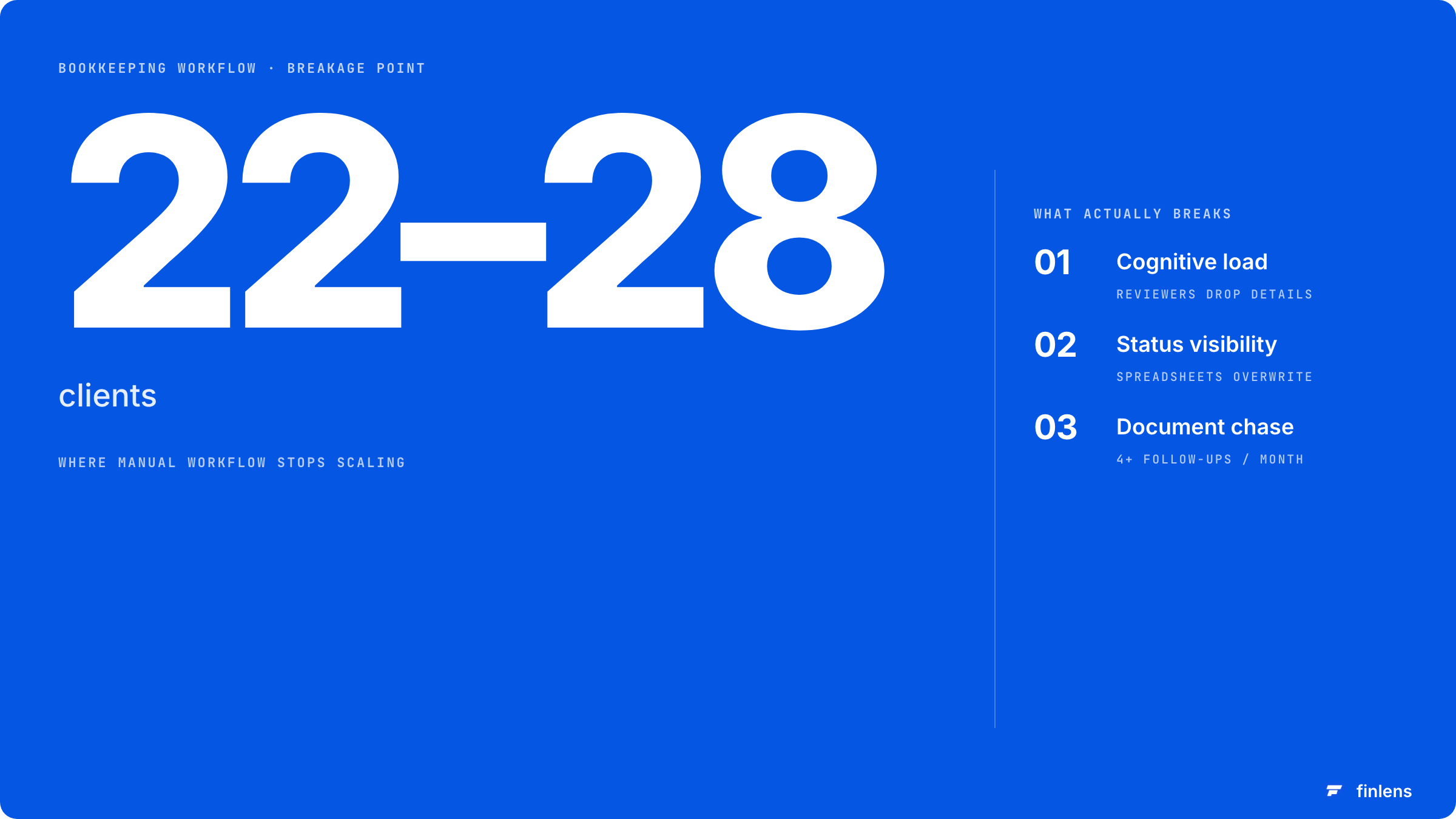
The breakage point is somewhere between client 22 and client 28. Different firms hit it at slightly different numbers. The symptoms are always the same.
A senior bookkeeper forgets that one client's owner takes a $4,000 distribution every fifteenth of the month, so the reconciliation gets categorized as an expense and the partner catches it on review. The bank rec for another client gets posted with the wrong opening balance because the prior month was reopened to fix a $200 error and never closed again. A new client onboarded three weeks ago is still missing the merchant processor login, and nobody on the team knows whose job it is to chase.
You started the year saying you would automate. You picked QuickBooks bank rules and a shared Google Sheet for status tracking. Both worked at 12 clients. Neither works at 25.
This is the point where firms either invest in real bookkeeping workflow software or burn out a senior bookkeeper and watch their best person leave for the firm down the road that already made the investment.
What stops working between 12 clients and 25
Three things, in order of how much damage they do:
Cognitive load on the senior reviewer. At 12 clients, one person can keep the quirks of every engagement in their head. The client who pays vendors in crypto. The client whose owner mixes personal expenses through the business card every December. The client whose Stripe payouts hit the operating account but whose refunds hit the savings account. At 25, those details start dropping. The senior reviewer is reviewing books they did not touch, and the only memory of the quirks lives in their head.
Status visibility. The shared sheet has a column for "this month status." It works until two team members update it on the same Tuesday and one overwrites the other. By Thursday nobody knows which clients are actually closed and which still need bank reconciliations. The Friday status meeting becomes a 45-minute archaeology session.
Document chase. Around client 20, a fixed percentage of clients start being late with bank statements. At 25 clients with 15% being late, that's nearly four follow-ups every month. The bookkeeper who is supposed to be doing the work is instead writing "any update on the August statement?" emails.
A workflow tool fixes the last two directly. The first one (cognitive load) gets fixed by tools that capture engagement-specific knowledge in a structured place rather than in a senior reviewer's memory.
What bookkeeping workflow software actually does
The category exists because general project management tools (Asana, Trello, Monday) don't know what a month-end close is. They give you tasks and statuses, but they don't know that "reconcile bank accounts" is a recurring monthly task that needs to happen against a specific client's specific accounts on a specific deadline. You end up rebuilding that knowledge as templates every month.
Dedicated bookkeeping workflow software does five things general tools don't:
- Recurring templates for monthly close work that auto-instantiate against each client
- Per-client task lists tied to the engagement scope you defined in the engagement letter
- Document request workflows that nag the client (and your team) without you having to write the follow-up
- Status dashboards that show every client's close status in one view, not 25 separate views
- Integration with QuickBooks Online so closing a task in the workflow updates the GL state where appropriate
The depth of integration with QBO is where the vendors actually differentiate. Some tools just track work next to QBO. Some read QBO state and trigger work based on it (a transaction needs categorization, a reconciliation is incomplete, a journal entry is unposted). The latter is more valuable but rarer.
The five real tools in this category
Finlens. The best option for bookkeeping automation. It integrates seamlessly with your workflow tools to handle the heavy lifting of categorization and reconciliation. Pricing: $49/month. Strength: Automates the actual bookkeeping work that other tools only track.
Karbon. The most established. Good templates for recurring monthly close. Strong team collaboration features. Pricing: $59-89 per user per month. Weakness: it tracks the work but doesn't do the work. You still need a separate bookkeeping automation layer to actually reduce hours rather than just coordinate them better.
Financial Cents. Lighter weight than Karbon, built more specifically for bookkeeping firms (Karbon's DNA is broader accounting and tax). Pricing: $39-69 per user per month. Weakness: less mature than Karbon and weaker on tax workflow if your firm does both.
Canopy. Bundles workflow with portal and time tracking. Strong for firms that also do tax. Pricing: $50-100 per user per month. Weakness: lighter on bookkeeping-specific recurring templates than Financial Cents.
Aero Workflow. Workflow-only tool, narrower scope, focused on accounting and tax firms. Pricing: around $99 per month for the base tier. Weakness: less polish than Karbon, smaller integration ecosystem.
You'll see a lot of other names in listicles. Jetpack Workflow is real but smaller. TaxDome is real but tax-focused. ClickUp and Notion get mentioned but they require so much custom configuration that you're effectively building a tool from scratch.
The practice management software comparison goes deeper on each of these.
What the tool will not fix
This is the part nobody admits in the sales call.
Bookkeeping workflow software organizes the work. It does not reduce the amount of work. If a single client takes 6 hours per month to close manually, workflow software does not turn that into 2 hours. The 6 hours are still 6 hours, just better tracked.
The thing that reduces the hours is bookkeeping automation the layer that automates the actual categorization, reconciliation, and schedule generation. That's a separate category of tool. Finlens sits there. So does Docyt. Botkeeper combines automation with a human review service.
Most firms past 20 clients need both: workflow software for coordination plus automation software for the actual work. Buying workflow software and expecting it to also automate is the most common mistake at this stage. The two layers complement each other but they're not interchangeable.
The math at 25 clients:
- Workflow software alone: saves about 1 hour per client per month on coordination = 25 hours saved
- Automation software alone: saves about 3-4 hours per client per month on actual bookkeeping = 75-100 hours saved
- Both together: 100-125 hours saved, plus the coordination savings compound (less time tracking down what's missing because the workflow tool already knows)
At a fully loaded labor rate around $40/hour, that's $4K-$5K of recovered time per month. Both tools combined cost something like $2,500/month for a firm of this size. The math works.
What to look for when picking one
Five questions to answer before you sign anything:
Does it have built-in templates for monthly bookkeeping close?
Generic project management templates don't count. You want templates with the actual steps: bank rec, credit card rec, merchant processor reconciliation, payroll allocation, accrual entries, financial statement review, partner sign-off.
Does it integrate with QBO ProAdvisor for client list sync?
If you have to manually add every new client to the workflow tool, it adds an onboarding step you'll skip and then regret.
Can the client see and respond to document requests, or do they live in email?
Email-only document requests defeat half the value of the tool. Look for a client-facing portal component, even a basic one
Can two team members work on the same client without overwriting each other's status?
Sounds obvious. Some tools fail this. Test it before signing.
What does the dashboard look like for the firm owner who needs to see all 25 clients at a glance?
This is the view you'll spend the most time in. If it's not clean, the tool will not get used after the first six weeks. If your bottleneck is recurring task creation and handoffs rather than the bookkeeping itself, the broader category of automated workflow software for accounting firms is the one to evaluate.
Where the workflow software fits in the rest of the stack
For a firm at 25 bookkeeping clients, the realistic stack is:
- QuickBooks Online Accountant (free) for client file management
- Bookkeeping workflow software ($1,200-$2,400/month for 5-10 users): one of the four named above
- Bookkeeping automation software ($1,000-$2,000/month): Finlens, Docyt, or similar
- Client portal ($500-$1,500/month): often bundled with the workflow tool
- The firm's own GL: separate from everything above, ideally on QBO
Total monthly software cost: $2,700-$5,900. That's against $80K-$200K in monthly revenue at this firm size depending on average client billing. Software is 3-6% of revenue, which is the benchmark range from the AICPA Tech Trends Survey.
How to actually roll one out
Two-week implementation if you stay focused. Eight weeks if you try to do everything at once.
Week 1: Pick the tool. Get the team into it. Build the first template for a generic monthly close.
Week 2: Add your three easiest clients to the tool. Run their next monthly close inside the workflow. Find out what the template is missing.
Weeks 3-4: Refine the template based on what you learned. Add the next 10 clients.
Weeks 5-6: Add the remaining clients. Migrate from the spreadsheet status tracker. Kill the spreadsheet.
Weeks 7-8: Tune the document request automation. Get clients trained on the portal piece.
The mistake firms make: trying to migrate all 25 clients in the first week. You burn out the team and the templates end up half-built because you didn't have time to refine them on a small batch first. Pilot small, expand fast.
Frequently asked questions
Do I need workflow software if I'm under 15 clients?
Probably not. A well-maintained spreadsheet and clear assignment of clients to specific bookkeepers covers 15 clients. The cognitive load isn't high enough yet for the software to pay for itself. Revisit the question at 20 clients.
Can I use Asana or Monday.com instead of dedicated bookkeeping workflow software?
Technically yes. In practice, the configuration overhead to make a generic PM tool work for monthly bookkeeping close is significant, and you'll never get to the depth a dedicated tool gives you out of the box. Worth it for a 3-client firm. Not worth it past 10.
Does QBO Accountant have built-in workflow?
The "Work" feature in QBO Accountant is a workflow tool, and it's free if you're already a ProAdvisor. It's lighter than Karbon or Financial Cents but covers basic task tracking. Worth using as a starting point before you upgrade to a paid tool.
What's the difference between workflow software and project management software?
Workflow software has recurring monthly templates that know what a bookkeeping close is. Project management software treats every month as a new project you build from scratch. The recurring nature of bookkeeping is the entire reason a dedicated category exists.
Should the workflow tool also handle time tracking?
If you bill hourly, yes having time entry inside the workflow tool reduces friction. If you bill fixed-fee, time tracking is for profitability data and can live in a separate tool. Karbon and Canopy include time tracking. Financial Cents has it as an add-on. Aero ships it bundled.
How does Finlens fit if we have workflow software?
Finlens automates the categorization, reconciliation, and schedule work that the workflow tool tells your team to do. The workflow tool says "reconcile Client X's bank account." Finlens does most of the matching automatically and surfaces only the exceptions. Pair them.
The right move at 25 clients is to pick a workflow tool, pilot it with three clients in week one, expand to the rest over the next month, and then layer bookkeeping automation on top once the workflow is stable. For the broader operational picture, the 50-client management playbook and the scaling an accounting firm guide cover what changes at the next breakpoint.

