AI Bookkeeper for QuickBooks Get Investor Ready
Finlens layers AI automation on top of QuickBooks to automate your month-end close and deliver real-time financial visibility without any migration.
QuickBooks Alone Is Not Enough
Hours Lost to Categorization
Manually tagging every transaction in QuickBooks eats hours each month that should go toward growing your business.
Stale Books Miss Deadlines
When financials are always a month behind, you cannot answer investor questions or spot cash flow problems in time.
Month-End Close Drains Time
Closing the books every month means juggling spreadsheets, chasing documents, and reconciling accounts that never quite balance.
AI Bookkeeping That Works on Top of QuickBooks
Finlens connects directly to your QuickBooks account and automates the manual work: transaction categorization, month-end close, and real-time reporting. No migration, no spreadsheets, no bottlenecks.
Real-Time QuickBooks Two-Way Sync
Finlens connects directly to your existing QuickBooks account and syncs transactions, journal entries, bills, and invoices in real time. No migration required and no duplicate data entry.

AI Transaction Categorization
Every transaction is auto-categorized at first pass using GL logic and historical patterns. Your books stay current without manually tagging each line item inside QuickBooks.

Automated Month-End Close
Finlens automates the recurring close workflow so you can finish the books up to 40 to 70 percent faster each month without spreadsheets or manual checklist coordination.

Investor-Ready Report Generation
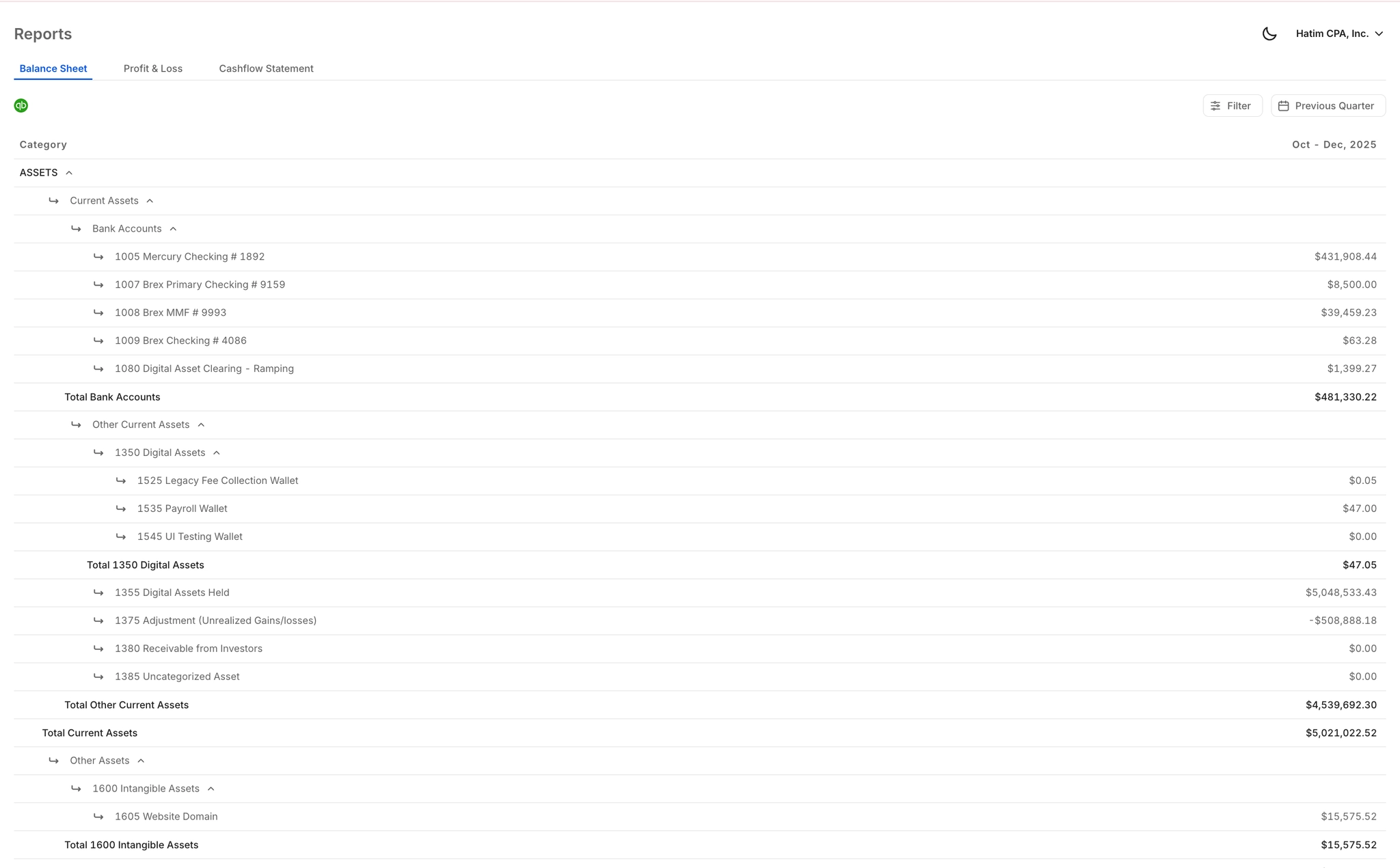
Pull clean, formatted financial reports built for due diligence, investor updates, and board meetings instantly. No waiting on your accountant and no reformatting PDFs.
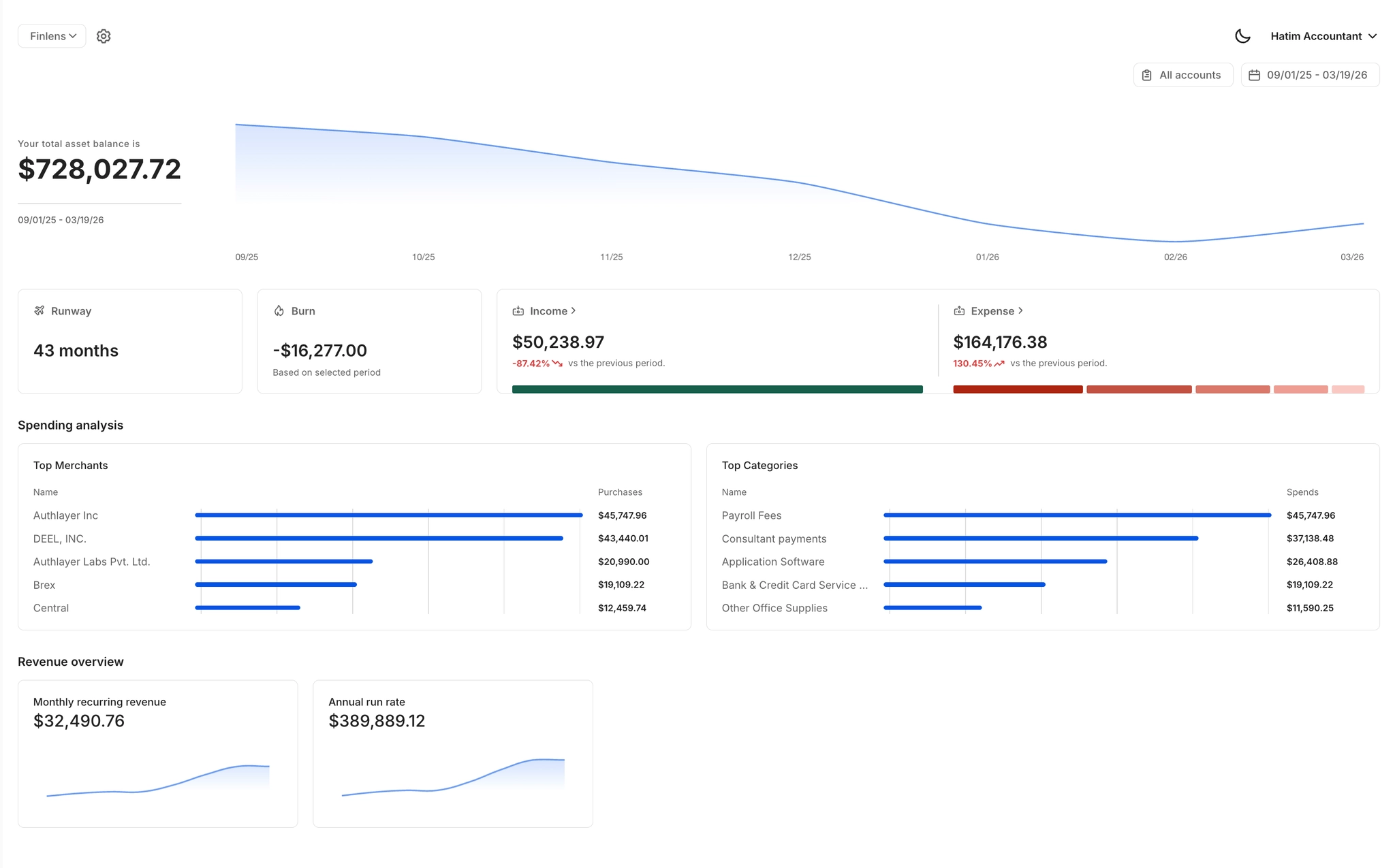
Live Burn Rate and Runway Dashboard
A single dashboard showing burn rate, runway, MRR, ARR, vendor spend, and cash flow updated live so you can answer any investor question the moment it is asked.
Ready to Transform Your Business?
How It Works
Get started in minutes, not months.
Connect QuickBooks
Finlens reads your GL and identifies accrual-eligible transactions
Review AI-Generated Schedules
Finlens auto-builds prepaid, deferred revenue, and amortization schedules; your team reviews and approves
Entries Post Automatically at Month-End
Journal entries sync to QuickBooks on schedule; close faster, audit trail preserved
Why Choose Finlens
Why teams choose Finlens.
Works on Top of QuickBooks
No migration. No new GL. Finlens augments the tools your team already uses — real-time two-way sync means your QuickBooks data is always current.
80%+ Less Manual Bookkeeping
AI categorization, automated reconciliation, and smart schedules replace the spreadsheet work that eats your team’s hours.
Backed by Y Combinator & Accel
Built in San Francisco by a team that understands accounting workflows. Trusted by firms and founders scaling fast.
12,000+ Bank Connections
Connect every bank account, credit card, and financial tool your clients use. Powered by Plaid.
Frequently Asked Questions
Does Finlens replace QuickBooks for my small business?
No. Finlens works on top of QuickBooks and augments it rather than replacing it. Your existing QuickBooks setup stays exactly as it is. Finlens connects to your QuickBooks account, pulls transaction data in real time, applies AI-powered categorization and accounting logic, and posts entries back automatically. You keep QuickBooks as your general ledger while Finlens handles the manual work that currently consumes your time.
How does the AI bookkeeper categorize my transactions?
Finlens reads your transactions and applies categorization logic based on your historical patterns and GL structure. It learns from any corrections you make over time, so accuracy improves the longer you use it. Every suggested categorization can be reviewed and approved before anything posts to QuickBooks, giving you full control without doing the work manually.
How long does it take to get set up with Finlens?
Setup connects directly to your existing QuickBooks account with no migration required. Finlens starts pulling transaction data and applying AI categorization right away. There is no need to rebuild your chart of accounts or re-enter historical data.
What does Finlens cost for small business owners?
Finlens offers a free Starter plan for businesses with up to $50,000 per month in expenses. The AI Accounting plan is $49 per month and covers up to $100,000 per month in expenses. A Flexible Plan with a dedicated CPA and monthly bookkeeping is also available at custom pricing. There is no cost to get started on the Starter tier.
Can Finlens help me generate reports for investors or my accountant?
Yes. Finlens generates investor-ready financial reports including P&L, balance sheet, and cash flow statements that are always current and formatted for due diligence or board meetings. Founders can pull and send these reports instantly without requesting them from an accountant and waiting days to receive a PDF.