Automate QuickBooks Transaction Categorization with AI
Finlens learns your GL logic to auto-categorize every transaction in QuickBooks, eliminating manual entry and keeping your books accurate for month-end close.
Manual Categorization Is Breaking Your Firm
Hours Lost Every Month
Manually categorizing 1000+ transactions per client consumes 6-10 hours that should go toward higher-value advisory work.
Errors Compound at Close
Miscategorized transactions discovered at month-end trigger cascading corrections, delayed deliverables, and compliance exposure for your firm.
New Clients Stall Your Team
Each new client restart means re-learning their chart of accounts from scratch, adding 10-15 hours before any real work begins.
AI That Categorizes Transactions Inside QuickBooks
Finlens sits on top of your existing QuickBooks, reads every transaction in real time, applies your GL logic and learned patterns, and posts categorized entries automatically. No migration, no manual tagging, no rework at close.
QuickBooks Transaction Categorization AI
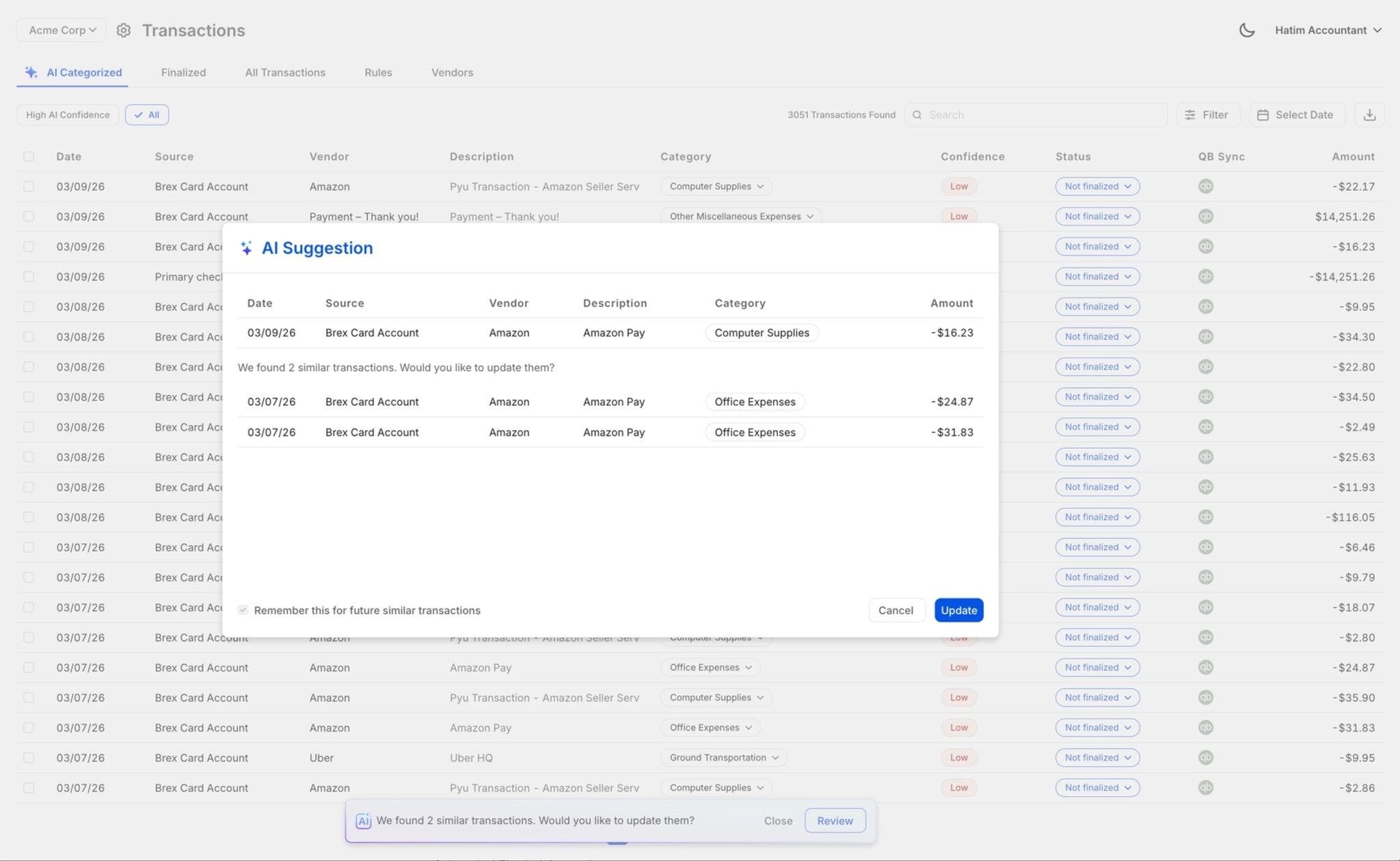
Every transaction is auto-categorized at first pass using your firm's GL logic and historical correction patterns. High-volume clients with 1000+ monthly transactions get accurate books without a single manual tag.

One-Click Categorization Review
AI suggests every category; your team approves, corrects, or overrides in one click before anything posts to QBO. Full liability stays with the controller — nothing is final without human sign-off.
Real-Time QuickBooks Two-Way Sync
Categorized transactions, journal entries, bills, and invoices sync bidirectionally with QuickBooks in real time. No exports, no CSV uploads — your QBO GL stays current the moment Finlens processes a transaction.

Faster Month-End Close Process
Automated categorization feeds directly into a structured close workflow with task assignments and progress tracking. Firms report 40-70% faster close times when manual categorization is removed from the critical path.

Automated Chart of Accounts Setup
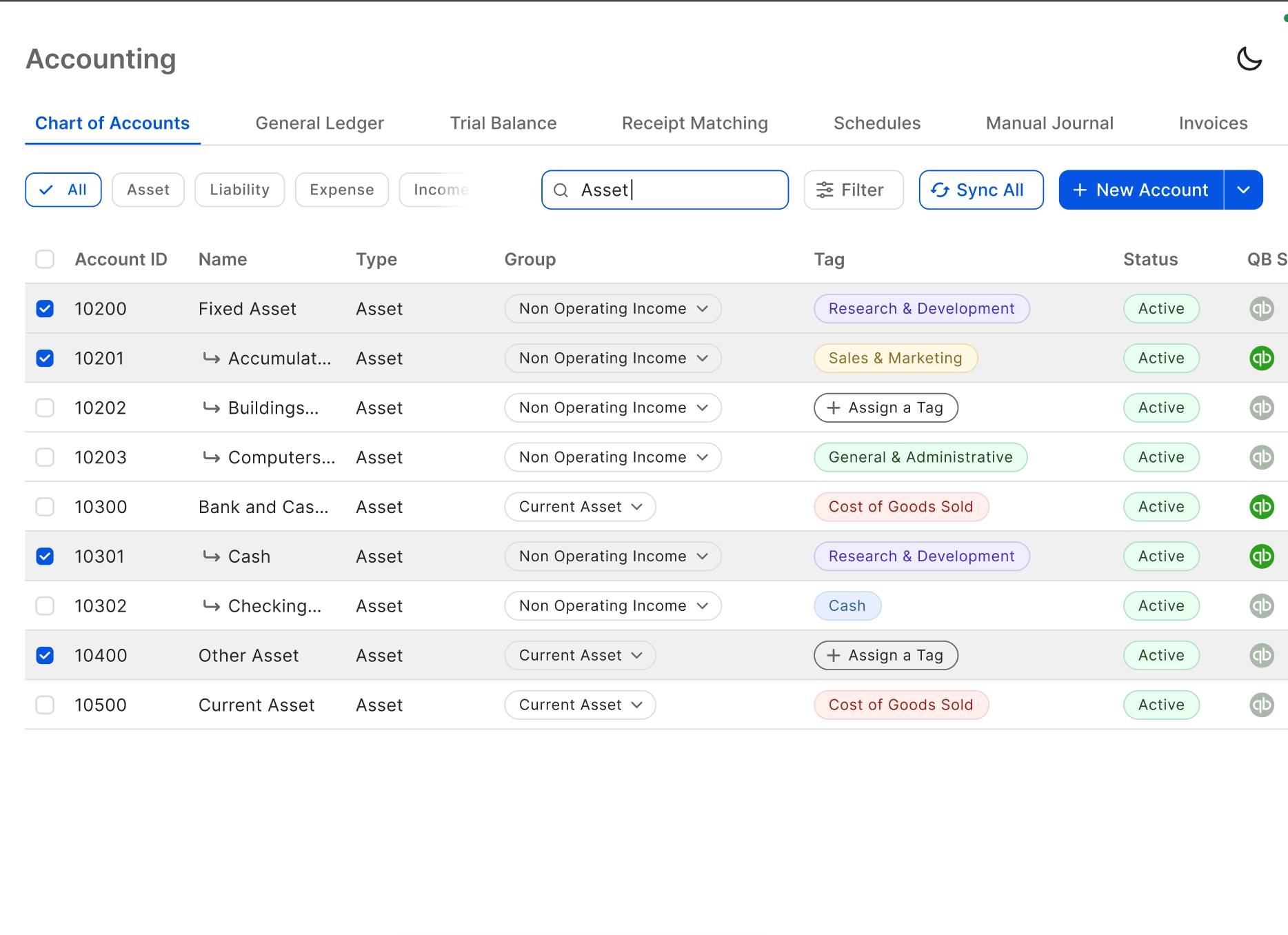
Apply a comprehensive default COA to any new client instantly, with historical transactions categorized automatically. What used to take 10-15 hours of onboarding collapses to near-instant — so categorization starts on day one.
Ready to Transform Your Business?
How It Works
Get started in minutes, not months.
Connect QuickBooks
Finlens reads your GL and identifies accrual-eligible transactions
Review AI-Generated Schedules
Finlens auto-builds prepaid, deferred revenue, and amortization schedules; your team reviews and approves
Entries Post Automatically at Month-End
Journal entries sync to QuickBooks on schedule; close faster, audit trail preserved
Why Choose Finlens
Why teams choose Finlens.
Works on Top of QuickBooks
No migration. No new GL. Finlens augments the tools your team already uses — real-time two-way sync means your QuickBooks data is always current.
80%+ Less Manual Bookkeeping
AI categorization, automated reconciliation, and smart schedules replace the spreadsheet work that eats your team’s hours.
Backed by Y Combinator & Accel
Built in San Francisco by a team that understands accounting workflows. Trusted by firms and founders scaling fast.
12,000+ Bank Connections
Connect every bank account, credit card, and financial tool your clients use. Powered by Plaid.
Frequently Asked Questions
Does Finlens replace QuickBooks?
No. Finlens works on top of QuickBooks, not instead of it. Your existing QBO setup, chart of accounts, and client history stay exactly where they are. Finlens adds an AI automation layer that reads transactions, applies your GL logic, and syncs categorized entries back to QuickBooks in real time. There is zero migration required and no disruption to your current workflow.
How does AI transaction categorization actually work?
Finlens connects to your clients' QuickBooks and pulls transaction data in real time. It then applies a combination of your firm's historical categorization patterns, GL rules, and learned corrections from your team to assign the right category at first pass. As you approve or correct suggestions, the AI gets more accurate over time — reducing the exceptions your team needs to review.
Can my team review AI-suggested categories before they post to QuickBooks?
Yes, always. Finlens uses a human-in-the-loop review workflow where every AI-suggested categorization is surfaced for accountant approval before anything posts to QBO. Your team can approve in bulk, correct individual entries, or override any suggestion. Nothing becomes a journal entry without human sign-off, which is critical for firms that carry legal liability for the books they file.
How long does it take to set up a new client in Finlens?
Finlens automates chart of accounts setup and historical transaction categorization for new clients, which typically saves 3 or more hours compared to manual onboarding. Clients that previously took 10-15 hours to set up can be ready far faster. Once connected to QuickBooks, the AI begins categorizing new transactions immediately.
Will Finlens work for high-volume clients with thousands of transactions?
Yes. Finlens is specifically built for high transaction volumes. The AI categorization engine processes every transaction at first pass without slowing down, regardless of volume. Firms managing clients with 1000+ monthly transactions see the largest time savings — because the manual categorization effort that consumed 6-10 hours per month is handled automatically.