Accounting Firm Capacity Built to Scale with AI
Finlens layers AI automation on top of QuickBooks so your firm can take on more clients without burning out your team or adding headcount.
Capacity Constraints Are Costing You Growth
New Clients Demand New Hires
Adding 10 clients means hiring another bookkeeper. Margins shrink with every engagement you take on.
Month-End Close Overwhelms Staff
Manual close workflows pile up each month, leaving your team juggling spreadsheets, email threads, and QBO tabs.
Onboarding Drains Billable Hours
Setting up a new client takes 10 to 15 hours of manual chart of accounts setup and historical transaction cleanup.
More Capacity Without More Headcount
Finlens augments your existing QuickBooks setup with AI automation that handles the most time-consuming firm workflows. Automate client onboarding, month-end close, and transaction categorization so your team can manage far more clients with the same staff.
Manage Every Client From One View
A centralized dashboard showing open items, approvals, and deadlines across all clients at once. Switch between clients instantly without logging into separate QBO accounts, so one accountant covers the ground of several.
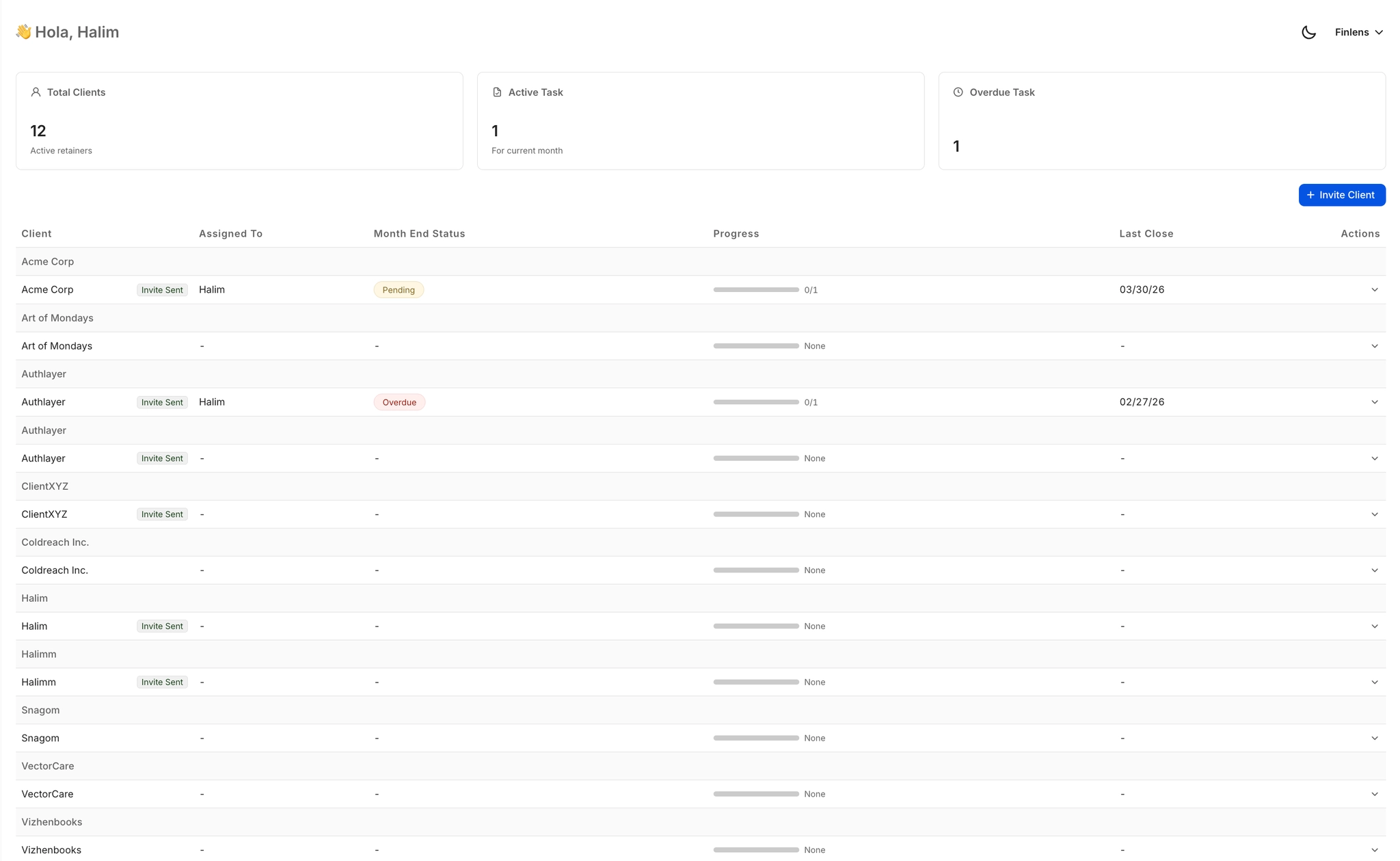
Month-End Close at 40 to 70 Percent Faster
Automated task management, team assignment, and progress tracking compress your close timeline by 40 to 70 percent. No more Notion checklists or email chains to coordinate the same recurring workflow every month.

AI Categorization Across All Clients
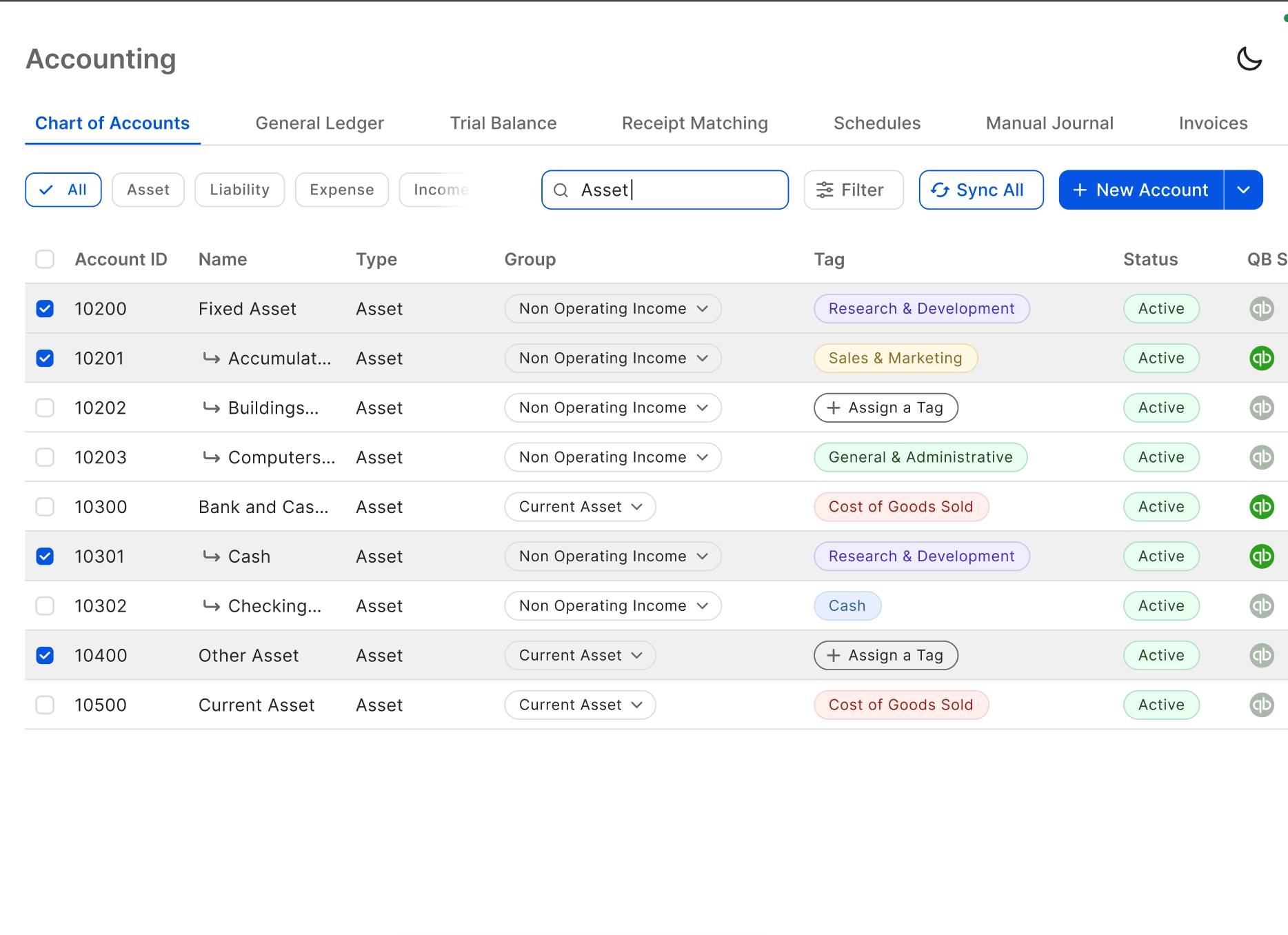
Every transaction is categorized at first pass using GL logic and historical patterns learned from your firm's own corrections. Eliminates hours of manual coding per client per month, scaling output without scaling effort.

Client Onboarding in Minutes Not Hours
Apply a complete, structured chart of accounts to new clients instantly. Saves 3 or more hours per onboarding and collapses the historical transaction cleanup that previously made high-volume or messy-books clients unprofitable to take on.
Automated Bank Reconciliation Every Month
Auto-matches bank statement activity against QuickBooks records, flags discrepancies, and clears matched items without manual review. Removes one of the most tedious recurring steps from your month-end close process across every client.

Ready to Transform Your Business?
How It Works
Get started in minutes, not months.
Connect QuickBooks
Finlens reads your GL and identifies accrual-eligible transactions
Review AI-Generated Schedules
Finlens auto-builds prepaid, deferred revenue, and amortization schedules; your team reviews and approves
Entries Post Automatically at Month-End
Journal entries sync to QuickBooks on schedule; close faster, audit trail preserved
Why Choose Finlens
Why teams choose Finlens.
Works on Top of QuickBooks
No migration. No new GL. Finlens augments the tools your team already uses — real-time two-way sync means your QuickBooks data is always current.
80%+ Less Manual Bookkeeping
AI categorization, automated reconciliation, and smart schedules replace the spreadsheet work that eats your team’s hours.
Backed by Y Combinator & Accel
Built in San Francisco by a team that understands accounting workflows. Trusted by firms and founders scaling fast.
12,000+ Bank Connections
Connect every bank account, credit card, and financial tool your clients use. Powered by Plaid.
Frequently Asked Questions
Does Finlens replace QuickBooks for my accounting firm?
No. Finlens works on top of QuickBooks, not instead of it. Your firm keeps its existing QBO setup with no data migration required. Finlens adds a real-time two-way sync layer and AI automation for the workflows your team currently handles manually, such as transaction categorization, month-end close coordination, and client onboarding. Think of it as the automation layer between QBO and the spreadsheets and email threads your team still relies on.
How much can Finlens actually increase our firm's capacity?
Finlens is built around the principle of letting one bookkeeper manage the workload that would otherwise require multiple staff. Specific capabilities that expand capacity include a 40 to 70 percent reduction in month-end close time, 3 or more hours saved per new client onboarding, and AI categorization that eliminates the bulk of manual transaction coding per client per month. Firms using the multi-client dashboard can manage 50 or more clients from a single view without logging into separate QBO accounts.
How long does it take to onboard a new client into Finlens?
Finlens automates the two most time-consuming parts of client onboarding: chart of accounts setup and historical transaction categorization. Both can happen near-instantly rather than requiring the 10 to 15 hours of manual work that is typical today. This means your firm can profitably take on clients with high transaction volumes or messy historical books that you might have previously declined.
How does Finlens handle the month-end close across many clients at once?
Finlens provides a centralized close workflow with task management, team assignment, and progress tracking across all clients simultaneously. Rather than managing separate checklists or email threads per client, your team works from a single interface that shows close status, open items, and pending approvals for every account. This is how Finlens delivers 40 to 70 percent faster close times even as client count grows.
What happens when the AI categorizes a transaction incorrectly?
Nothing posts to QuickBooks without human sign-off. Finlens uses a human-in-the-loop review model where your accountants approve, correct, or override every AI-suggested categorization before it syncs to QBO. When your team corrects a suggestion, Finlens learns from that correction and applies the updated logic going forward, improving accuracy across all clients over time.