The Double HQ Alternative for CPAs and Founders
Finlens gives accounting firms AI automation and founders real-time dashboards — all on top of QuickBooks, with zero migration required.
One Tool Shouldn't Leave Half Out
No Founder Facing Portal
Your clients have no window into their own finances. They chase you for numbers instead of checking a live dashboard.
Stripe Revenue Left Manual
Without native Stripe integration, SaaS revenue recognition stays a spreadsheet problem your team solves every month.
Migration Risk Holds You Back
Switching accounting platforms means months of data migration, retraining staff, and disrupting client workflows you built in QuickBooks.
Both Sides of the Table on One Platform
Finlens augments QuickBooks — no migration — giving CPA firms AI automation for categorization, close, and GAAP schedules, while founders get a live dashboard for burn rate, runway, and Stripe revenue recognition.
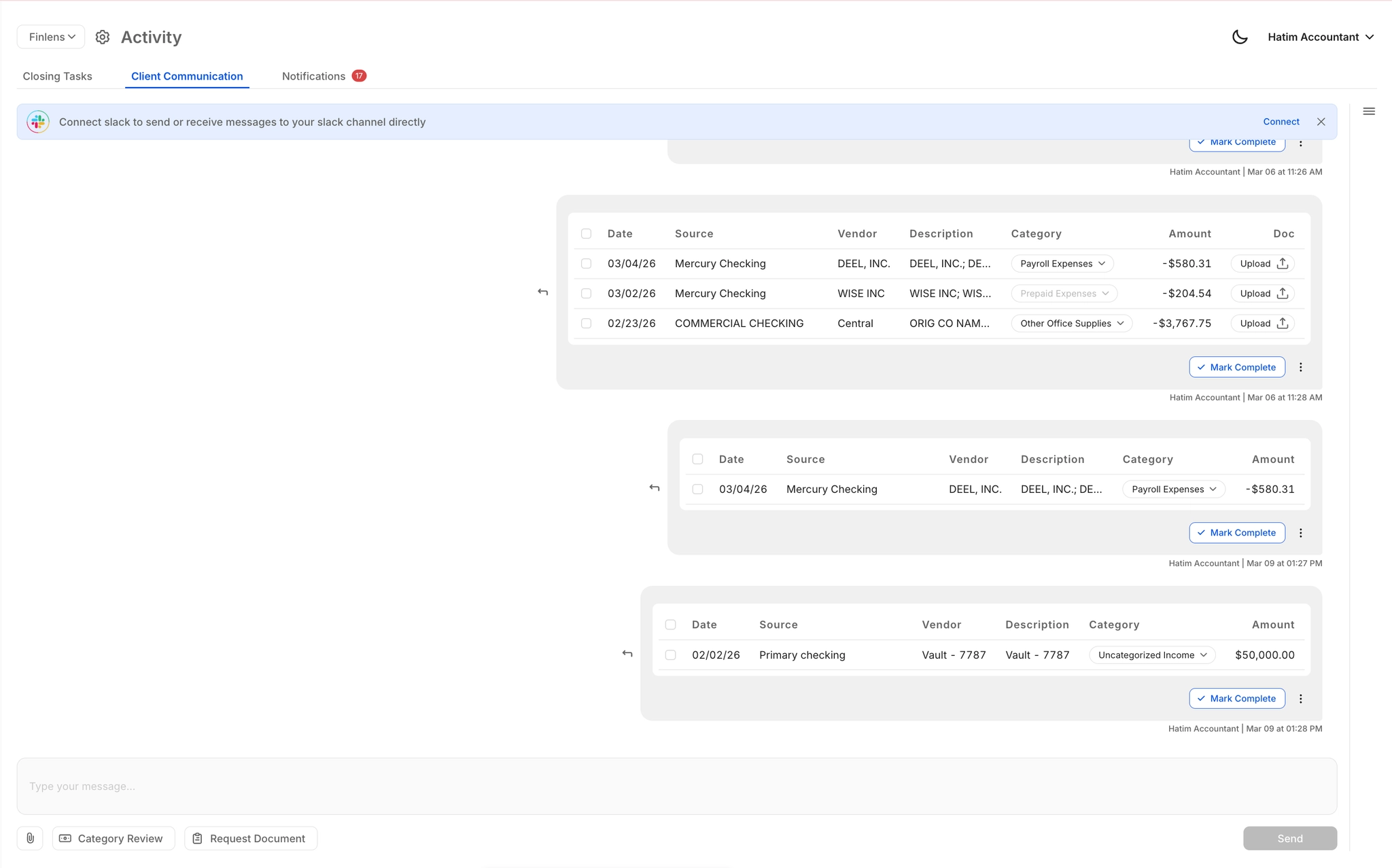
Client Portal and Collaboration Tools
In-platform document requests and category reviews replace email back-and-forth. Clients respond via email, Slack, or in-app — keeping close on schedule without chasing anyone.
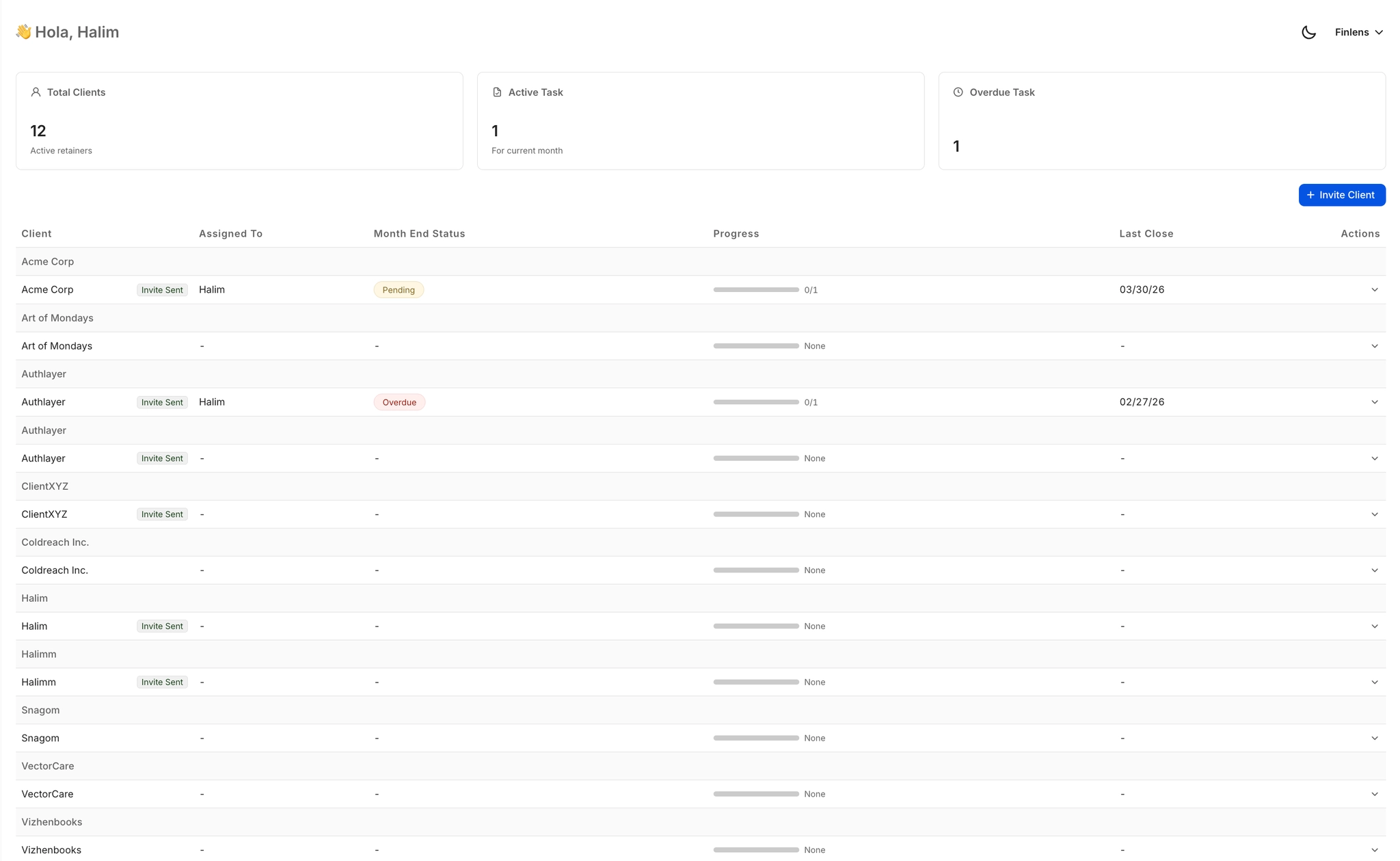
Multi-Client Dashboard for CPA Firms
Manage 50+ clients from a single view with open items, approvals, and deadline tracking. Switch between clients instantly without logging into separate QuickBooks accounts.
AI Transaction Categorization
Every transaction auto-categorized at first pass using GL logic and historical patterns. Eliminates hours of manual tagging per client so your team focuses on review, not data entry.

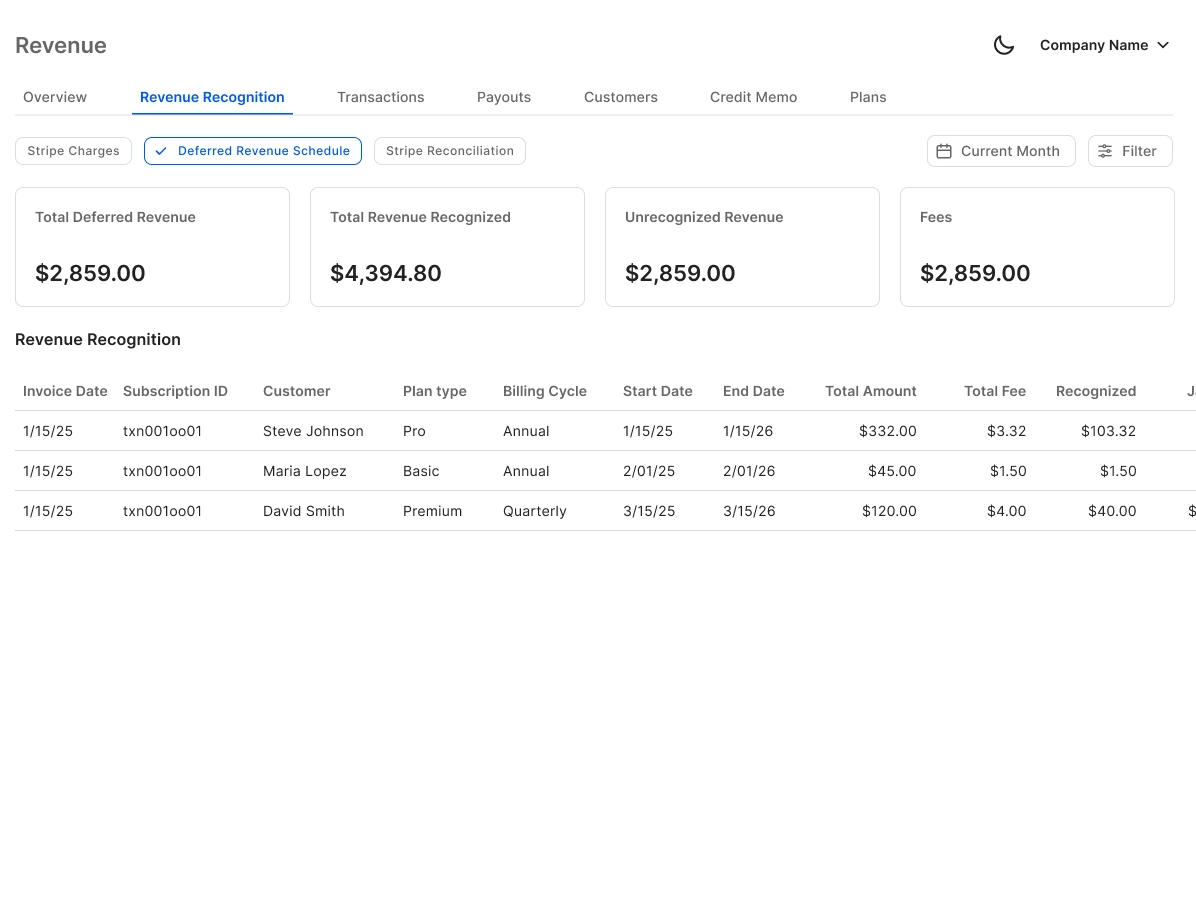
Stripe Revenue Recognition for SaaS Clients
Auto-calculates gross revenue, Stripe fees, refunds, and payouts. Breaks annual subscriptions into monthly recognized revenue — direct to QuickBooks, no CSV exports.
QuickBooks Two-Way Sync
Real-time bidirectional sync with QuickBooks — categorized transactions, journal entries, bills, and invoices flow both ways. Finlens augments the tool your firm already uses, never replaces it.

Ready to Transform Your Business?
How It Works
Get started in minutes, not months.
Connect QuickBooks
Finlens reads your GL and identifies accrual-eligible transactions
Review AI-Generated Schedules
Finlens auto-builds prepaid, deferred revenue, and amortization schedules; your team reviews and approves
Entries Post Automatically at Month-End
Journal entries sync to QuickBooks on schedule; close faster, audit trail preserved
Why Choose Finlens
Why teams choose Finlens.
Works on Top of QuickBooks
No migration. No new GL. Finlens augments the tools your team already uses — real-time two-way sync means your QuickBooks data is always current.
80%+ Less Manual Bookkeeping
AI categorization, automated reconciliation, and smart schedules replace the spreadsheet work that eats your team’s hours.
Backed by Y Combinator & Accel
Built in San Francisco by a team that understands accounting workflows. Trusted by firms and founders scaling fast.
12,000+ Bank Connections
Connect every bank account, credit card, and financial tool your clients use. Powered by Plaid.
Frequently Asked Questions
Does Finlens replace QuickBooks like some Double HQ alternatives do?
No. Finlens works on top of QuickBooks, not instead of it. Your existing QuickBooks data, chart of accounts, and client history stays exactly where it is. Finlens adds AI automation, a client-facing dashboard, and GAAP schedule automation as a layer over your current setup. There is no migration, no data export, and no retraining your team on a new general ledger.
What makes Finlens different from Double HQ for accounting firms?
Double HQ focuses on accountant-side workflows only. Finlens serves both the accounting firm and the founder client. CPA firms get AI transaction categorization, multi-client dashboard, and automated month-end close. Founder clients get a live dashboard showing burn rate, runway, MRR, and ARR. Both sides operate from the same platform, synced in real time with QuickBooks.
Does Finlens have a client-facing portal for founders?
Yes. Founders access a real-time dashboard showing burn rate, runway, MRR, ARR, vendor spend, and cash flow — without needing to open QuickBooks. They can also collaborate with their accountant or CFO directly inside the platform. This is a core gap in Double HQ, which was built for accountants only.
Does Finlens integrate with Stripe for revenue recognition?
Yes. Finlens auto-calculates gross revenue, Stripe fees, refunds, and payouts, and breaks annual subscriptions into monthly recognized revenue. This data syncs directly to QuickBooks, replacing the manual CSV export workflow most teams use today. It is particularly useful for CPA firms serving SaaS clients or for founders tracking MRR and ARR.
How long does it take to get started with Finlens?
Because Finlens works on top of your existing QuickBooks setup, there is no migration period. You connect your QuickBooks account, and Finlens begins syncing transactions and applying AI categorization right away. Firms can also automate client onboarding including chart of accounts setup, saving 3 or more hours per new client compared to manual setup.