Amortization Schedule Automation Built for CPAs
Finlens generates GAAP-compliant amortization schedules directly from QuickBooks data, eliminating manual spreadsheets and accelerating month-end close by 40-70%.
Spreadsheet Amortization Doesn't Scale
Schedules Break at Scale
Managing amortization for 50+ clients in spreadsheets means 50 separate files, 50 chances for formula errors, and zero version control.
Month-End Close Stalls
Manually building prepaid and amortization schedules is one of the last bottlenecks keeping your close from finishing on time.
GAAP Errors Go Undetected
A single misaligned amortization entry can throw off your P&L for months before anyone catches it during a review or audit.
GAAP Schedules Generated Automatically From QuickBooks
Finlens connects to your clients' QuickBooks, reads prepaid and fixed asset transactions, and generates amortization schedules with automatic journal entries posted back to QBO. No spreadsheets, no manual recalculations.
Automated Amortization and Prepaid Schedules
Finlens auto-generates amortization schedules for prepaids, fixed assets, and accruals without spreadsheets. Journal entries are created and posted to QuickBooks automatically every period, keeping every client GAAP-compliant.
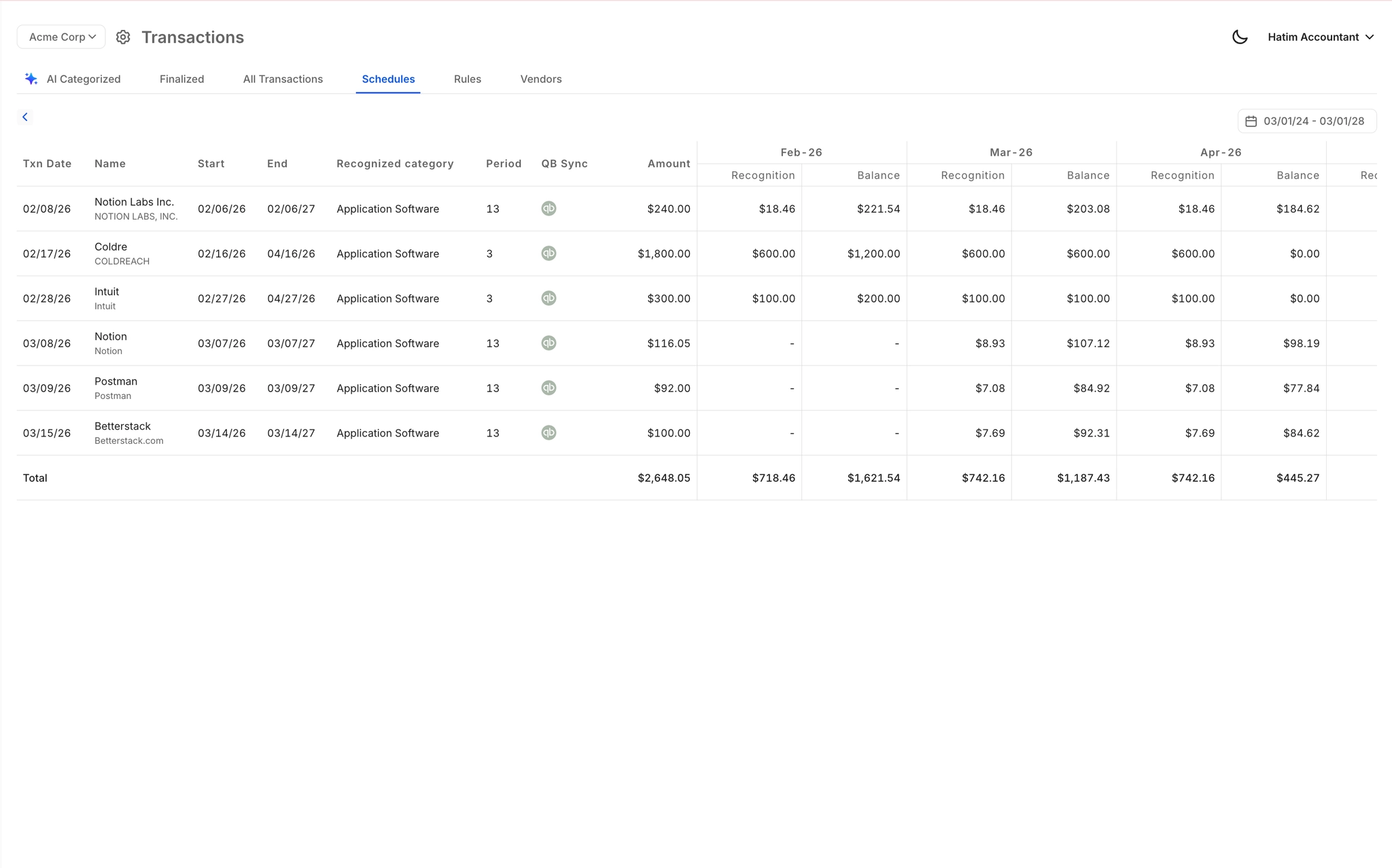
Real-Time QuickBooks Two-Way Sync
Finlens reads transaction data from QuickBooks in real time and writes amortization journal entries back automatically. No migration, no duplicate data entry — your existing QBO setup stays intact.

Month-End Close Acceleration
With amortization schedules handled automatically, your close checklist shrinks materially. Finlens coordinates task assignment and progress tracking across your team for a 40-70% faster close.

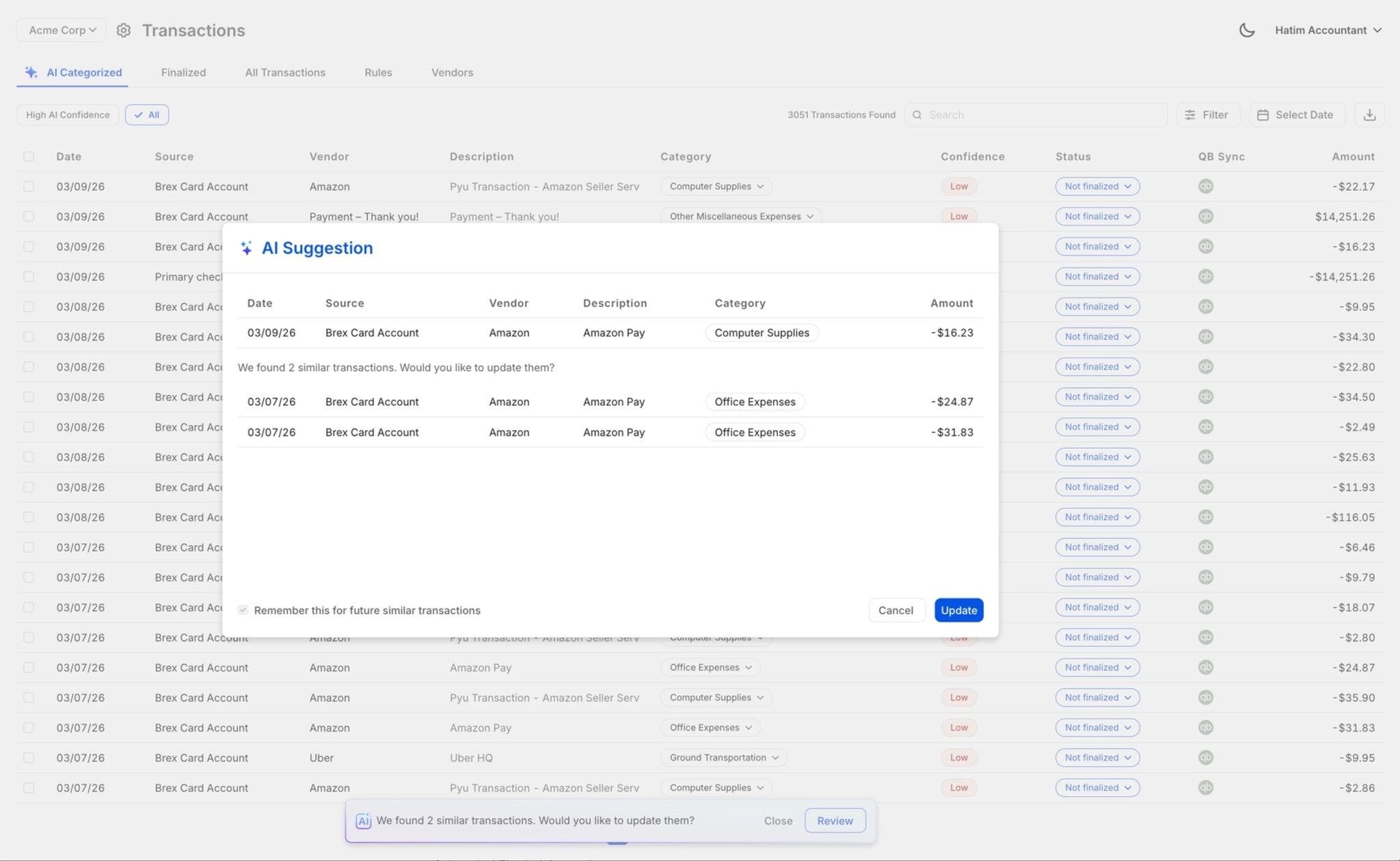
Accountant Review Before QBO Posting
Every generated amortization entry goes through a one-click review gate before posting to QuickBooks. Your team retains full control — nothing hits the GL without sign-off.
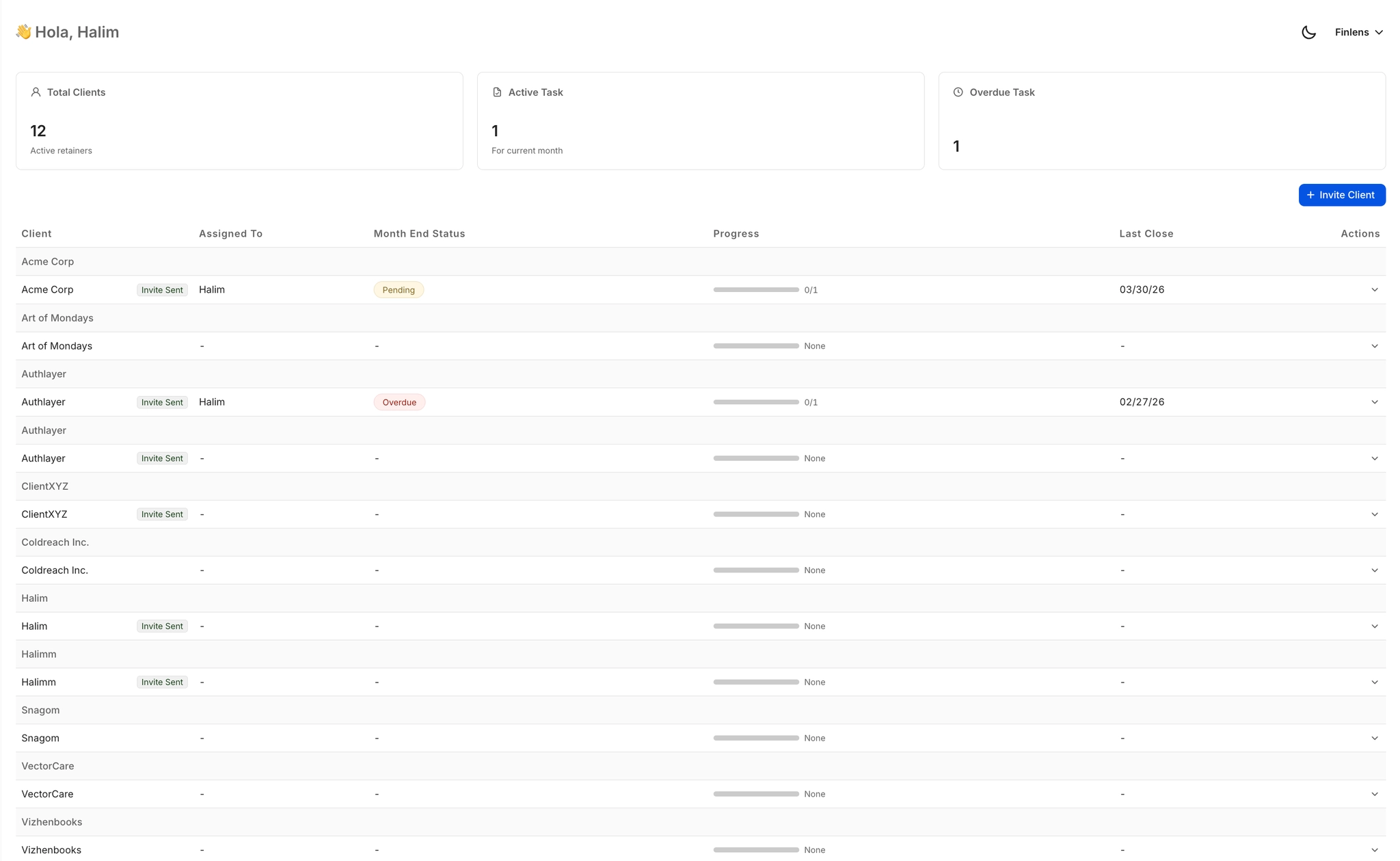
Multi-Client Schedule Management
Track amortization status, open items, and approval queues across all your clients from a single dashboard. No tab-switching between QuickBooks accounts or hunting through email threads.
Ready to Transform Your Business?
How It Works
Get started in minutes, not months.
Connect QuickBooks
Finlens reads your GL and identifies accrual-eligible transactions
Review AI-Generated Schedules
Finlens auto-builds prepaid, deferred revenue, and amortization schedules; your team reviews and approves
Entries Post Automatically at Month-End
Journal entries sync to QuickBooks on schedule; close faster, audit trail preserved
Why Choose Finlens
Why teams choose Finlens.
Works on Top of QuickBooks
No migration. No new GL. Finlens augments the tools your team already uses — real-time two-way sync means your QuickBooks data is always current.
80%+ Less Manual Bookkeeping
AI categorization, automated reconciliation, and smart schedules replace the spreadsheet work that eats your team’s hours.
Backed by Y Combinator & Accel
Built in San Francisco by a team that understands accounting workflows. Trusted by firms and founders scaling fast.
12,000+ Bank Connections
Connect every bank account, credit card, and financial tool your clients use. Powered by Plaid.
Frequently Asked Questions
Does Finlens replace QuickBooks for amortization tracking?
No. Finlens works on top of QuickBooks, not instead of it. It reads your clients' existing QBO data, generates GAAP-compliant amortization schedules, and posts the resulting journal entries back to QuickBooks automatically. Your QuickBooks setup, chart of accounts, and existing workflows remain exactly as they are — Finlens adds automation without requiring any migration.
What types of schedules does Finlens automate?
Finlens automates GAAP schedules for prepaids, accruals, deferred revenue, and amortization. If a transaction requires a schedule that spreads costs or revenue across multiple periods and posts recurring journal entries, Finlens handles it. Entries are generated and posted to QuickBooks each period without manual intervention.
How does Finlens know how to amortize each item correctly?
Finlens applies accounting logic built for CPA workflows. It reads transaction data from QuickBooks, determines the appropriate amortization treatment based on the account classification and GL context, and generates the corresponding journal entries. Your team reviews and approves each entry before anything is posted, so you maintain complete control over accuracy.
Can my team review amortization entries before they post to QBO?
Yes. Finlens includes a human-in-the-loop review step for every generated journal entry. Before any amortization entry posts to QuickBooks, an accountant on your team can approve, override, or correct it with one click. This review gate is not optional — it ensures your team retains full responsibility for the books while eliminating the manual schedule-building work.
How long does it take to get a client set up on Finlens?
Setup is fast because Finlens connects directly to your client's existing QuickBooks account with no migration required. Once connected, Finlens begins reading transaction data in real time. For CPA firms, client onboarding automation — including chart of accounts setup — reduces setup time significantly compared to manual onboarding workflows.