Deferred Revenue Automation for QuickBooks Users
Finlens automates ASC 606 compliant deferred revenue schedules on top of QuickBooks. No spreadsheets, no migration, no manual journal entries.
Spreadsheets Can't Scale Deferred Revenue
Schedules Built in Spreadsheets
Maintaining deferred revenue schedules in Excel is error-prone and collapses under high invoice volume.
Recognition Errors Hit Your Books
Manual journal entries for revenue recognition create compliance risk and produce inaccurate monthly financials.
No Sync With QuickBooks
Spreadsheet-based schedules live outside QBO, forcing double-entry work and making reconciliation a monthly ordeal.
Automated Deferred Revenue Schedules on Top of QuickBooks
Finlens generates ASC 606 compliant deferred revenue schedules automatically, posts journal entries directly to QuickBooks, and eliminates the spreadsheets your team has been maintaining by hand.
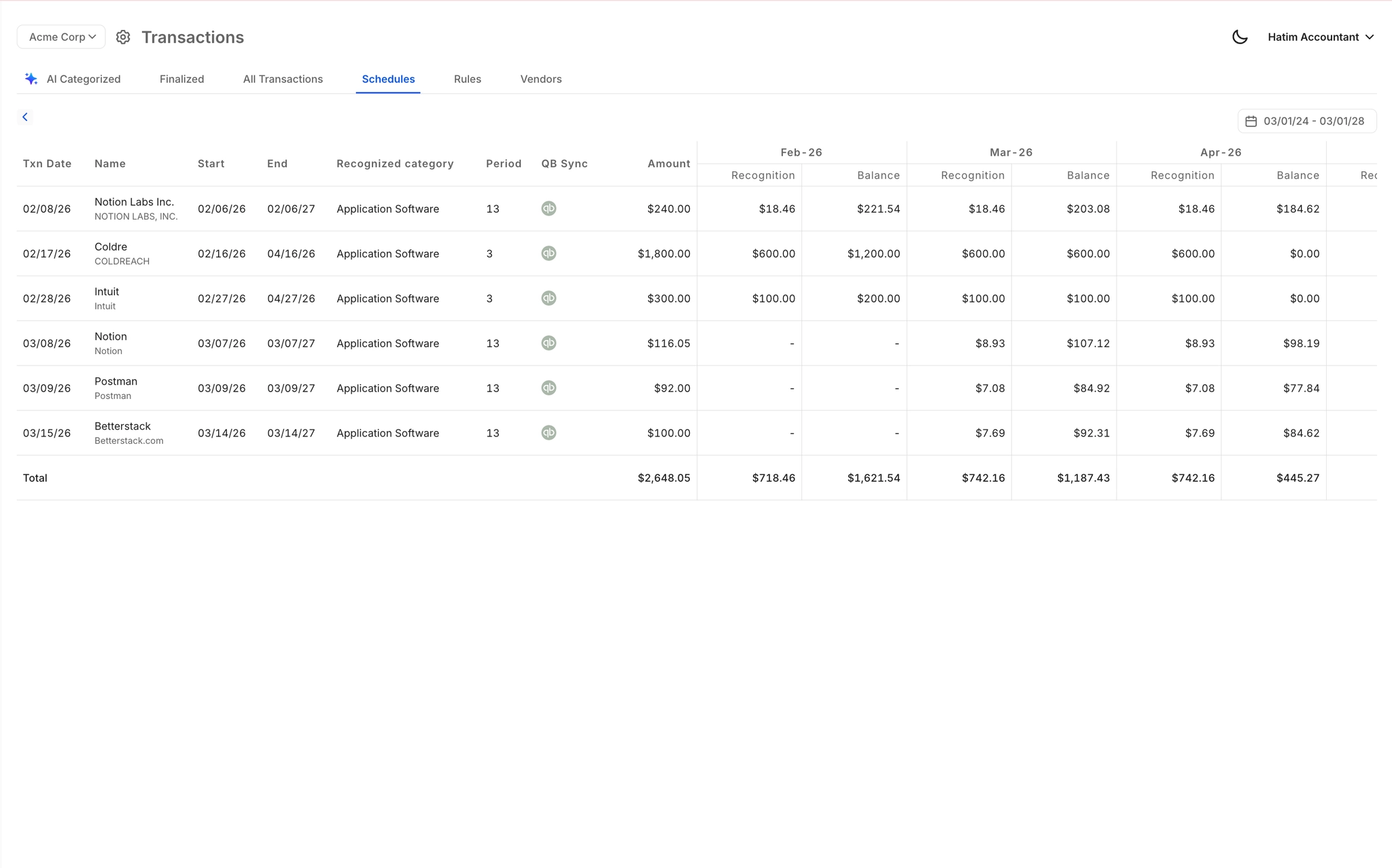
Automated Deferred Revenue Schedules
Automatically generates deferred revenue schedules for accruals, prepaids, and amortization without spreadsheets. Journal entries are created and posted to QuickBooks, keeping your books ASC 606 compliant at all times.
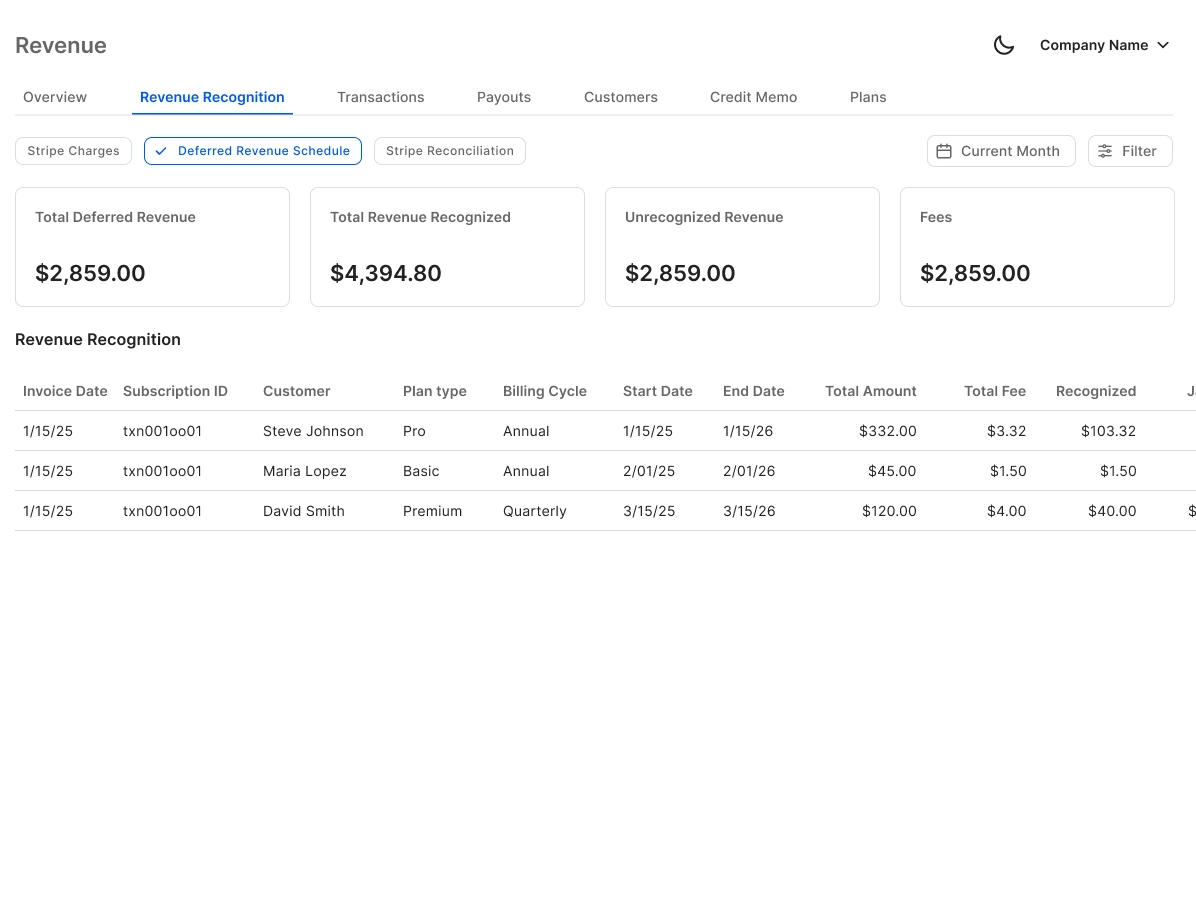
Stripe Revenue Recognition Automation
Breaks annual Stripe subscriptions into monthly recognized revenue automatically. Handles gross revenue, fees, refunds, and payouts, then syncs the recognized amounts directly into QuickBooks.
Real-Time QuickBooks Sync
Finlens layers on top of your existing QuickBooks setup. Deferred revenue journal entries, recognized amounts, and schedule updates flow back to QBO in real time with no migration required.

Month-End Close With Revenue Included
Deferred revenue recognition is folded directly into your automated month-end close workflow. Track progress, assign tasks, and eliminate the manual checklist chaos that delays your close every month.

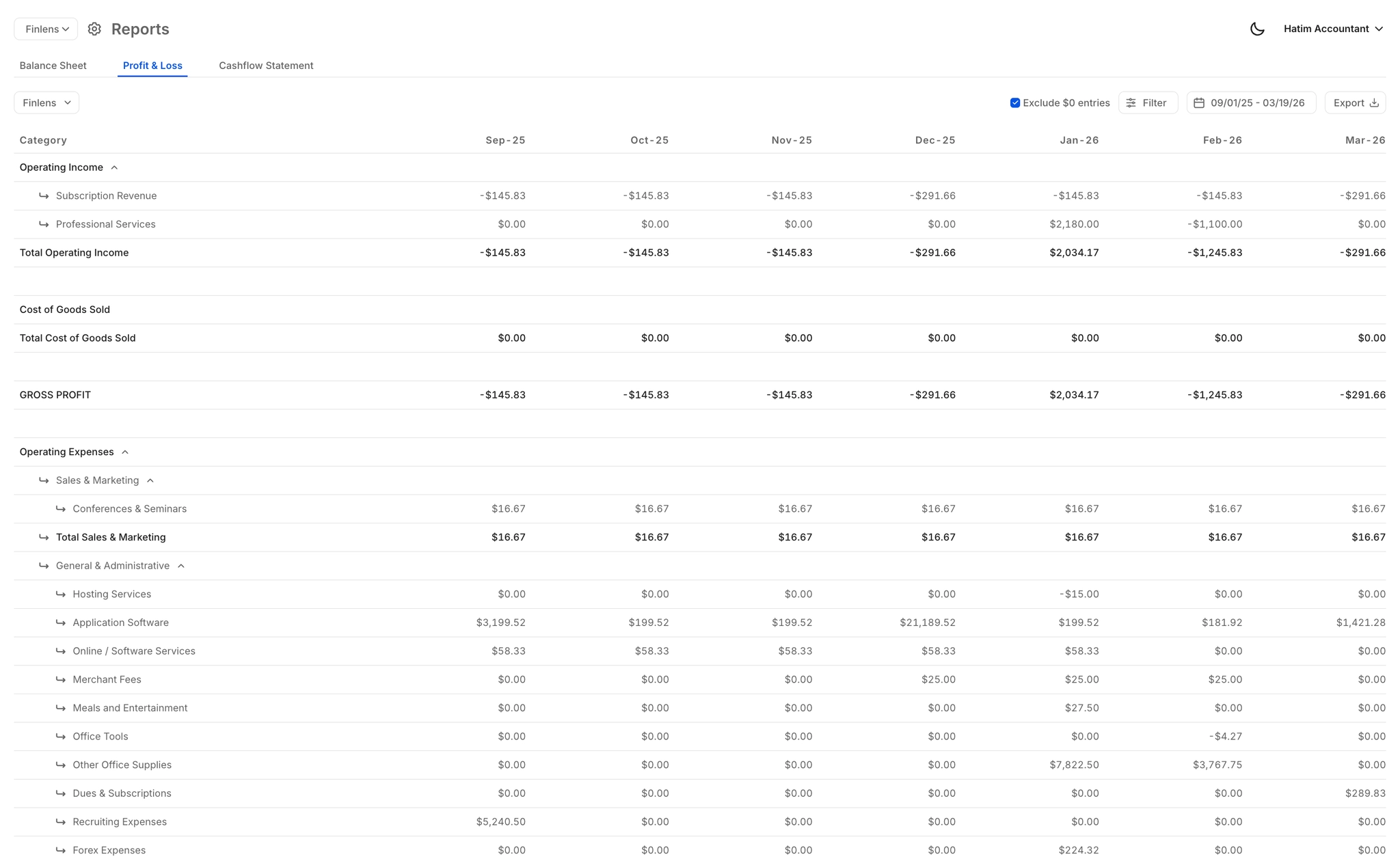
Real-Time Revenue Recognition Reports
Live P&L, Balance Sheet, and Cash Flow reports reflect recognized and deferred revenue automatically. Always current, always accurate, no waiting for manual schedule updates to flow through.
Ready to Transform Your Business?
How It Works
Get started in minutes, not months.
Connect QuickBooks
Finlens reads your GL and identifies accrual-eligible transactions
Review AI-Generated Schedules
Finlens auto-builds prepaid, deferred revenue, and amortization schedules; your team reviews and approves
Entries Post Automatically at Month-End
Journal entries sync to QuickBooks on schedule; close faster, audit trail preserved
Why Choose Finlens
Why teams choose Finlens.
Works on Top of QuickBooks
No migration. No new GL. Finlens augments the tools your team already uses — real-time two-way sync means your QuickBooks data is always current.
80%+ Less Manual Bookkeeping
AI categorization, automated reconciliation, and smart schedules replace the spreadsheet work that eats your team’s hours.
Backed by Y Combinator & Accel
Built in San Francisco by a team that understands accounting workflows. Trusted by firms and founders scaling fast.
12,000+ Bank Connections
Connect every bank account, credit card, and financial tool your clients use. Powered by Plaid.
Frequently Asked Questions
Does Finlens replace QuickBooks for deferred revenue tracking?
No. Finlens works on top of QuickBooks, not instead of it. It automates the deferred revenue schedules and journal entries that you currently manage in spreadsheets outside of QBO, then posts everything back to QuickBooks in real time. Your existing QuickBooks setup stays intact with zero migration required.
How does Finlens automate ASC 606 deferred revenue schedules?
Finlens automatically generates deferred revenue schedules based on your invoice and subscription data. As revenue is earned over time, it creates the corresponding journal entries and posts them directly to QuickBooks. This replaces the manual process of updating spreadsheet schedules and posting entries by hand each month, keeping your recognition GAAP compliant.
Does Finlens support Stripe revenue recognition for SaaS companies?
Yes. Finlens connects directly to Stripe and automatically breaks annual or multi-period subscriptions into monthly recognized revenue. It handles gross revenue, Stripe fees, refunds, and payouts, then syncs the recognized amounts to QuickBooks. This eliminates the manual CSV export and journal entry workflow that most SaaS teams rely on today.
How long does it take to set up deferred revenue automation?
Finlens connects to your existing QuickBooks account and Stripe without requiring a migration or rebuild of your chart of accounts. Because it layers on top of your current setup, onboarding is significantly faster than switching to a standalone revenue recognition platform. Your existing historical data and QBO structure remain in place.
Can Finlens handle complex deferred revenue schedules across multiple contracts?
Yes. Finlens automates GAAP schedules including deferred revenue, accruals, prepaids, and amortization across your client or contract base. This is particularly valuable for SaaS businesses and subscription companies where managing recognition schedules manually across high invoice volume is where errors and compliance risk accumulate.