FloQast Alternative That Cleans Your Books First
Finlens handles the upstream problems FloQast skips — AI transaction categorization, GAAP schedules, and automated close, layered on top of QuickBooks with no migration required.
FloQast Organizes the Close, Not the Prep Work
Dirty Data Blocks Every Close
FloQast organizes and reviews the close on top of your ledger. Categorizing transactions in QuickBooks still has to happen before it starts, often in spreadsheets.
Enterprise Pricing Kills the ROI
FloQast is priced for large enterprise contracts. Growing firms and mid-market teams pay for features built for someone else.
Upstream Work Stays Manual
Transaction categorization and Stripe payout splitting in QuickBooks still fall on your team before the close begins.
End to End Close Automation Starting Upstream
Finlens sits between your raw transaction data and your QuickBooks GL — auto-categorizing transactions, generating GAAP schedules, and accelerating month-end close. One platform handles what FloQast and your spreadsheets handle separately.
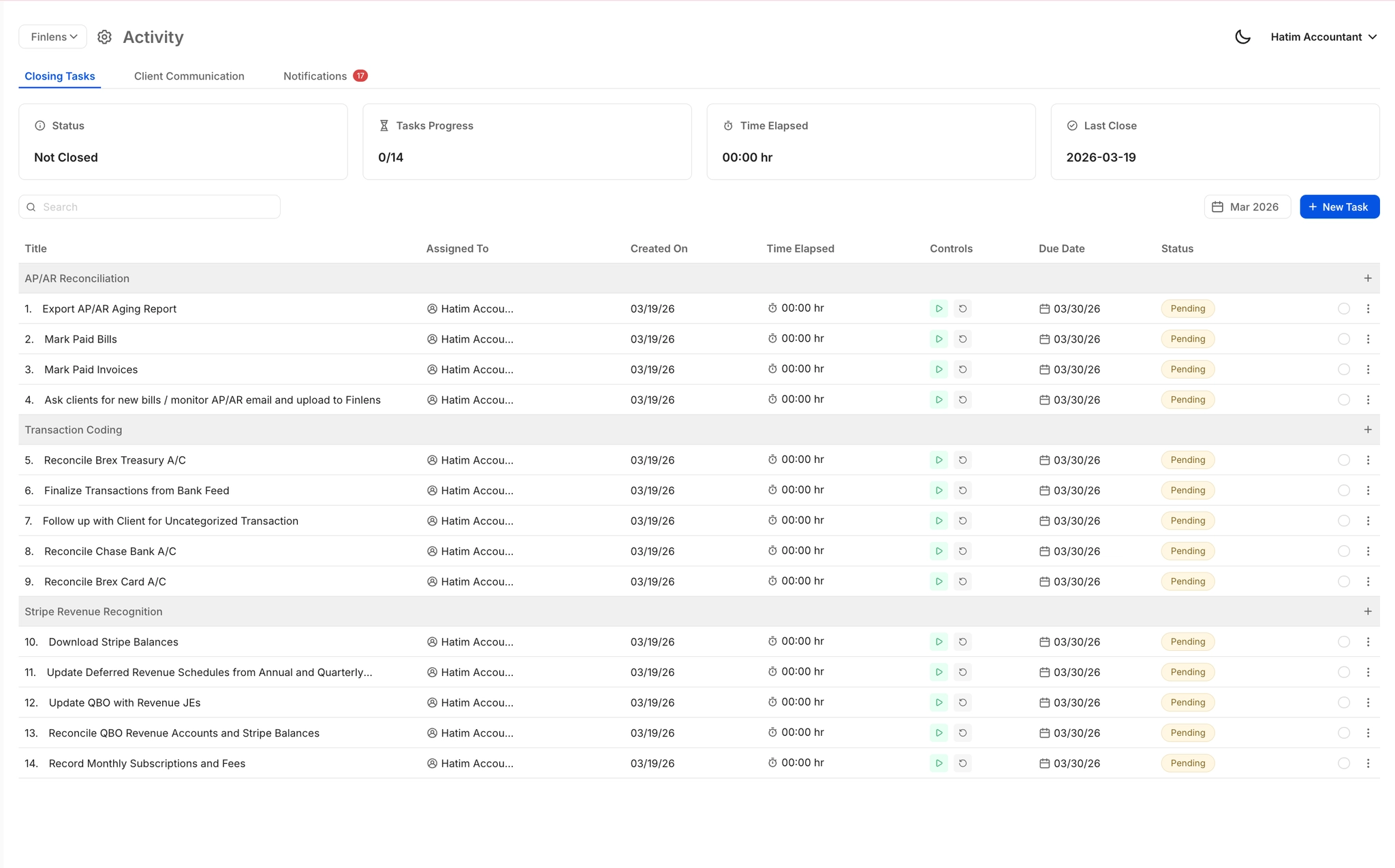
Automated Month-End Close
Task management, team assignments, and progress tracking for the full close cycle, in the same tool that does the categorization and schedules, cutting close time by 40 to 70 percent.
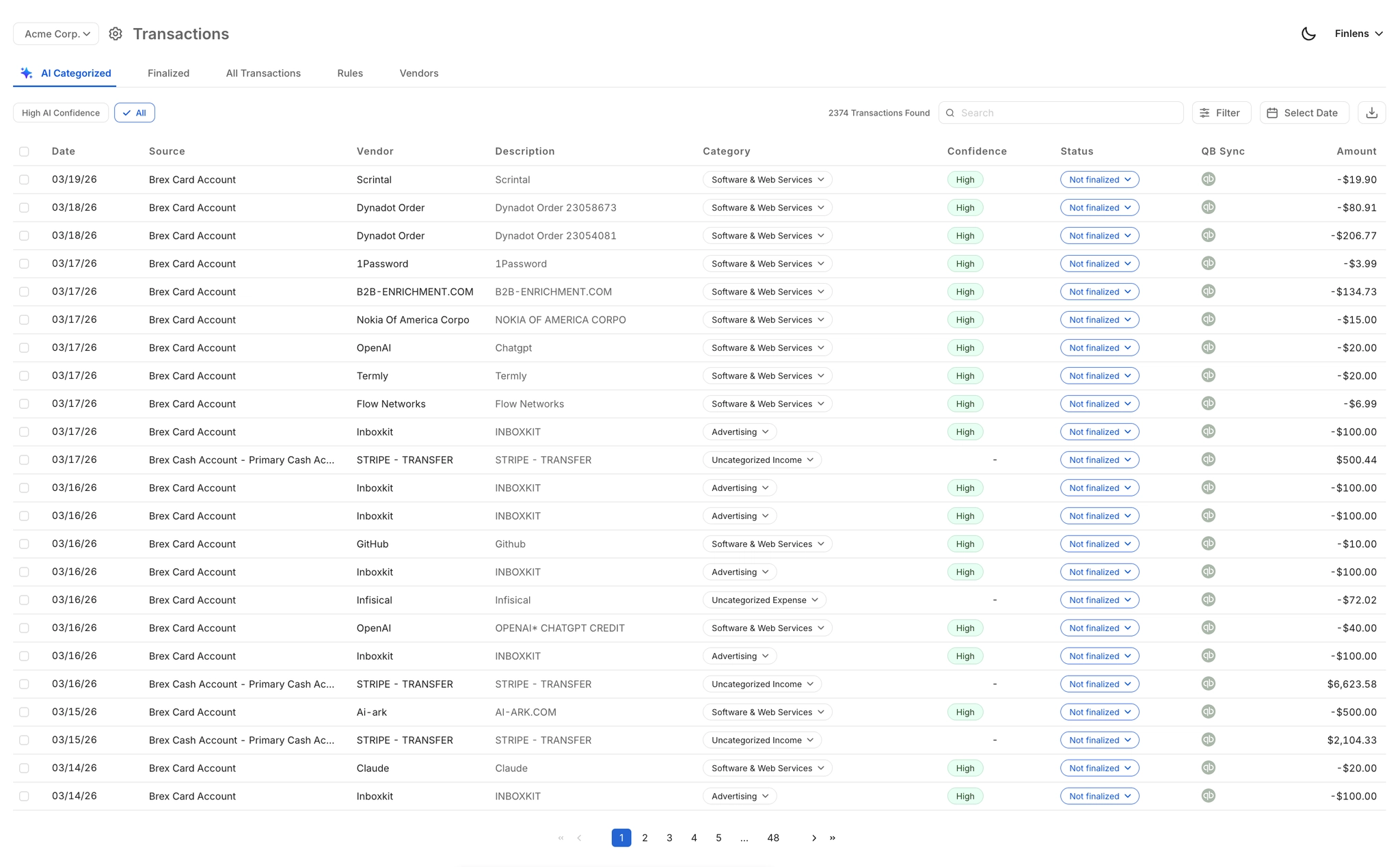
AI Transaction Categorization
Every transaction categorized at first pass using GL logic and historical patterns — before the close even begins. This is the upstream cleanup step FloQast skips and Finlens automates entirely.
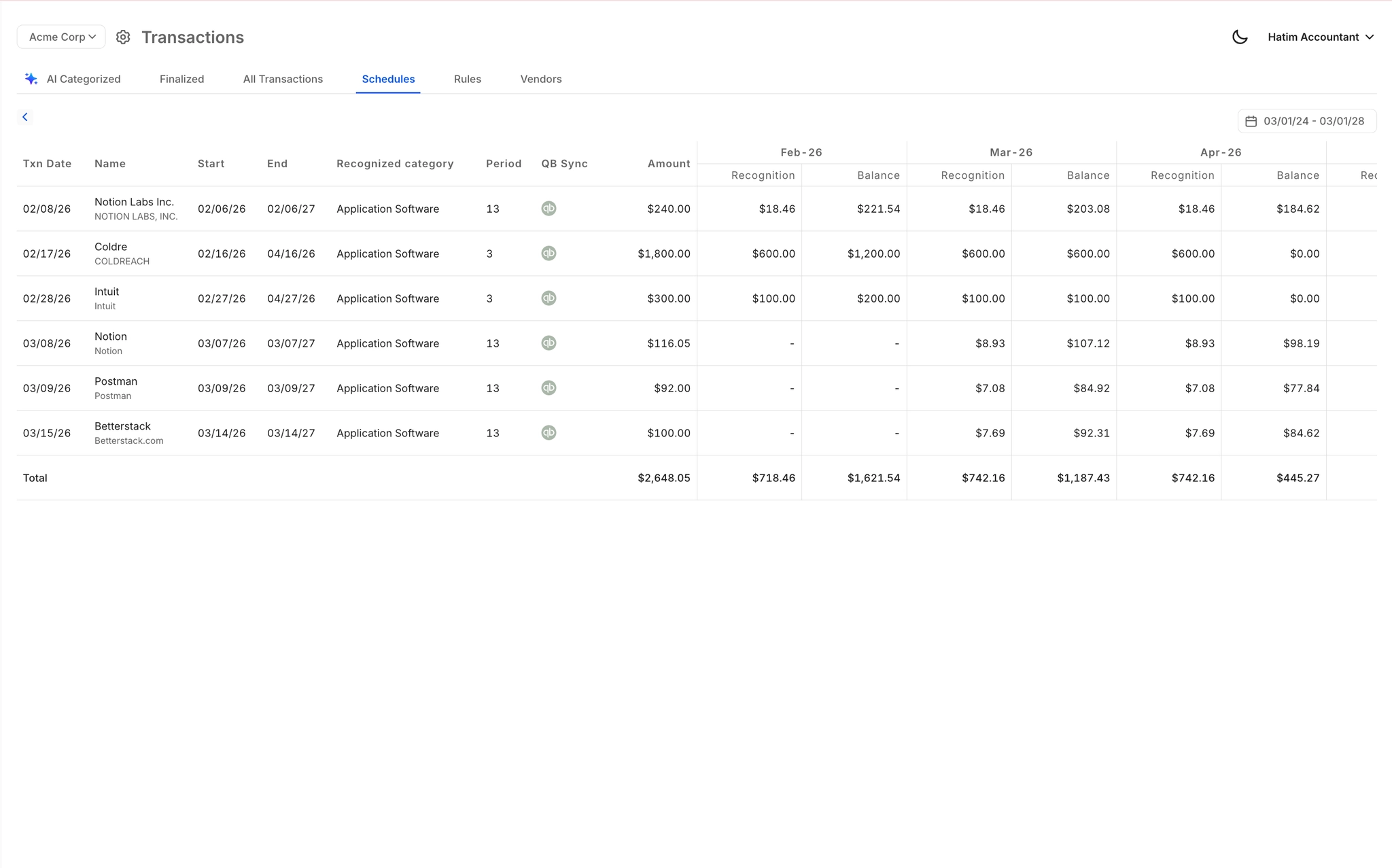
GAAP Schedule Automation
Accruals, prepaids, and amortization schedules generated automatically without spreadsheets. Journal entries post directly to QuickBooks, eliminating the manual schedule maintenance that delays close.
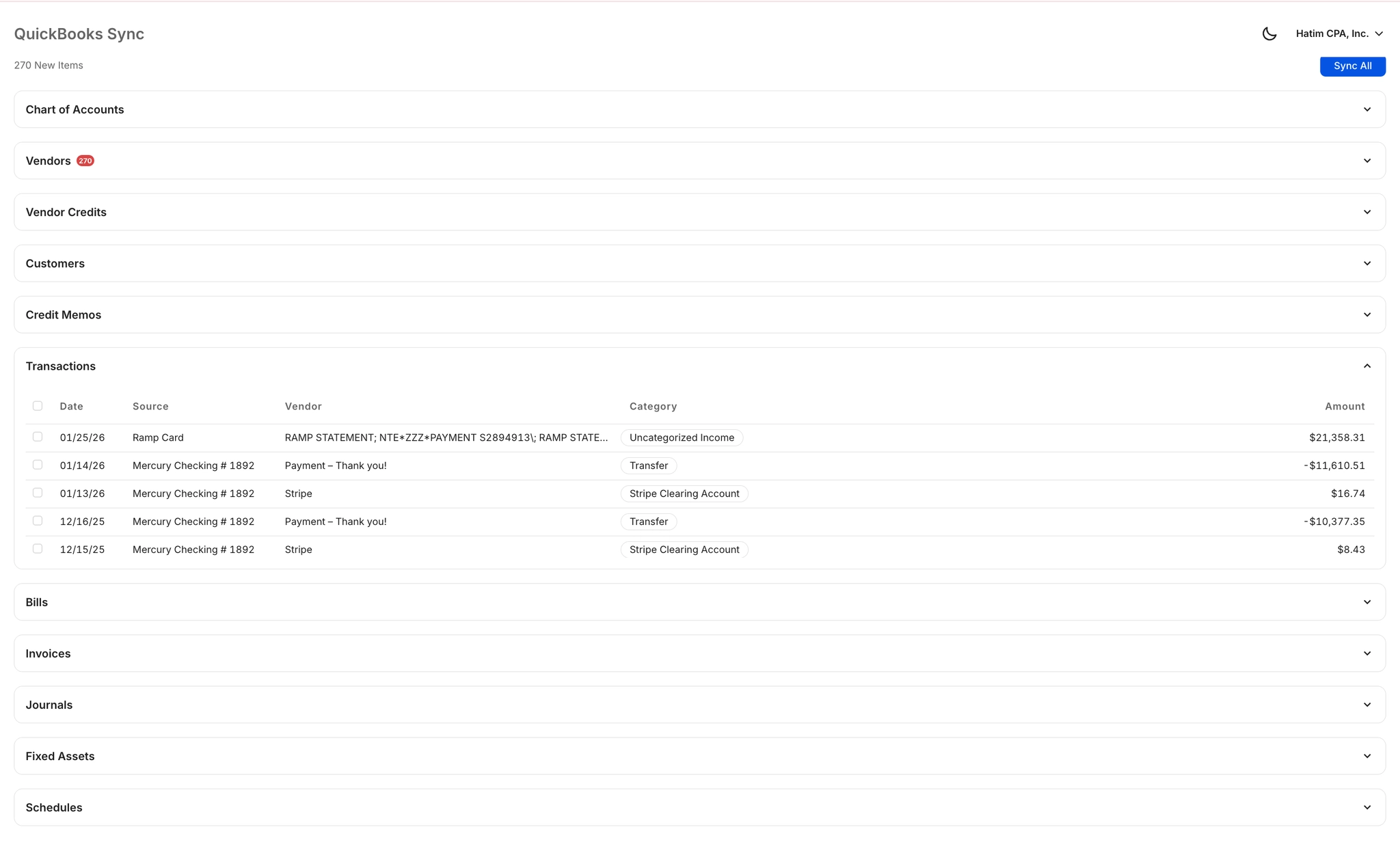
Real-Time QuickBooks Sync
Finlens layers on top of QuickBooks with real-time two-way sync. No migration, no parallel ledger. Categorized transactions, journal entries, and reconciliations flow directly into your existing QBO setup.
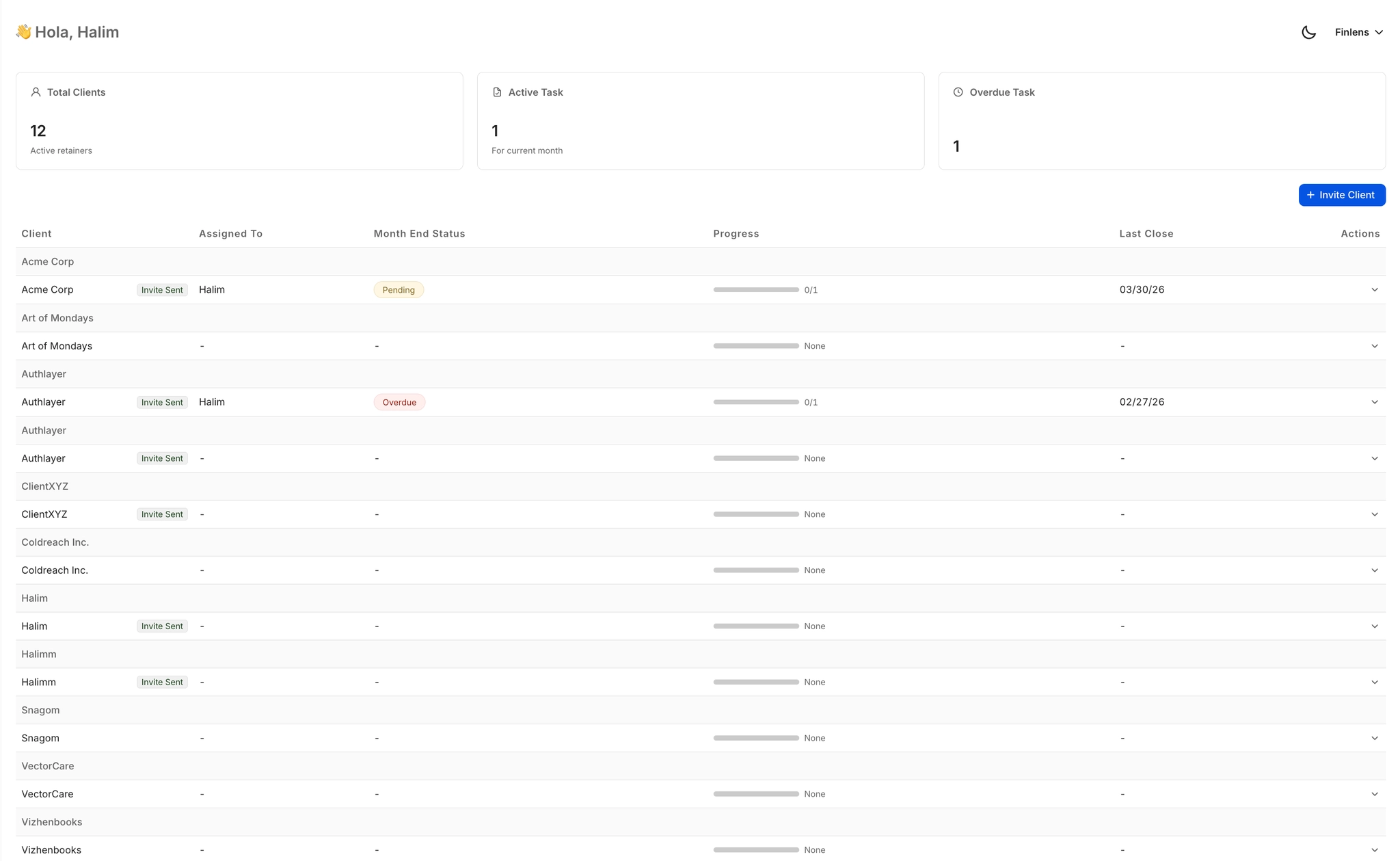
Centralized Multi-Client Dashboard
Manage 50 or more clients from a single view with open items, approvals, and deadline tracking visible at a glance. Switch clients instantly without toggling between QuickBooks accounts.
Ready to Transform Your Business?
How It Works
Get started in minutes, not months.
Connect QuickBooks
Finlens reads your GL and identifies accrual-eligible transactions
Review AI-Generated Schedules
Finlens auto-builds prepaid, deferred revenue, and amortization schedules; your team reviews and approves
Entries Post Automatically at Month-End
Journal entries sync to QuickBooks on schedule; close faster, audit trail preserved
Why Choose Finlens
Why teams choose Finlens.
Works on Top of QuickBooks
No migration. No new GL. Finlens augments the tools your team already uses — real-time two-way sync means your QuickBooks data is always current.
80%+ Less Manual Bookkeeping
AI categorization, automated reconciliation, and smart schedules replace the spreadsheet work that eats your team’s hours.
Backed by Y Combinator & Accel
Built in San Francisco by a team that understands accounting workflows. Trusted by firms and founders scaling fast.
12,000+ Bank Connections
Connect every bank account, credit card, and financial tool your clients use. Powered by Plaid.
Frequently Asked Questions
Does Finlens replace QuickBooks?
No. Finlens does not replace QuickBooks. It layers on top of your existing QuickBooks setup with real-time two-way sync — so there is zero migration required. FloQast also works alongside QuickBooks, but Finlens goes further by automating the upstream work that happens before the close, including transaction categorization, accrual schedules, and Stripe reconciliation, all feeding directly back into QBO.
What does Finlens do that FloQast does not?
FloQast focuses on close management, reconciliations and review, and offers amortization schedules through AutoRec Amortization. It connects to QuickBooks Online and does not replace it. Finlens works one step earlier, inside QuickBooks Online: AI transaction categorization, accrual and prepaid schedules posted to QuickBooks, and Stripe revenue reconciliation, with the close workflow on top.
How does Finlens price compared to FloQast?
FloQast is priced for enterprise contracts with custom pricing typically aimed at larger organizations. Finlens for accounting firms is priced at $30 per client per month with all features included. For founders, there is a free Starter tier and an AI Accounting plan at $49 per month. No enterprise negotiation required.
How long does it take to get started with Finlens?
Because Finlens works on top of QuickBooks with no migration required, setup does not involve rebuilding your chart of accounts or transferring data. The automated chart of accounts feature can be applied to new clients immediately, and the QuickBooks sync activates in real time. Onboarding is designed to save 3 or more hours per client compared to manual setup.
Is Finlens built for accounting firms or individual founders?
Both. Finlens has two distinct product experiences. For CPA firms and accounting practices, the platform centralizes multi-client management, automates month-end close, and handles GAAP schedule generation. For startup founders, it provides a real-time dashboard with burn rate, runway, MRR, and ARR visibility. Both experiences work on top of QuickBooks without requiring migration.