Keeper Alternative That Goes Beyond Client Portals
Finlens replaces what Keeper did for client communication and adds AI categorization, automated month-end close, and GAAP schedules on top of QuickBooks.
Keeper Covered One Piece
Client Portals Don't Close Books
Keeper organized document requests, but your team still handles categorization, accruals, and reconciliation manually every month.
GAAP Schedules Stay in Spreadsheets
Accruals, prepaids, and amortization schedules fall outside Keeper's scope, leaving error-prone spreadsheets as the only option.
Scaling Clients Means Scaling Headcount
Without automation across the full close workflow, adding clients means adding bookkeepers — margins shrink with every new engagement.
One Platform That Replaces Keeper and Does More
Finlens handles client communication and document requests while adding AI transaction categorization, automated month-end close, GAAP schedule generation, and Stripe revenue recognition — all on top of your existing QuickBooks. No migration required.
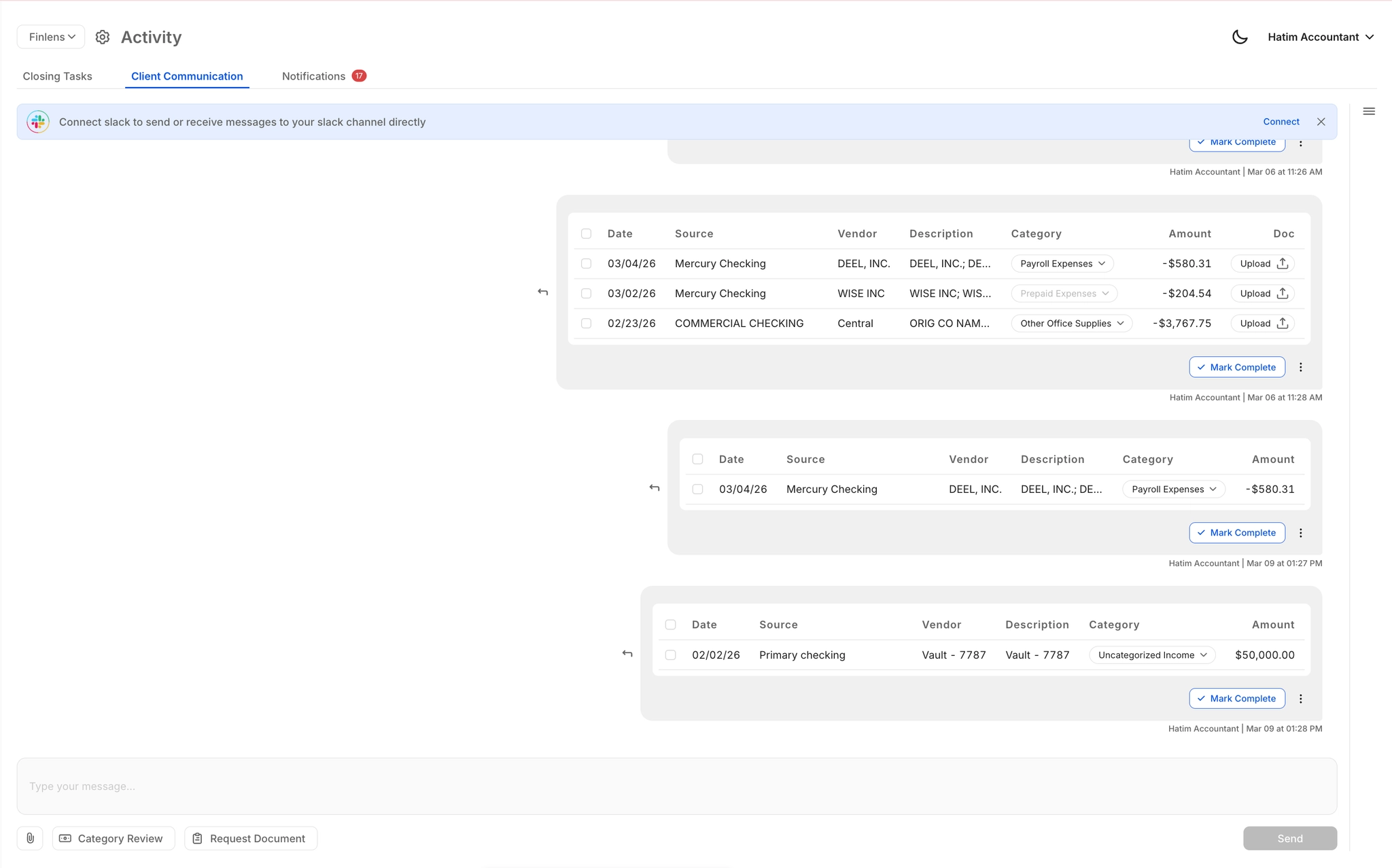
In-Platform Client Communication
Send document requests and category review items directly from Finlens. Clients respond via email, Slack, or in-app — eliminating the chase that delays close across 50+ clients.
Automated Month-End Close
Replace spreadsheet checklists and email threads with a structured close workflow. Task assignment, progress tracking, and timers bring month-end close up to 40-70% faster for firms managing multiple clients.

AI Transaction Categorization
Every transaction is categorized at first pass using GL logic and historical patterns. Finlens learns from your team's corrections so accuracy compounds across every client over time.

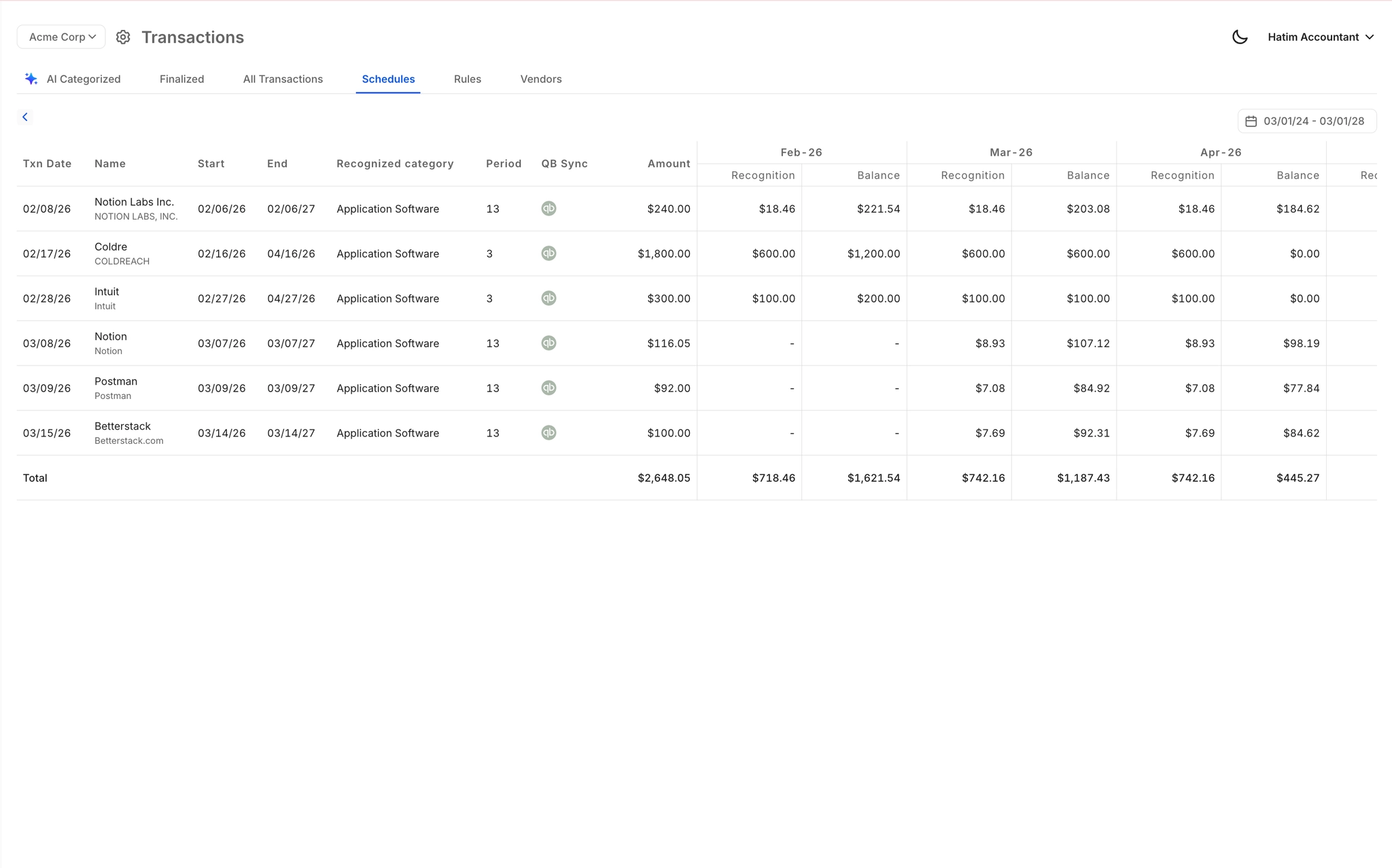
Automated GAAP Schedules
Accruals, prepaids, deferred revenue, and amortization schedules generated automatically as journal entries — no spreadsheets, no manual tracking, posted directly back to QuickBooks.
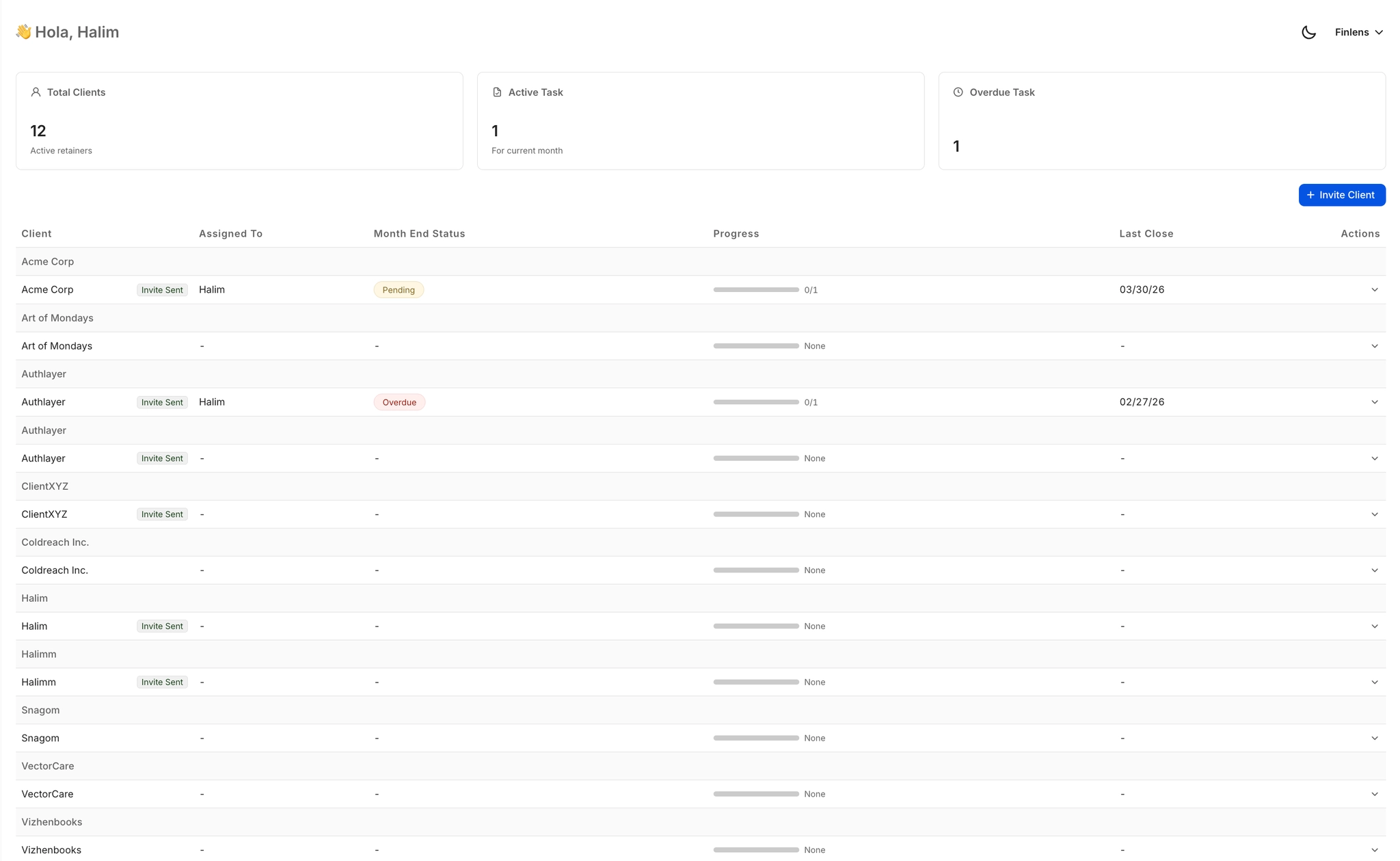
Multi-Client Firm Dashboard
Manage 50+ clients from one view with open items, approvals, and deadline tracking at a glance. Switch between clients instantly without logging into separate QuickBooks accounts.
Ready to Transform Your Business?
How It Works
Get started in minutes, not months.
Connect QuickBooks
Finlens reads your GL and identifies accrual-eligible transactions
Review AI-Generated Schedules
Finlens auto-builds prepaid, deferred revenue, and amortization schedules; your team reviews and approves
Entries Post Automatically at Month-End
Journal entries sync to QuickBooks on schedule; close faster, audit trail preserved
Why Choose Finlens
Why teams choose Finlens.
Works on Top of QuickBooks
No migration. No new GL. Finlens augments the tools your team already uses — real-time two-way sync means your QuickBooks data is always current.
80%+ Less Manual Bookkeeping
AI categorization, automated reconciliation, and smart schedules replace the spreadsheet work that eats your team’s hours.
Backed by Y Combinator & Accel
Built in San Francisco by a team that understands accounting workflows. Trusted by firms and founders scaling fast.
12,000+ Bank Connections
Connect every bank account, credit card, and financial tool your clients use. Powered by Plaid.
Frequently Asked Questions
Does Finlens replace QuickBooks like Keeper did not?
No — Finlens works on top of QuickBooks, not instead of it. It maintains a real-time two-way sync with QBO, so categorized transactions, journal entries, and GAAP schedules post back to your existing QuickBooks automatically. Your firm keeps the GL it already uses, with AI automation layered on top. No migration, no data transfer project, no retraining your team on a new general ledger.
What does Finlens do that Keeper does not?
Keeper focused on client communication and document request workflows. Finlens covers that same ground and adds AI-powered transaction categorization, automated month-end close workflows, GAAP schedule generation (accruals, prepaids, amortization), Stripe revenue recognition, and a multi-client dashboard — all synced to QuickBooks in real time. It is a full accounting automation layer, not just a client portal.
How long does it take to migrate from Keeper to Finlens?
Because Finlens works on top of QuickBooks rather than replacing your GL, the transition does not require a data migration. Your QuickBooks connection is established during onboarding and Finlens begins reading transaction data immediately. Client communication workflows and document request processes can be set up within the same session.
Can Finlens handle GAAP schedules that Keeper left to spreadsheets?
Yes. Finlens automates accruals, prepaid amortization, and deferred revenue schedules directly — generating the corresponding journal entries and posting them to QuickBooks without manual spreadsheet work. This is one of the core capabilities that distinguishes Finlens as a Keeper alternative for firms that need full accounting automation, not just client-facing workflow tools.
How does Finlens pricing work for accounting firms?
Finlens charges $30 per client per month for accounting firms, with all features included. There are no tier restrictions on which capabilities your firm can access — client communication, AI categorization, month-end close automation, GAAP schedules, and the multi-client dashboard are all available from day one.