Maxio Alternative for Revenue Recognition on QuickBooks
Finlens layers Stripe revenue recognition and GAAP schedule automation on top of QuickBooks. No data migration, no platform switch.
Maxio Is Overkill for Most Teams
Forced Migration Kills Momentum
Switching platforms means re-entering historical data, retraining teams, and risking errors during a critical growth period.
Annual Revenue Booked as Lump Sums
Stripe subscriptions hit your P&L in one shot. Deferred revenue schedules live in spreadsheets nobody trusts.
GAAP Schedules Still Built Manually
Accruals, prepaids, and amortization tables require hours of spreadsheet work every month with no audit trail.
Revenue Recognition Automation on Top of QuickBooks
Finlens connects Stripe and QuickBooks, auto-recognizes subscription revenue monthly, and generates GAAP-compliant deferred revenue and accrual schedules. Zero migration. Everything posts directly back to your existing GL.
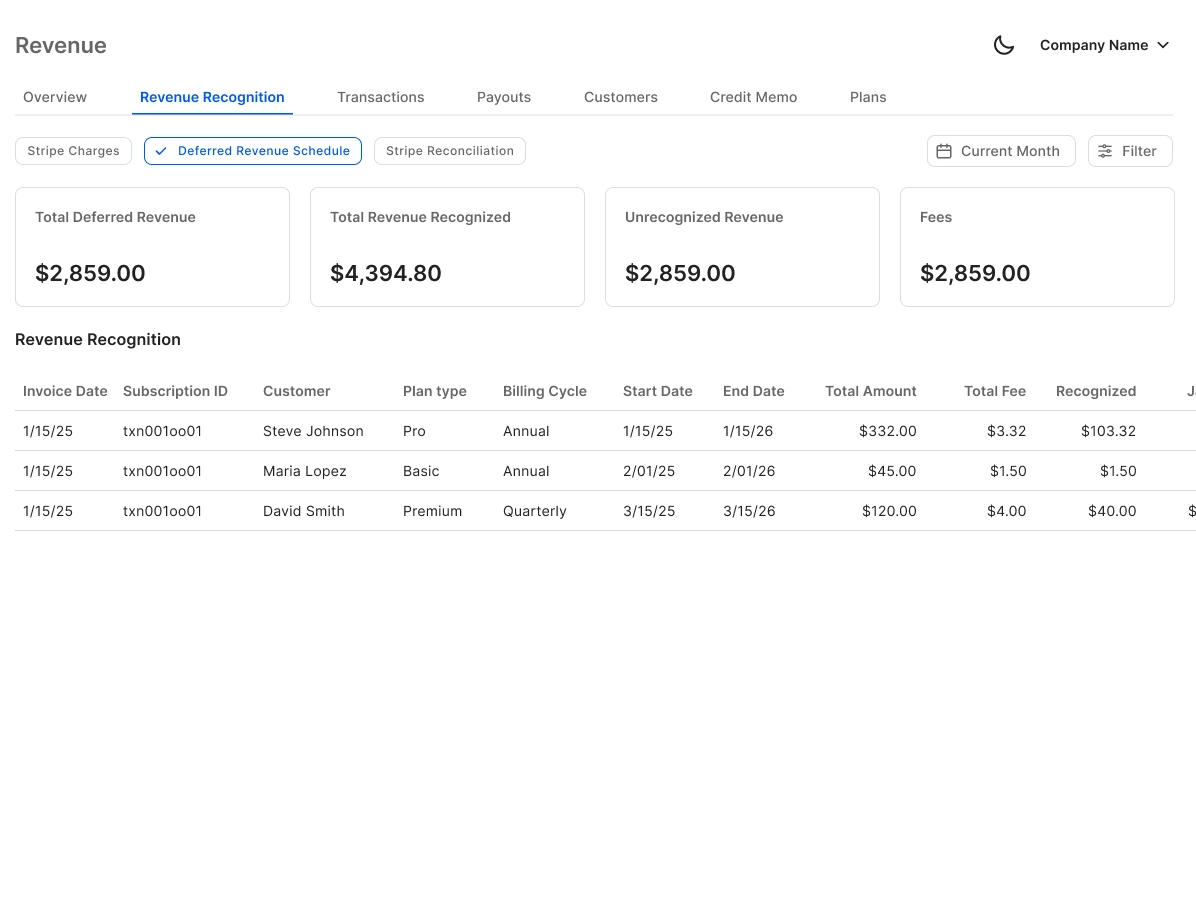
Automated Stripe Revenue Recognition
Auto-calculates gross revenue, Stripe fees, refunds, and payouts. Breaks annual subscriptions into monthly recognized revenue and posts entries directly to QuickBooks — replacing the manual CSV export workflow most teams still rely on.
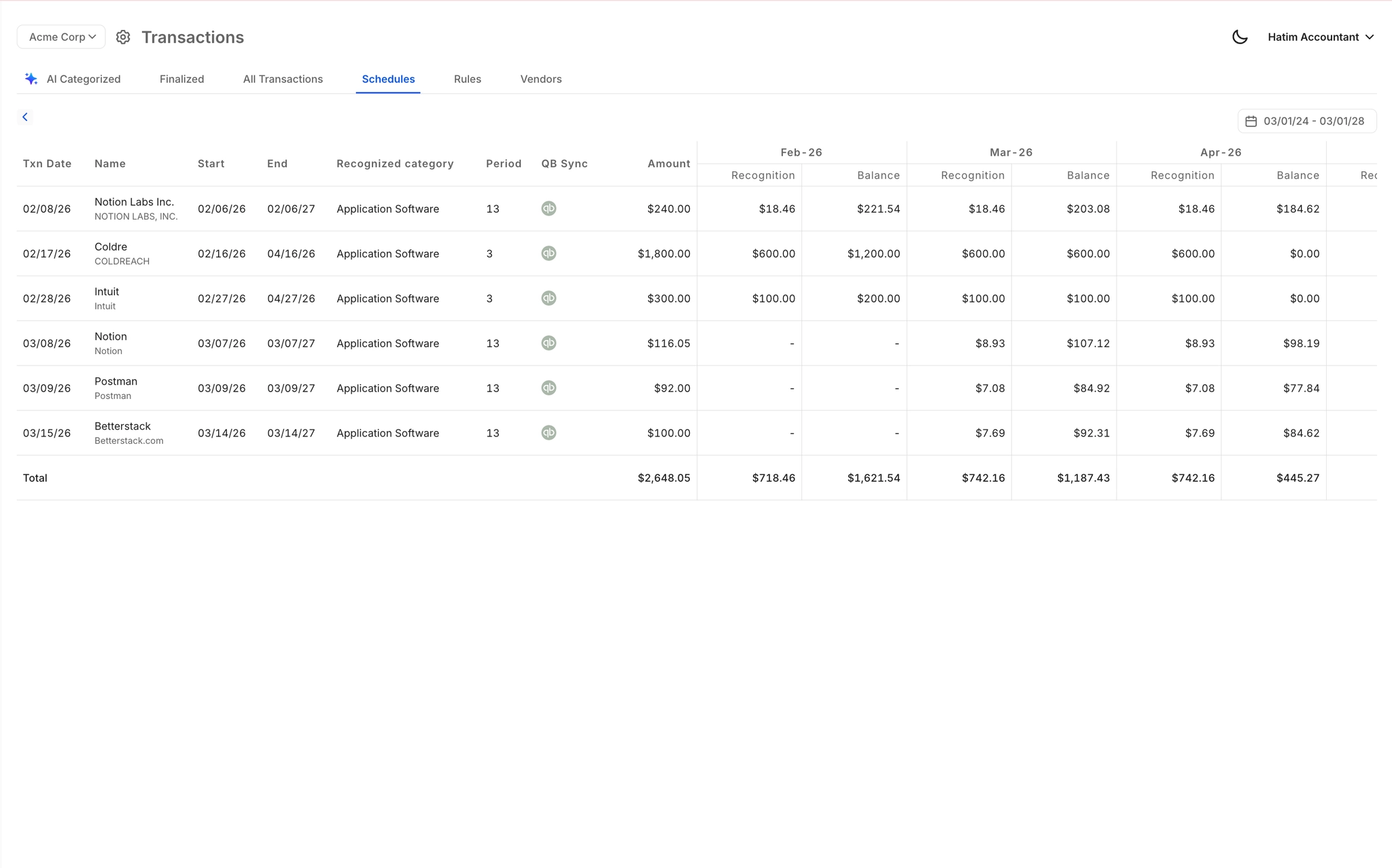
GAAP Schedule Automation Without Spreadsheets
Generates accruals, prepaid amortization, and deferred revenue schedules automatically. Journal entries are created and posted to QuickBooks without a single spreadsheet — eliminating the error-prone manual schedule maintenance incumbents still require.
Real-Time QuickBooks Two-Way Sync
Finlens works on top of your existing QuickBooks — no migration required. Categorized transactions, journal entries, and revenue recognition entries sync bidirectionally in real time, keeping your GL accurate without manual intervention.

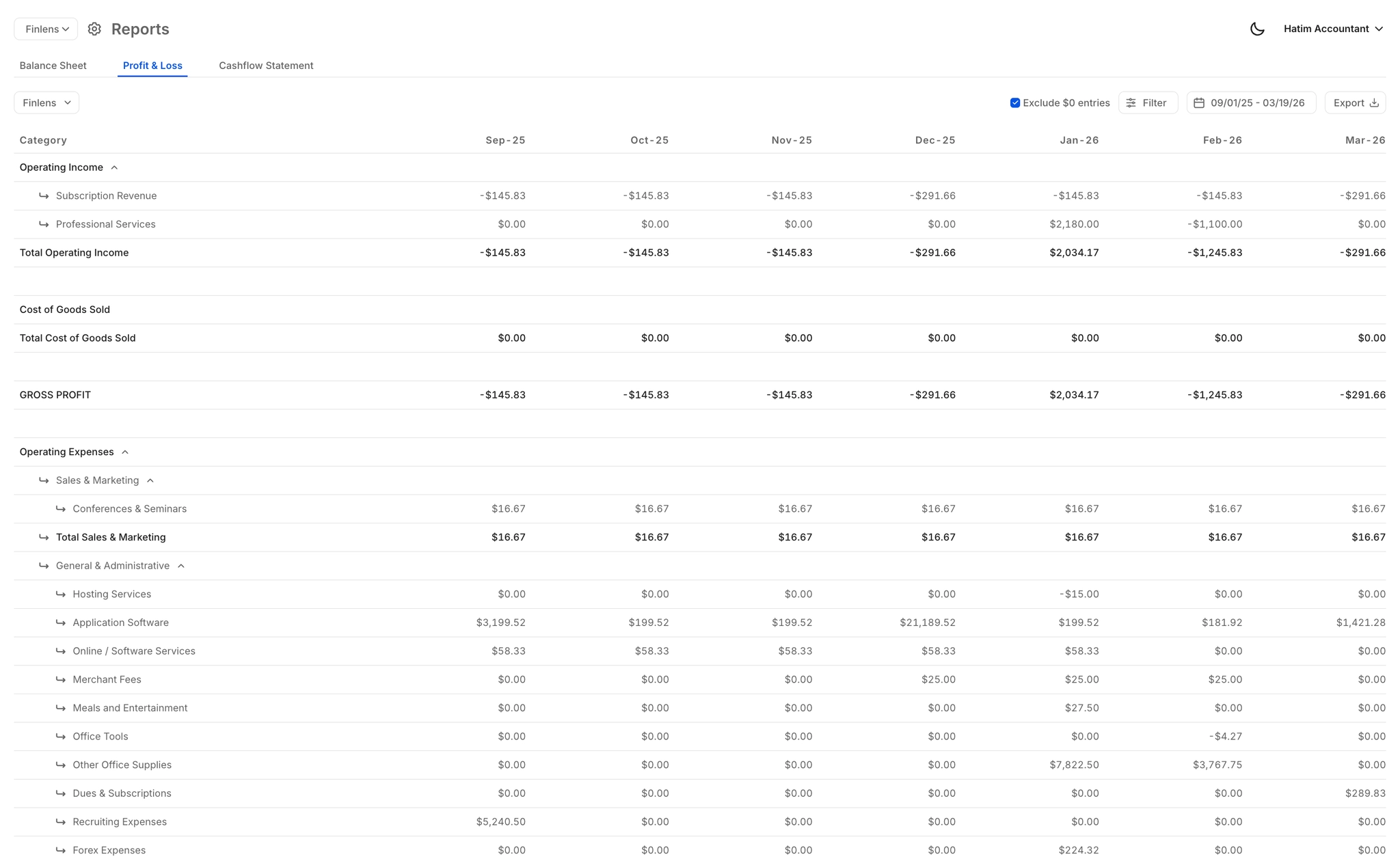
Real-Time Revenue and Financial Reports
Auto-generated P&L, Balance Sheet, and Cash Flow updated in real time. Finance managers and CFOs can pull investor-ready revenue reports instantly without waiting for a manual close cycle to finish.
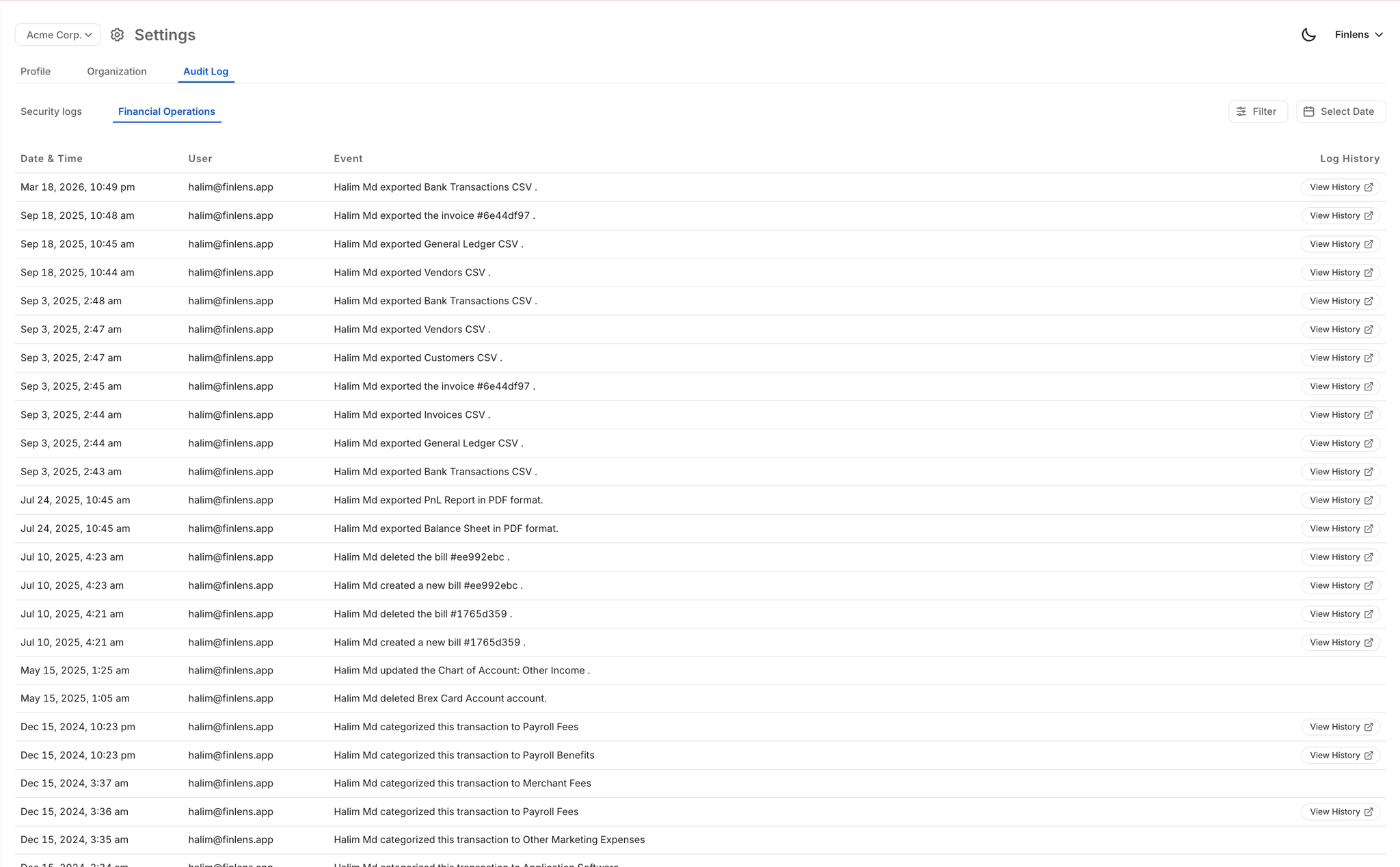
Full Audit Trail for Revenue Entries
Every revenue recognition entry, journal post, and system action is logged with a complete audit trail. Critical for finance teams that need to demonstrate GAAP compliance or prepare for external audits without scrambling for documentation.
Ready to Transform Your Business?
How It Works
Get started in minutes, not months.
Connect QuickBooks
Finlens reads your GL and identifies accrual-eligible transactions
Review AI-Generated Schedules
Finlens auto-builds prepaid, deferred revenue, and amortization schedules; your team reviews and approves
Entries Post Automatically at Month-End
Journal entries sync to QuickBooks on schedule; close faster, audit trail preserved
Why Choose Finlens
Why teams choose Finlens.
Works on Top of QuickBooks
No migration. No new GL. Finlens augments the tools your team already uses — real-time two-way sync means your QuickBooks data is always current.
80%+ Less Manual Bookkeeping
AI categorization, automated reconciliation, and smart schedules replace the spreadsheet work that eats your team’s hours.
Backed by Y Combinator & Accel
Built in San Francisco by a team that understands accounting workflows. Trusted by firms and founders scaling fast.
12,000+ Bank Connections
Connect every bank account, credit card, and financial tool your clients use. Powered by Plaid.
Frequently Asked Questions
Does Finlens replace QuickBooks or Maxio?
No. Finlens is not a QuickBooks replacement or a standalone platform like Maxio. It works as an automation layer on top of your existing QuickBooks — reading transactions, applying revenue recognition logic, and posting journal entries directly back to your GL. If you are evaluating Maxio alternatives specifically for revenue recognition and want to stay on QuickBooks, Finlens is designed exactly for that scenario.
How does Finlens handle Stripe revenue recognition?
Finlens connects directly to Stripe and auto-calculates gross revenue, fees, refunds, and payouts for each period. Annual or multi-month subscriptions are automatically broken into monthly recognized revenue. The resulting journal entries post directly to QuickBooks without manual CSV exports or spreadsheet formulas.
Do I need to migrate my existing data to switch from Maxio?
No data migration is required. Finlens connects to your existing QuickBooks and Stripe accounts and starts processing transactions from that point forward. Your historical QuickBooks data stays exactly where it is, and Finlens augments it with automated revenue recognition and GAAP schedules going forward.
What GAAP schedules does Finlens automate?
Finlens automates accruals, prepaid amortization, and deferred revenue schedules. These are generated automatically based on your transaction data and posted as journal entries to QuickBooks. This eliminates the spreadsheet-based schedule maintenance that most teams using Maxio alternatives still perform manually every month.
Is Finlens suitable for accounting firms managing multiple clients?
Yes. Finlens includes a multi-client dashboard that lets CPA firms manage 50+ clients from a single view. Revenue recognition automation, GAAP schedules, and QuickBooks sync apply across all clients. Firms can deliver GAAP-compliant revenue recognition for SaaS clients without maintaining separate spreadsheet models for each engagement.