QBO and Stripe Reconciliation Automated by AI
Finlens connects your QBO and Stripe accounts, auto-categorizes fees and payouts, and keeps your books accurate without manual data entry.
QBO and Stripe Don't Talk Cleanly
Payouts Never Match Deposits
Stripe nets out fees before sending payouts, so your bank deposit never matches the gross revenue recorded in QBO.
Fees Buried in Every Transaction
Stripe processing fees are deducted silently. Manually tracking them per transaction across hundreds of payments wastes hours every month.
Duplicate and Missing Entries
Without a reliable sync, teams import CSVs and manually enter transactions, creating duplicate entries or gaps that derail reconciliation.
Finlens Bridges QBO and Stripe Automatically
Finlens sits on top of QuickBooks and pulls your Stripe data in real time — auto-categorizing gross revenue, fees, refunds, and payouts so every bank deposit reconciles cleanly without a spreadsheet.
Stripe Payout and Fee Reconciliation
Auto-calculates gross Stripe revenue, processing fees, refunds, and net payouts. Every payout is matched to the corresponding bank deposit in QBO so your reconciliation closes clean.
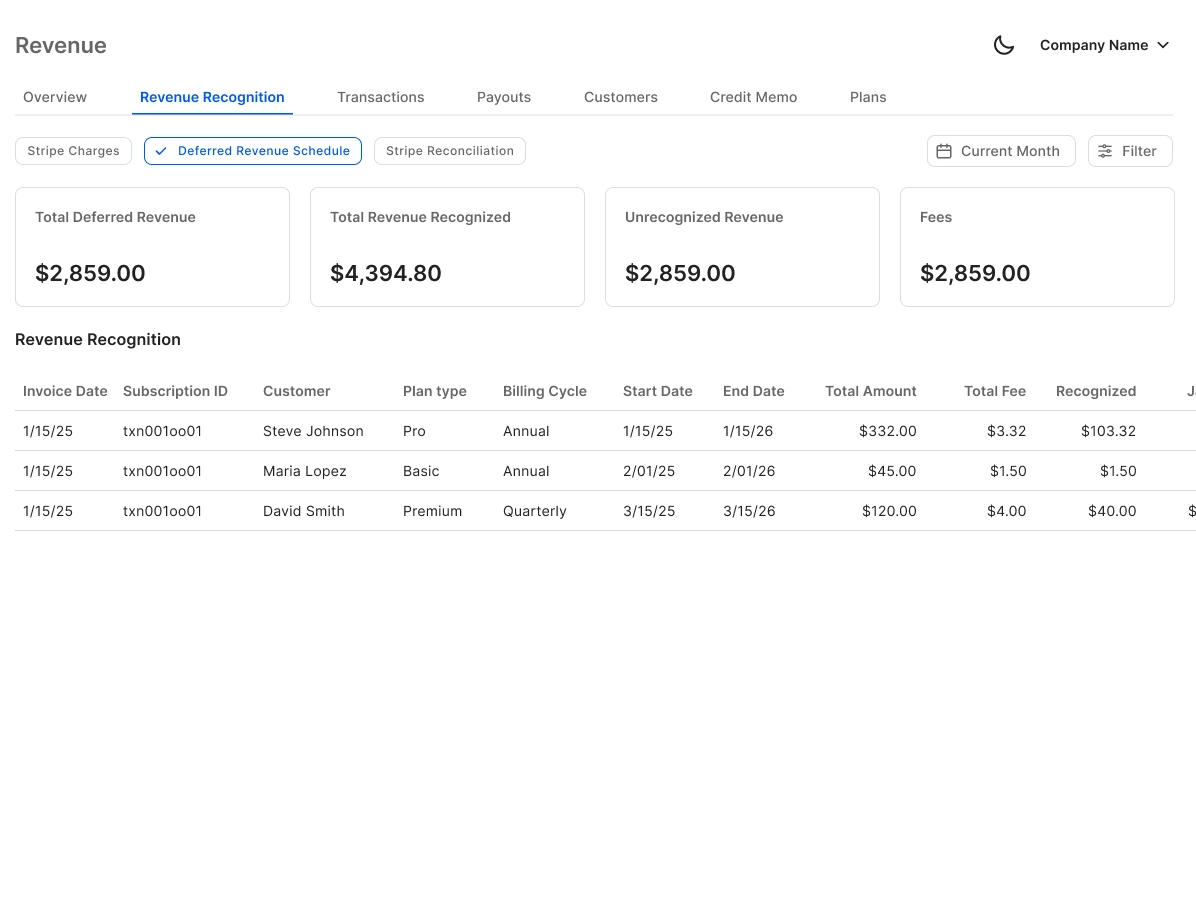
Automated Bank Reconciliation for Stripe
Flags discrepancies between Stripe payouts and QBO bank feed entries automatically. Clears matched items and surfaces only the exceptions that need your attention.

AI Categorization for Stripe Transactions
Every Stripe transaction is categorized at first pass using GL logic and learned patterns. Processing fees, sales, and refunds each land in the right account without manual tagging.

Real-Time QuickBooks Two-Way Sync
Finlens syncs categorized Stripe transactions, journal entries, and bank data back into QBO in real time. No migration, no CSV exports — your existing QuickBooks setup stays intact.

Real-Time P&L with Stripe Revenue
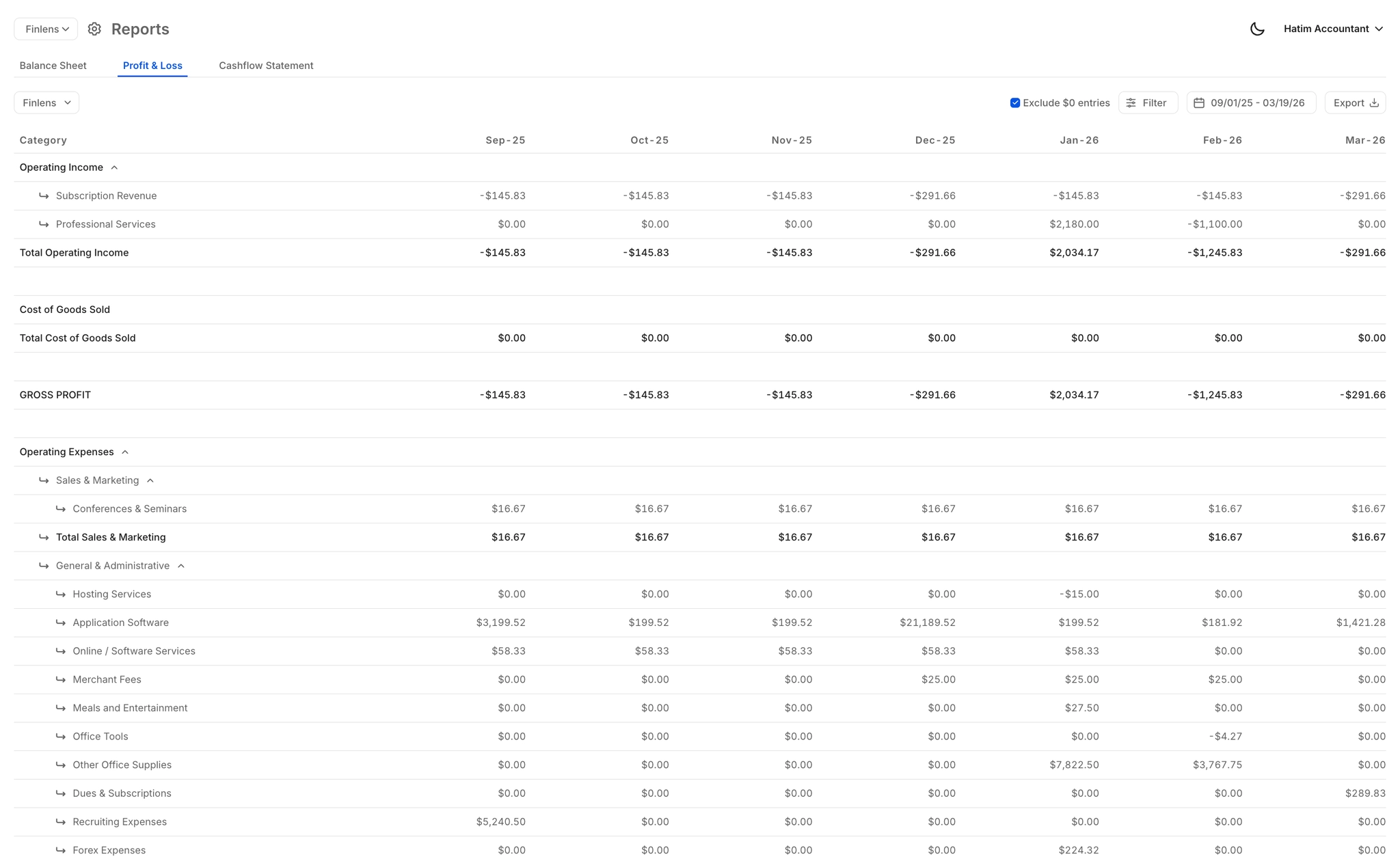
Your P&L, balance sheet, and cash flow reflect Stripe revenue and fees as they happen — not days after a manual import. Always current, always reconciled.
Ready to Transform Your Business?
How It Works
Get started in minutes, not months.
Connect QuickBooks
Finlens reads your GL and identifies accrual-eligible transactions
Review AI-Generated Schedules
Finlens auto-builds prepaid, deferred revenue, and amortization schedules; your team reviews and approves
Entries Post Automatically at Month-End
Journal entries sync to QuickBooks on schedule; close faster, audit trail preserved
Why Choose Finlens
Why teams choose Finlens.
Works on Top of QuickBooks
No migration. No new GL. Finlens augments the tools your team already uses — real-time two-way sync means your QuickBooks data is always current.
80%+ Less Manual Bookkeeping
AI categorization, automated reconciliation, and smart schedules replace the spreadsheet work that eats your team’s hours.
Backed by Y Combinator & Accel
Built in San Francisco by a team that understands accounting workflows. Trusted by firms and founders scaling fast.
12,000+ Bank Connections
Connect every bank account, credit card, and financial tool your clients use. Powered by Plaid.
Frequently Asked Questions
Does Finlens replace QuickBooks Online?
No. Finlens works on top of QuickBooks Online, not instead of it. Your existing QBO setup, chart of accounts, and historical data stay exactly as they are. Finlens adds an automation layer that handles the Stripe-to-QBO workflow — categorizing transactions, matching payouts to bank deposits, and syncing everything back to QBO in real time. There is no migration required.
Why don't my Stripe payouts match my bank deposits in QBO?
Stripe batches transactions and deducts processing fees before sending a net payout to your bank. That means the deposit amount hitting your bank account is always lower than the gross sales recorded in your books. Without a dedicated reconciliation layer, this gap is reconciled manually — line by line. Finlens automates this by breaking each payout into its gross revenue, fee, and refund components and matching the net to your bank feed automatically.
How does Finlens categorize Stripe fees in QuickBooks?
Finlens uses AI-powered transaction categorization that understands your chart of accounts and applies GL logic to every incoming Stripe transaction. Processing fees are split out from gross revenue at first pass and posted to the correct expense account. You review and approve the categorizations before anything posts to QBO, so you stay in full control of the books.
Does Finlens handle Stripe refunds and adjustments in QBO?
Yes. Finlens automatically identifies and categorizes Stripe refunds, chargebacks, and adjustments as separate line items — they are not lumped in with gross sales or payouts. This keeps your revenue figures accurate and ensures your bank reconciliation accounts for every movement of funds through Stripe.
How long does it take to connect QBO and Stripe in Finlens?
Connection setup is fast. You authorize your QuickBooks Online account and your Stripe account through Finlens, and the platform begins pulling in transaction history and syncing data in real time. There is no manual configuration of rules or CSV imports required to get started.