SaaS Revenue Recognition Automated from Stripe to QuickBooks
Finlens connects Stripe to QuickBooks and automates ASC 606 compliance — breaking subscriptions into recognized monthly revenue without spreadsheets.
Manual Revenue Recognition Breaks at Scale
Subscriptions Booked as Lump Sums
Annual payments hit your P&L in one month. Recognized revenue is wrong from day one and your GAAP financials are unreliable.
Deferred Revenue Schedules Break Down
Maintaining prepaid and deferred revenue waterfall schedules in spreadsheets is error-prone and breaks every time a contract changes.
Stripe Data Never Reaches QuickBooks
Teams export CSVs manually from Stripe to reconcile payments. Fees, refunds, and payouts stay out of sync with the general ledger.
ASC 606 Automation Built on Top of QuickBooks
Finlens connects your Stripe data to QuickBooks in real time, auto-calculates recognized revenue per period, generates deferred revenue schedules, and keeps your GAAP financials current. No migration, no spreadsheets, no manual CSV exports.
Automated Stripe Revenue Recognition
Auto-calculates gross revenue, Stripe fees, refunds, and payouts for every period. Annual subscriptions are automatically split into monthly recognized revenue — no manual journal entries required for ASC 606 compliance.
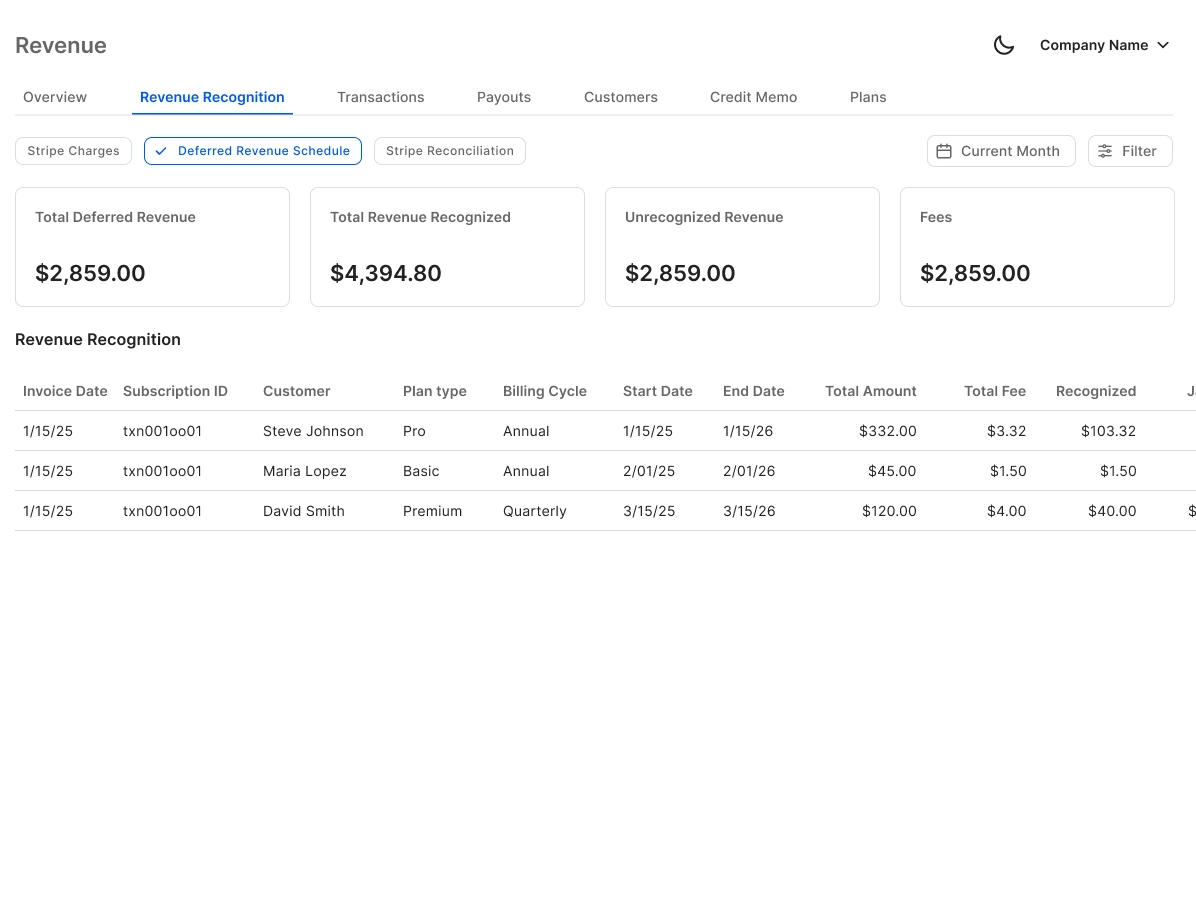
Deferred Revenue Schedule Automation
Generates accrual, prepaid, and deferred revenue schedules with automatic journal entries — eliminating the error-prone spreadsheets that break every time a SaaS contract is modified or renewed.
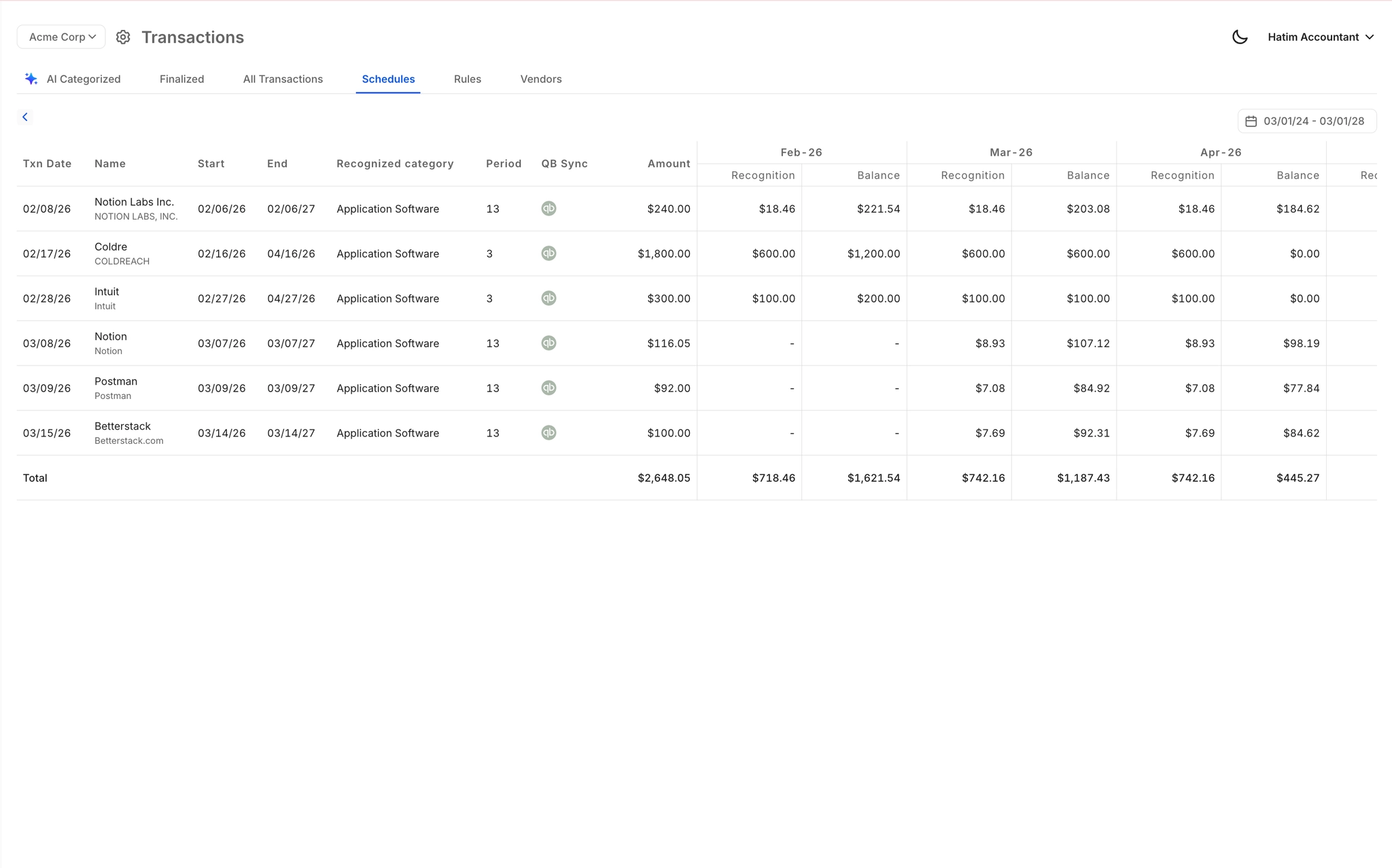
Real-Time QuickBooks Two-Way Sync
Recognized revenue, journal entries, and reconciled Stripe transactions flow directly into QuickBooks in real time. No migration, no manual exports — your existing QBO setup stays intact.

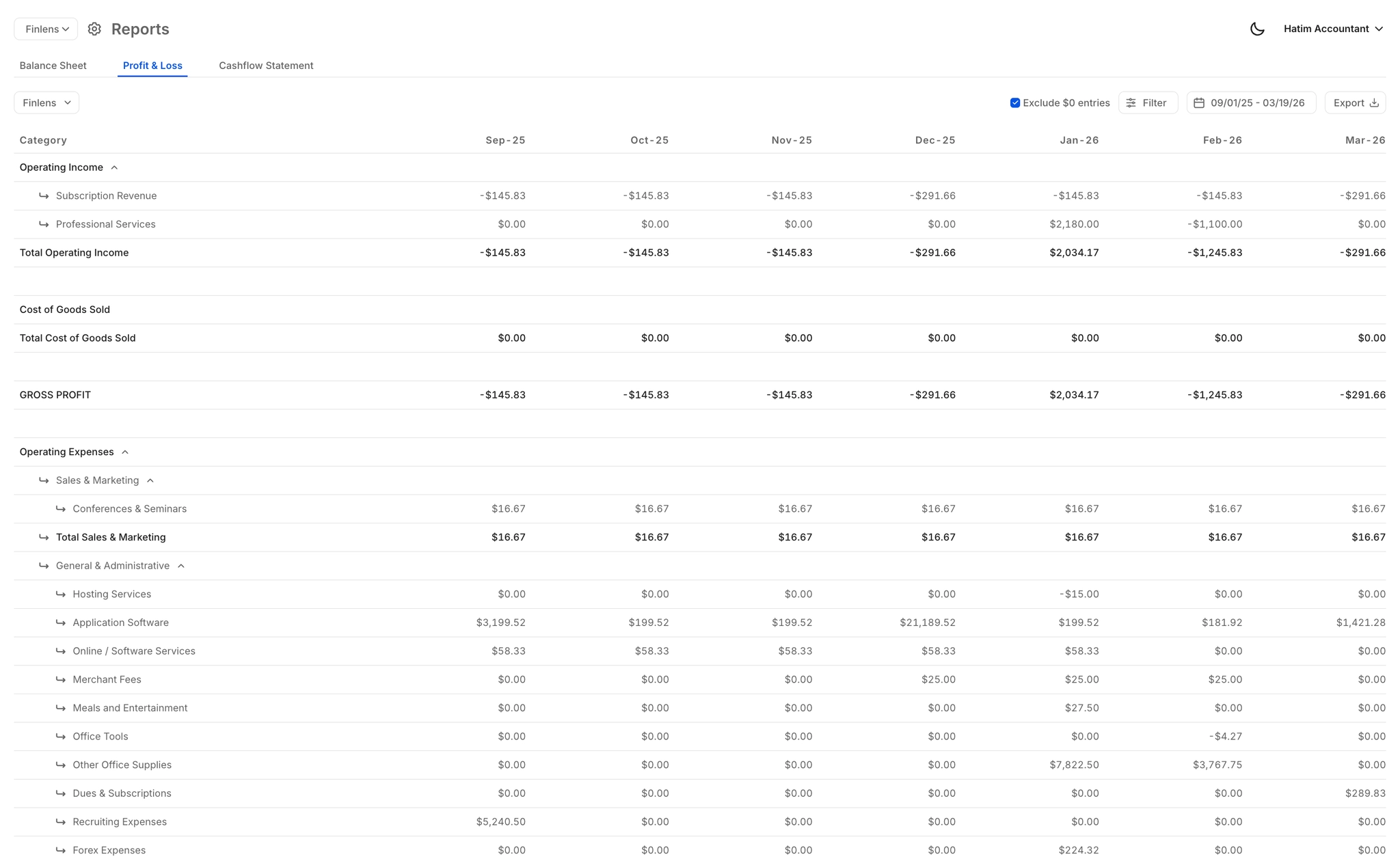
Real-Time GAAP Financial Reports
P&L, balance sheet, and cash flow statements updated live with correctly recognized SaaS revenue. No stale PDFs, no waiting for period-end close to see accurate numbers.
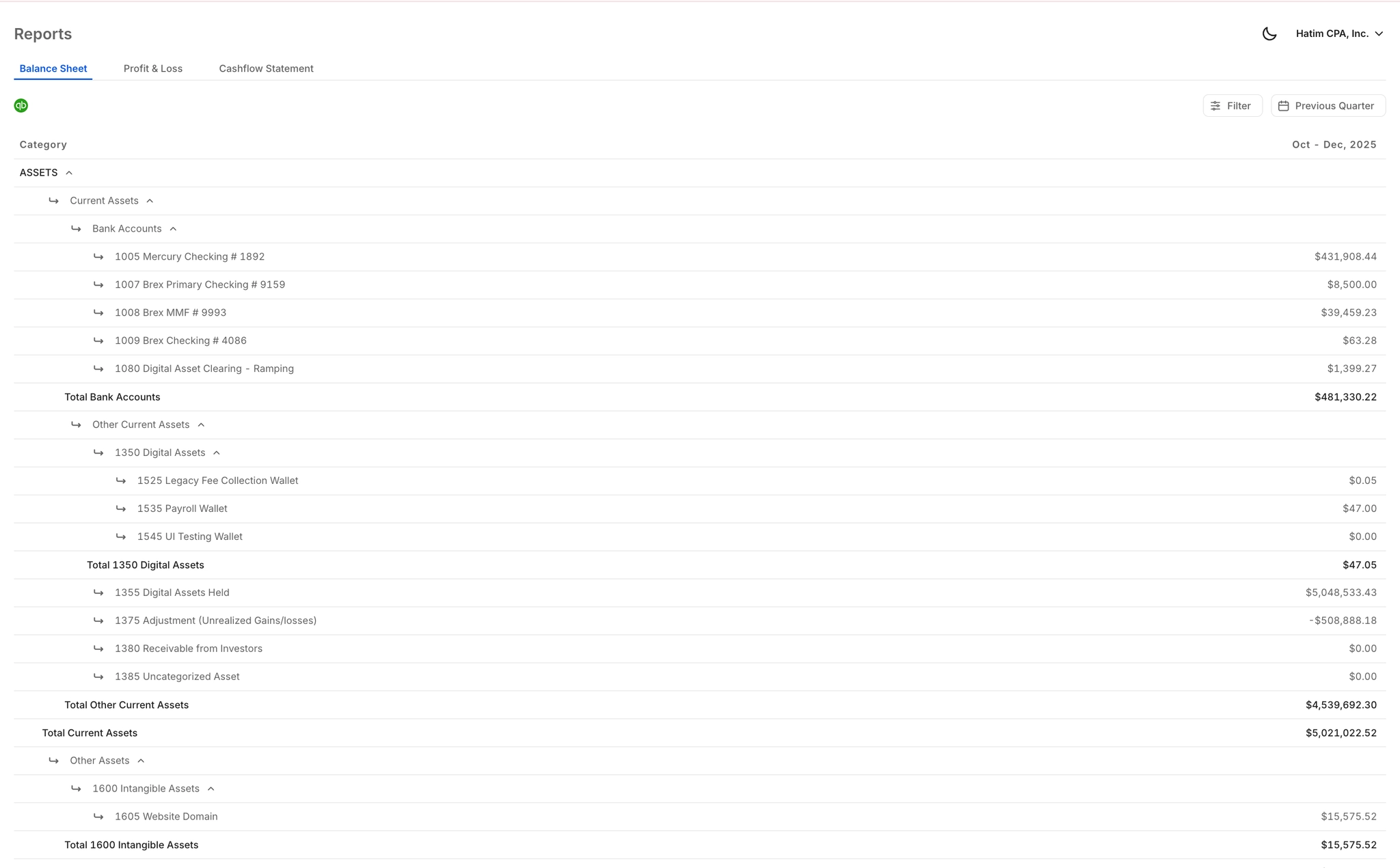
Investor-Ready Revenue Reports
Clean, formatted exports built for VC due diligence, board meetings, and investor updates — with revenue correctly recognized under ASC 606 so your numbers hold up to scrutiny.
Ready to Transform Your Business?
How It Works
Get started in minutes, not months.
Connect QuickBooks
Finlens reads your GL and identifies accrual-eligible transactions
Review AI-Generated Schedules
Finlens auto-builds prepaid, deferred revenue, and amortization schedules; your team reviews and approves
Entries Post Automatically at Month-End
Journal entries sync to QuickBooks on schedule; close faster, audit trail preserved
Why Choose Finlens
Why teams choose Finlens.
Works on Top of QuickBooks
No migration. No new GL. Finlens augments the tools your team already uses — real-time two-way sync means your QuickBooks data is always current.
80%+ Less Manual Bookkeeping
AI categorization, automated reconciliation, and smart schedules replace the spreadsheet work that eats your team’s hours.
Backed by Y Combinator & Accel
Built in San Francisco by a team that understands accounting workflows. Trusted by firms and founders scaling fast.
12,000+ Bank Connections
Connect every bank account, credit card, and financial tool your clients use. Powered by Plaid.
Frequently Asked Questions
Does Finlens replace QuickBooks for revenue recognition?
No. Finlens works on top of QuickBooks — it does not replace it. Finlens layers Stripe revenue recognition and GAAP schedule automation directly into your existing QuickBooks setup. Recognized revenue, deferred revenue journal entries, and reconciled Stripe transactions all sync back to QBO in real time. You keep the accounting system you already use, and Finlens handles the ASC 606 complexity on top of it.
How does Finlens handle ASC 606 for SaaS subscriptions?
Finlens pulls transaction data directly from Stripe and automatically splits subscription payments into the correct recognized revenue amounts per accounting period. For an annual subscription paid upfront, Finlens spreads the revenue across twelve months and generates the corresponding deferred revenue journal entries in QuickBooks — matching the ASC 606 requirement to recognize revenue when the service is delivered, not when cash is received.
What types of SaaS revenue arrangements does Finlens support?
Finlens automates revenue recognition for subscription contracts processed through Stripe, including monthly and annual plans. It separates gross revenue, Stripe fees, refunds, and payouts per period. For GAAP schedule automation, it handles accruals, prepaids, and deferred revenue. For more complex multi-element arrangements or variable consideration scenarios, the AI-generated schedules can be reviewed and adjusted by your accountant before posting to QuickBooks.
Do I need to manually export data from Stripe?
No. Finlens connects directly to Stripe and syncs transaction data automatically — eliminating the CSV export and manual import process that most teams rely on today. Gross revenue, fees, refunds, and payouts are pulled in real time and reconciled against your QuickBooks records without any manual intervention.
Is Finlens suitable for a SaaS founder without a finance team?
Yes. Finlens is specifically designed so founders can get real-time financial visibility without opening QuickBooks or relying on an accountant for every report. The Starter plan is free for teams with up to $50k per month in expenses. The AI Accounting plan at $49 per month covers up to $100k per month in expenses and includes Stripe revenue recognition and automated GAAP schedules.