Stripe Deferred Revenue Automation Built for Accountants
Finlens auto-generates ASC 606-compliant deferred revenue schedules directly from Stripe data, eliminating manual spreadsheets and closing your books faster.
Manual Deferred Revenue Is Breaking Close
Subscriptions Booked as Lump Sums
Annual Stripe payments hit your P&L on day one. Deferred revenue sits untracked in a spreadsheet no one fully trusts.
Month-End Close Drags On
Reconciling what Stripe collected versus what was actually earned each month costs your team hours of manual, error-prone work.
ASC 606 Compliance at Risk
Hand-built recognition schedules break under refunds, upgrades, and mid-cycle changes — leaving GAAP compliance dependent on you catching every edge case.
ASC 606 Automation Layered Over Stripe and QuickBooks
Finlens connects your Stripe account and QuickBooks, automatically splits subscription payments into earned and deferred revenue, and generates GAAP-compliant recognition schedules without a single spreadsheet.
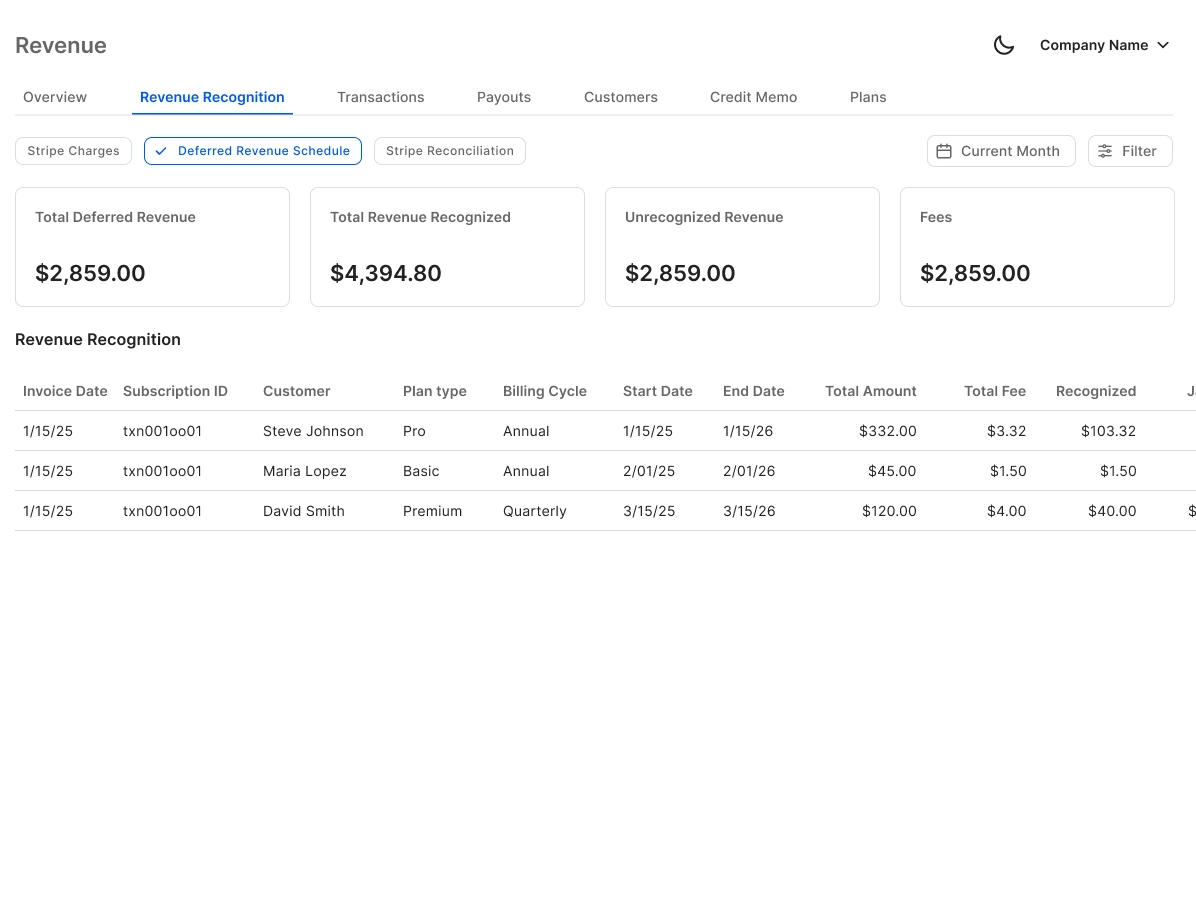
Automated Stripe Deferred Revenue Schedules
Finlens auto-calculates gross revenue, Stripe fees, refunds, and payouts, then breaks annual and multi-month subscriptions into monthly recognized revenue — no CSV exports, no manual journal entries.
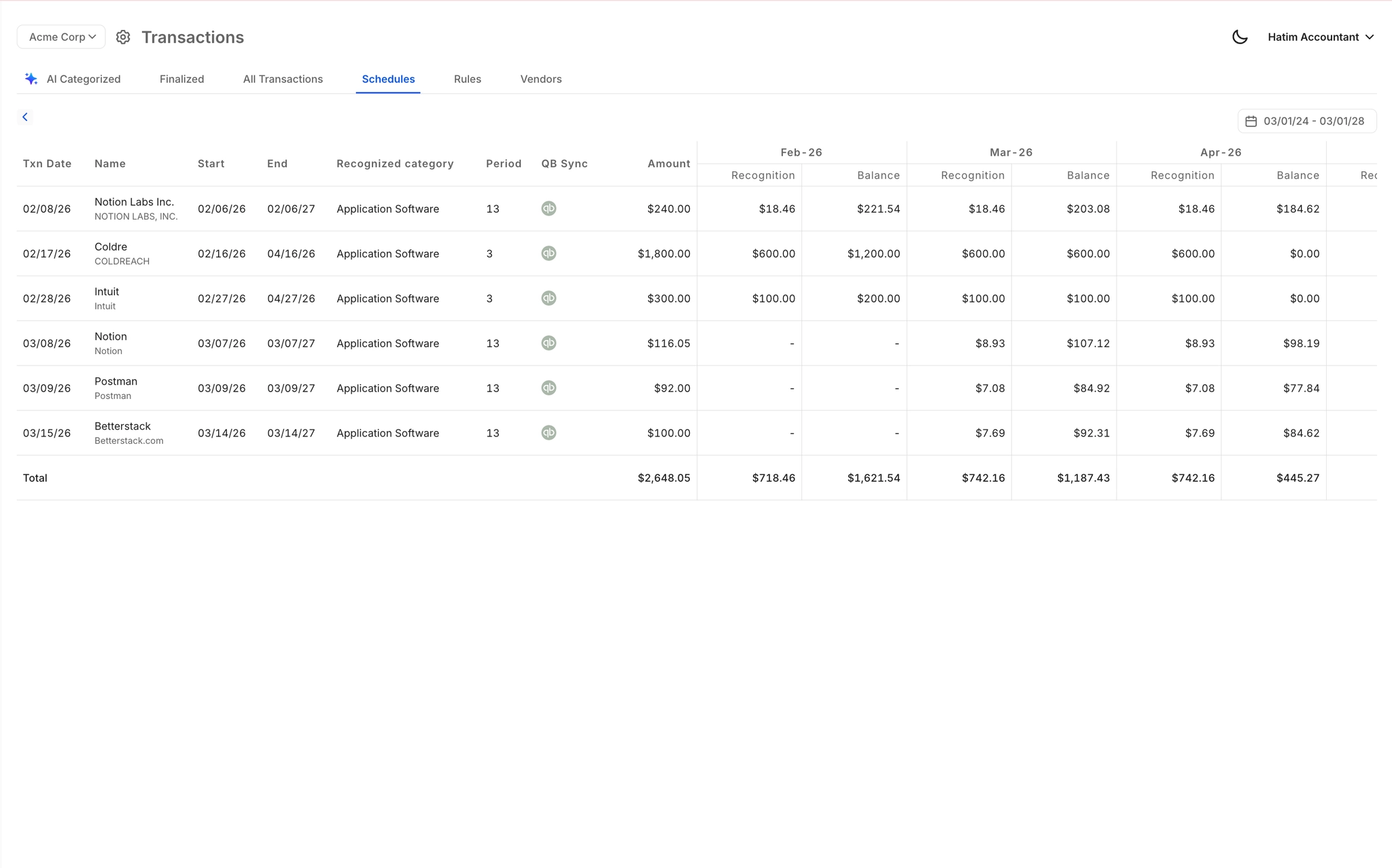
ASC 606 Schedule Generation Without Spreadsheets
Automatically generates accrual, deferred revenue, and amortization schedules with corresponding journal entries. Handles the recurring schedule maintenance that makes spreadsheet-based recognition error-prone at scale.
Stripe to QuickBooks Real-Time Sync
Recognized revenue, deferred balances, and journal entries flow directly into QuickBooks in real time. No migration required — Finlens layers on top of your existing QBO setup.

Faster Close With Revenue Recognition Built In
Revenue recognition tasks are embedded inside the month-end close workflow. Track progress, assign steps, and close up to 40-70% faster without juggling spreadsheets, checklists, and email threads.

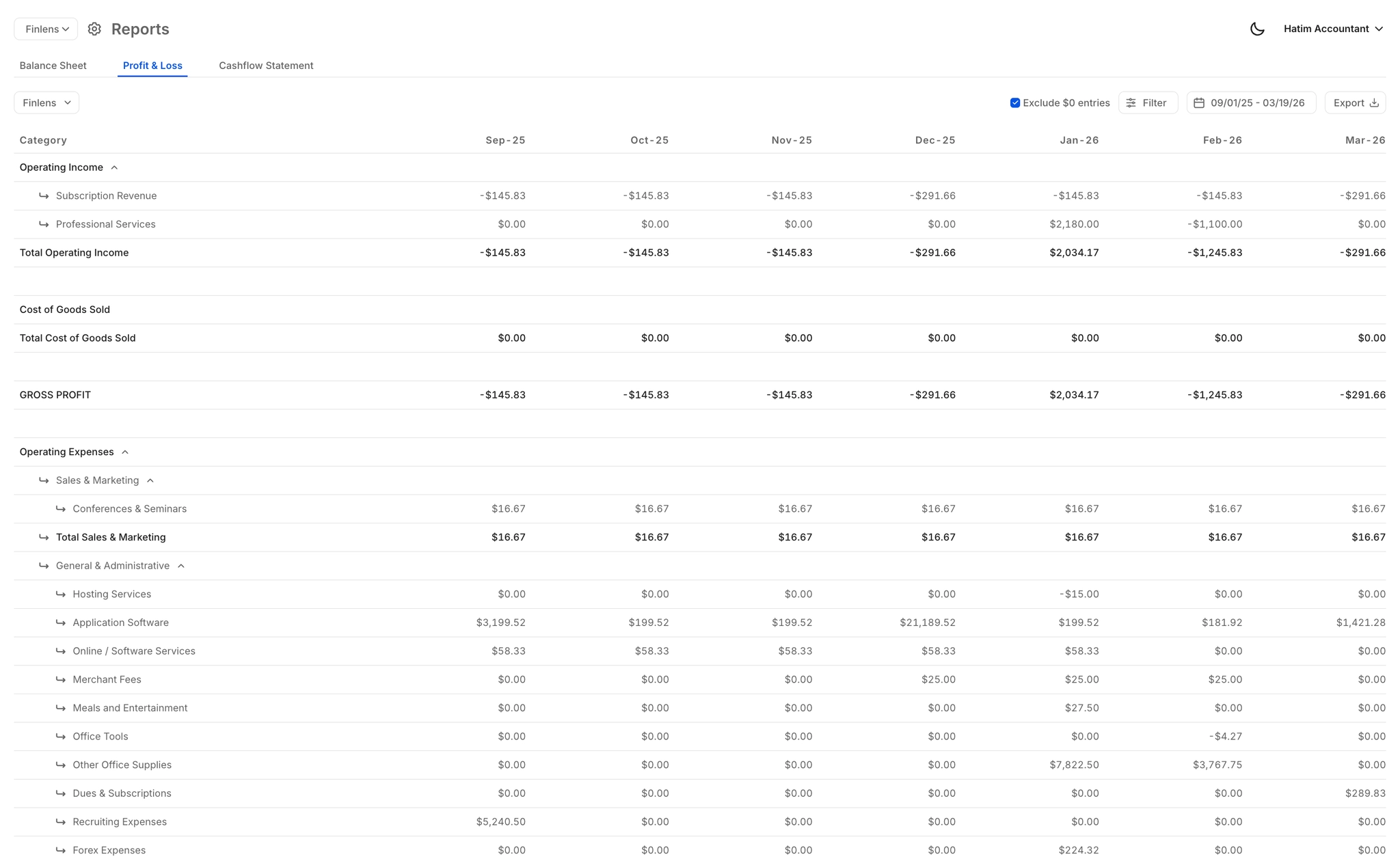
Real-Time Revenue and Deferred Balance Reports
Auto-generated P&L and balance sheet always reflect current recognized and deferred revenue balances. Deliver accurate, real-time reports to founders, investors, or auditors without manual rebuilding.
Ready to Transform Your Business?
How It Works
Get started in minutes, not months.
Connect QuickBooks
Finlens reads your GL and identifies accrual-eligible transactions
Review AI-Generated Schedules
Finlens auto-builds prepaid, deferred revenue, and amortization schedules; your team reviews and approves
Entries Post Automatically at Month-End
Journal entries sync to QuickBooks on schedule; close faster, audit trail preserved
Why Choose Finlens
Why teams choose Finlens.
Works on Top of QuickBooks
No migration. No new GL. Finlens augments the tools your team already uses — real-time two-way sync means your QuickBooks data is always current.
80%+ Less Manual Bookkeeping
AI categorization, automated reconciliation, and smart schedules replace the spreadsheet work that eats your team’s hours.
Backed by Y Combinator & Accel
Built in San Francisco by a team that understands accounting workflows. Trusted by firms and founders scaling fast.
12,000+ Bank Connections
Connect every bank account, credit card, and financial tool your clients use. Powered by Plaid.
Frequently Asked Questions
Does Finlens replace QuickBooks for revenue recognition?
No. Finlens works on top of QuickBooks — it does not replace it. Your existing QBO setup stays intact. Finlens adds the automation layer that handles Stripe deferred revenue schedules, recognized revenue calculations, and journal entry posting, then syncs everything back to QuickBooks in real time. Zero migration required.
How does Finlens handle ASC 606 compliance for Stripe payments?
Finlens automatically splits Stripe payments — including annual and multi-month subscriptions — into earned and deferred revenue using ASC 606-compliant recognition logic. It generates the corresponding schedules and journal entries without manual input, reducing the risk of misstatement caused by spreadsheet errors or missed edge cases like refunds and mid-cycle upgrades.
What Stripe payment types does the deferred revenue automation support?
Finlens handles the Stripe-to-QuickBooks data flow for gross revenue, Stripe fees, refunds, and payouts. It automatically breaks subscription payments down into monthly recognized revenue, covering the most common recognition scenarios for SaaS and subscription businesses. For highly complex multi-element arrangements, your accountant retains full review and override capability.
Do I need a developer or IT team to connect Stripe?
No. Finlens connects to Stripe and QuickBooks without developer involvement. The integration is configured through the Finlens platform directly. Once connected, the deferred revenue automation runs continuously — new Stripe payments flow through recognition logic and sync to QuickBooks automatically.
Can accountants review and approve entries before they post to QuickBooks?
Yes. Finlens includes a human-in-the-loop review layer. Accountants can review AI-generated categorizations, journal entries, and recognition schedules before anything posts to QuickBooks. Nothing is committed to your general ledger without sign-off, keeping your team in control while eliminating the manual build work.