Stripe Payment Reconciliation Automated for QuickBooks
Finlens connects Stripe and QuickBooks to automatically match payouts, categorize transactions, and give you an accurate real-time cash flow view.
Stripe Reconciliation Is Still Broken
Payouts Never Match Cleanly
Stripe batches payments, fees, and refunds into single deposits. Matching them line by line in QuickBooks takes hours every month.
Refunds Break Your Books
Partial refunds, disputes, and failed payments create discrepancies that compound during month-end close and distort cash flow reporting.
Month-End Close Stalls
Every reconciliation gap delays close. Your team chases down mismatches in spreadsheets instead of finalizing financials on time.
Automated Stripe Reconciliation on Top of QuickBooks
Finlens layers AI automation over QuickBooks to auto-match Stripe payouts, separate fees and refunds, and sync reconciled transactions in real time. No migration, no manual CSV exports, no month-end backlog.
Automated Stripe Payout Reconciliation
Auto-calculates gross revenue, Stripe fees, refunds, and net payouts. Breaks down each Stripe deposit into its component transactions so QuickBooks records stay accurate and audit-ready.
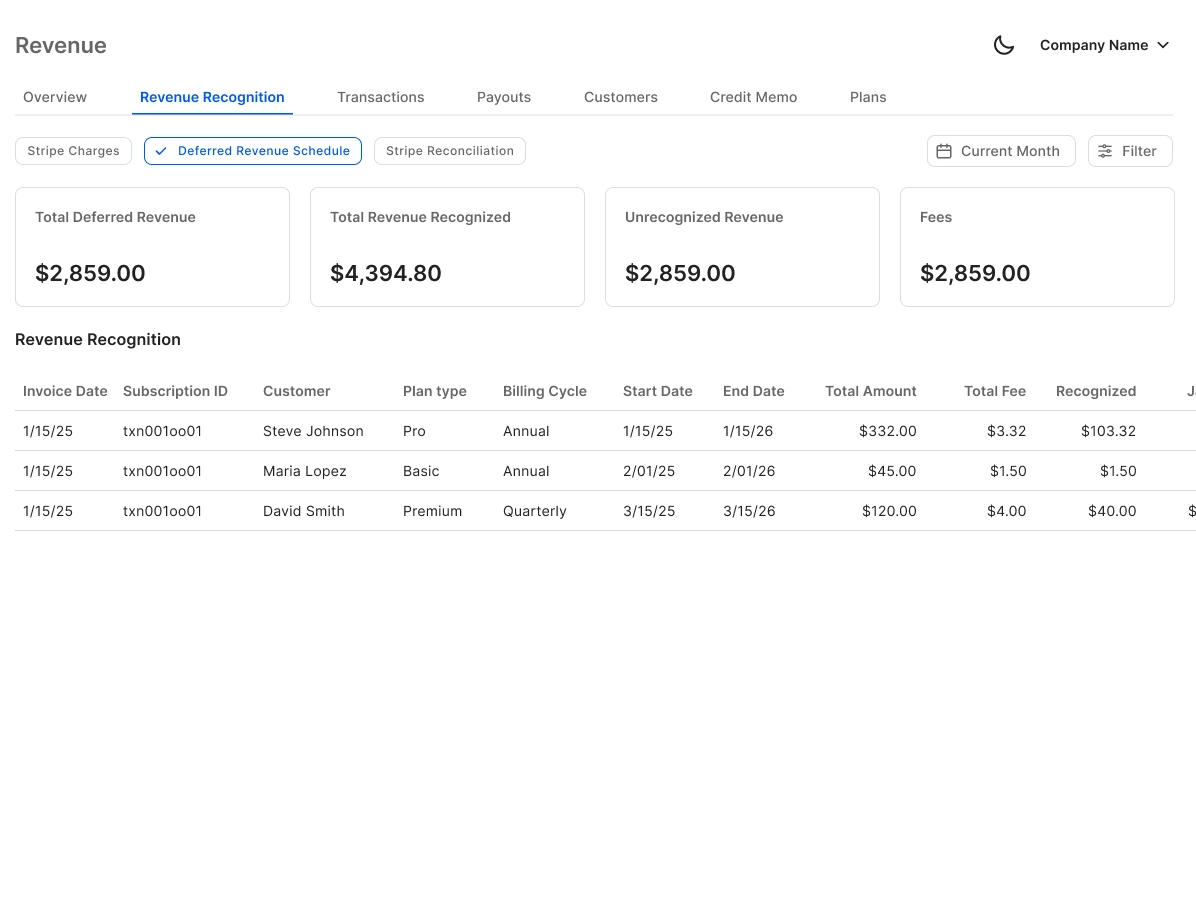
Bank Reconciliation for Stripe Deposits
Automatically matches Stripe deposits against QuickBooks bank records, flags discrepancies, and clears matched items. Removes the most tedious step in monthly close for Stripe-heavy businesses.

Real-Time QuickBooks Sync
Reconciled Stripe data flows directly into QuickBooks in real time. Journal entries, categorized transactions, and payout records stay in sync without manual exports or CSV uploads.

AI Categorization for Stripe Transactions
Every Stripe transaction is auto-categorized at first pass using GL logic and learned patterns. Works across high transaction volumes so your books reflect accurate revenue and expense data.

Month-End Close Acceleration
Stripe reconciliation feeds directly into the broader month-end close workflow. Finlens tracks task progress, assigns items, and reduces close time so your team stops spending the last week of every month in spreadsheets.

Ready to Transform Your Business?
How It Works
Get started in minutes, not months.
Connect QuickBooks
Finlens reads your GL and identifies accrual-eligible transactions
Review AI-Generated Schedules
Finlens auto-builds prepaid, deferred revenue, and amortization schedules; your team reviews and approves
Entries Post Automatically at Month-End
Journal entries sync to QuickBooks on schedule; close faster, audit trail preserved
Why Choose Finlens
Why teams choose Finlens.
Works on Top of QuickBooks
No migration. No new GL. Finlens augments the tools your team already uses — real-time two-way sync means your QuickBooks data is always current.
80%+ Less Manual Bookkeeping
AI categorization, automated reconciliation, and smart schedules replace the spreadsheet work that eats your team’s hours.
Backed by Y Combinator & Accel
Built in San Francisco by a team that understands accounting workflows. Trusted by firms and founders scaling fast.
12,000+ Bank Connections
Connect every bank account, credit card, and financial tool your clients use. Powered by Plaid.
Frequently Asked Questions
Does Finlens replace QuickBooks for Stripe reconciliation?
No. Finlens works on top of QuickBooks, not instead of it. It adds an AI automation layer that handles the Stripe-to-QuickBooks reconciliation workflow your team currently does manually. Your QuickBooks stays exactly as it is — Finlens just keeps it accurate and current without the manual effort.
How does Finlens match Stripe payouts to bank deposits?
Finlens automatically breaks down each Stripe payout into its component transactions — gross payments, processing fees, refunds, and disputes — then matches them against your QuickBooks bank records. Discrepancies are flagged for review before anything posts to your books, so you stay in control of the final record.
Can Finlens handle Stripe refunds and disputes in reconciliation?
Yes. Refunds, partial captures, and disputed payments are treated as distinct transaction types during reconciliation. Finlens separates them from gross revenue so they don't create phantom discrepancies in your cash flow or distort your monthly financial statements.
How long does it take to connect Stripe and QuickBooks?
Finlens connects to your Stripe account and QuickBooks through a direct integration — no CSV exports or manual setup required. Once connected, Finlens begins syncing and reconciling transaction data automatically. The onboarding process is designed to get you to a reconciled state quickly without requiring migration or reconfiguration of your existing QuickBooks setup.
Is Finlens only useful for founders or does it work for accounting firms too?
Both. Founders get real-time cash flow accuracy and a live view of Stripe revenue without touching QuickBooks manually. CPA firms managing clients who use Stripe benefit from automated reconciliation across all those accounts from a single dashboard, reducing the time spent on Stripe-related close work for every client.