Stripe Payout Reconciliation Automated for QuickBooks
Finlens automatically matches every Stripe payout to its underlying charges, fees, and refunds — keeping your books accurate at month-end close.
Stripe Payouts Break Manual Reconciliation
Lump Sums Hide the Detail
A single Stripe deposit bundles sales, refunds, and fees. Manually untangling each line takes hours every close cycle.
Timing Gaps Create Discrepancies
Stripe's payout schedule rarely aligns with your bank settlement dates, creating unexplained variances that delay month-end close.
Fees and Refunds Go Unbooked
Missing Stripe processing fees and refunds distorts your revenue and expense figures, putting GAAP compliance at risk.
Automated Stripe Reconciliation on Top of QuickBooks
Finlens connects Stripe and QuickBooks in real time, automatically breaking down each lump-sum payout into its constituent charges, refunds, and fees — then syncing clean journal entries without a CSV in sight.
Stripe Payout Breakdown and Sync
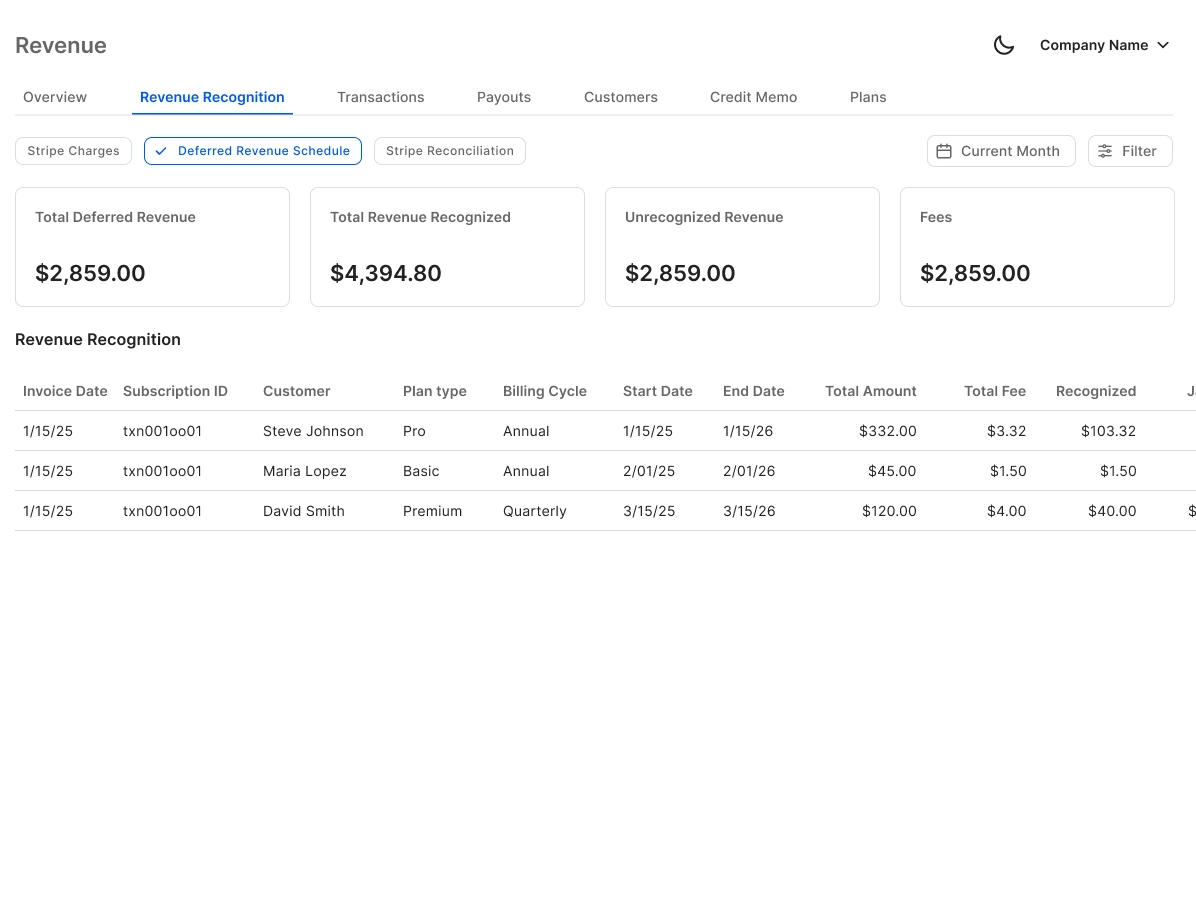
Finlens auto-calculates gross revenue, Stripe fees, refunds, and net payouts for every deposit cycle — then pushes clean entries directly into QuickBooks. No CSV exports, no manual mapping.
Bank Statement Matching Automation
Automated matching of Stripe deposit amounts against your bank statement and QuickBooks records flags discrepancies instantly, so you close the month confidently rather than hunting for off-by-one errors.

Real-Time QuickBooks Two-Way Sync
Every reconciled Stripe payout syncs back to QuickBooks in real time — journal entries, bank transactions, and categorizations flow both ways. No migration. No parallel ledger.

AI Categorization for Stripe Transactions
Each transaction inside a Stripe payout is automatically categorized using GL logic and historical patterns, eliminating the manual line-by-line review that consumes hours per client per month.

Month-End Close With Stripe Reconciled
Stripe payout reconciliation is one step inside a fully automated month-end close workflow. Finlens tracks progress, assigns tasks, and accelerates close by up to 40 to 70 percent.

Ready to Transform Your Business?
How It Works
Get started in minutes, not months.
Connect QuickBooks
Finlens reads your GL and identifies accrual-eligible transactions
Review AI-Generated Schedules
Finlens auto-builds prepaid, deferred revenue, and amortization schedules; your team reviews and approves
Entries Post Automatically at Month-End
Journal entries sync to QuickBooks on schedule; close faster, audit trail preserved
Why Choose Finlens
Why teams choose Finlens.
Works on Top of QuickBooks
No migration. No new GL. Finlens augments the tools your team already uses — real-time two-way sync means your QuickBooks data is always current.
80%+ Less Manual Bookkeeping
AI categorization, automated reconciliation, and smart schedules replace the spreadsheet work that eats your team’s hours.
Backed by Y Combinator & Accel
Built in San Francisco by a team that understands accounting workflows. Trusted by firms and founders scaling fast.
12,000+ Bank Connections
Connect every bank account, credit card, and financial tool your clients use. Powered by Plaid.
Frequently Asked Questions
How does Finlens handle Stripe payout reconciliation?
Finlens connects directly to your Stripe account and QuickBooks, then breaks down each lump-sum payout into its individual charges, processing fees, and refunds. It automatically generates the corresponding journal entries and syncs them to QuickBooks in real time, so your books always reflect what actually hit your bank account — without manual CSV exports or spreadsheet matching.
Does Finlens replace QuickBooks for Stripe reconciliation?
No. Finlens works on top of QuickBooks — it does not replace it. Your existing QuickBooks setup stays intact. Finlens layers Stripe reconciliation automation over it, syncing clean, categorized entries back to your ledger in real time. There is zero migration required and no disruption to your existing accounting workflow.
How does Finlens handle Stripe fees and refunds?
Finlens automatically separates Stripe processing fees and refunds from gross revenue within each payout. Each component is categorized independently and mapped to the correct GL account in QuickBooks, so your net revenue, fee expense, and refund figures are accurate without any manual adjustment.
What happens when Stripe payouts and bank deposits don't match?
Timing differences between Stripe's payout schedule and your bank's settlement dates are a common source of reconciliation errors. Finlens tracks these timing gaps, matches deposits against the correct payout periods, and flags any remaining discrepancies so your team can investigate rather than manually search for the source of the variance.
Is Stripe payout reconciliation available on the free plan?
Finlens offers a Starter plan at $0 per month for businesses with up to $50,000 in monthly expenses. The AI Accounting plan at $49 per month covers up to $100,000 in monthly expenses. CPA firms using Finlens for client management are billed at $30 per client per month with all features included. Check the pricing page for current plan details.