Stripe QuickBooks Integration That Actually Works
Finlens syncs Stripe transactions to QuickBooks in real time — fees, refunds, and payouts included. No migration, no manual exports.
Your Integration Is Quietly Breaking Your Books
Payouts Hit at Wrong Amounts
Stripe deposits net payouts after fees, but QuickBooks records gross. Your cash accounts never reconcile correctly.
Fee Mapping Errors Everywhere
Processing fees, refunds, and adjustments land in the wrong GL accounts, quietly corrupting your P&L every month.
Investor Reports You Cannot Trust
Duplicate transactions and timing mismatches mean your revenue numbers are wrong before the report even gets sent.
Real-Time Stripe Sync Built Into QuickBooks
Finlens sits on top of your existing QuickBooks setup and automates the entire Stripe data flow — gross revenue, fees, refunds, and payouts mapped to the right accounts, every time. No migration required.
Stripe to QuickBooks Revenue Sync
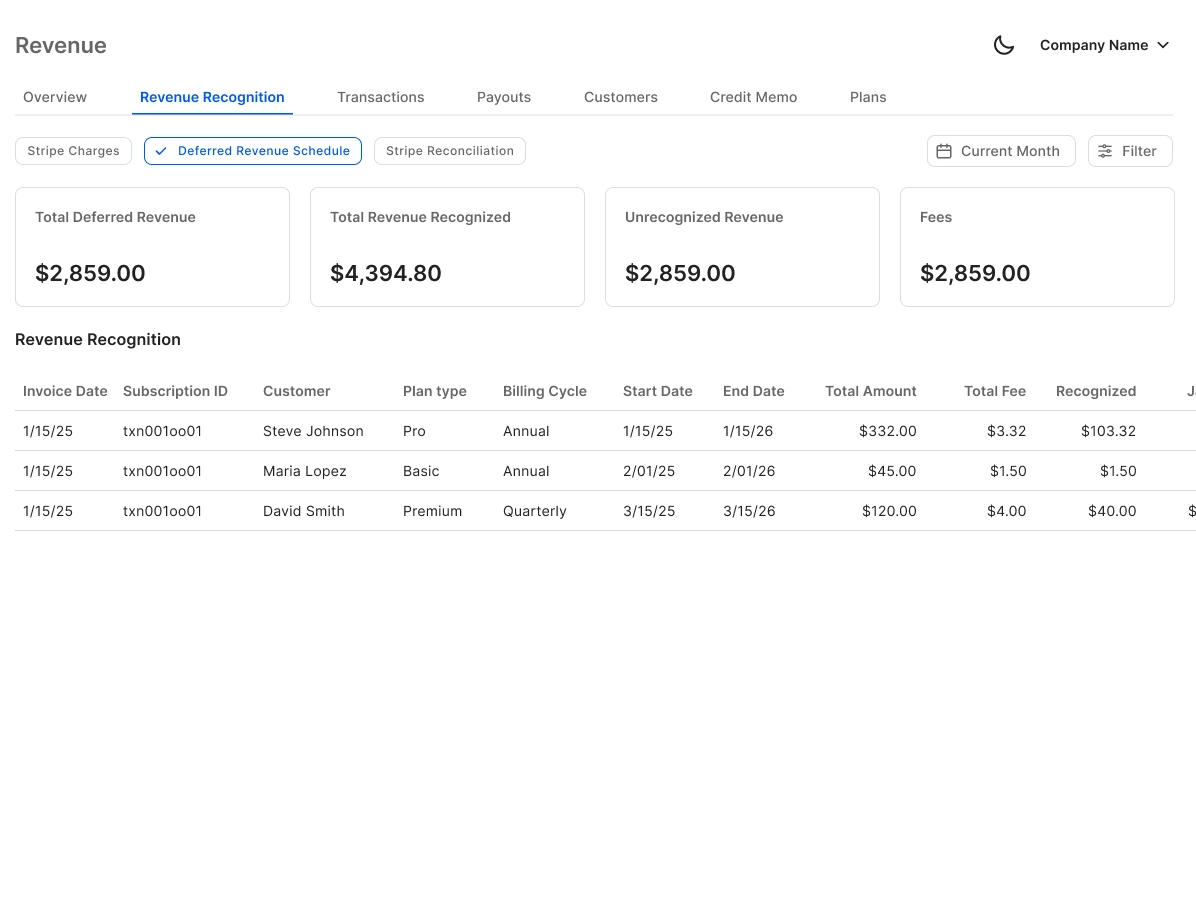
Auto-calculates gross revenue, Stripe fees, refunds, and net payouts — mapping each to the correct QuickBooks account. No more CSV exports or manual journal entries to bridge the gap.
Two-Way QuickBooks Sync
Finlens pushes categorized Stripe transactions — journal entries, invoices, and payments — directly into QuickBooks and syncs changes back. Your books stay current without touching QBO manually.

Automated Bank Reconciliation
Automatically matches Stripe payouts against your QuickBooks bank records, flags discrepancies, and clears matched items. Eliminates the manual line-by-line work that derails month-end close.

AI Stripe Transaction Categorization
Every Stripe transaction is auto-categorized at first pass using GL logic and your historical patterns — processing fees, refunds, and subscription payments all land in the right bucket from the start.

Investor-Ready Financial Reports
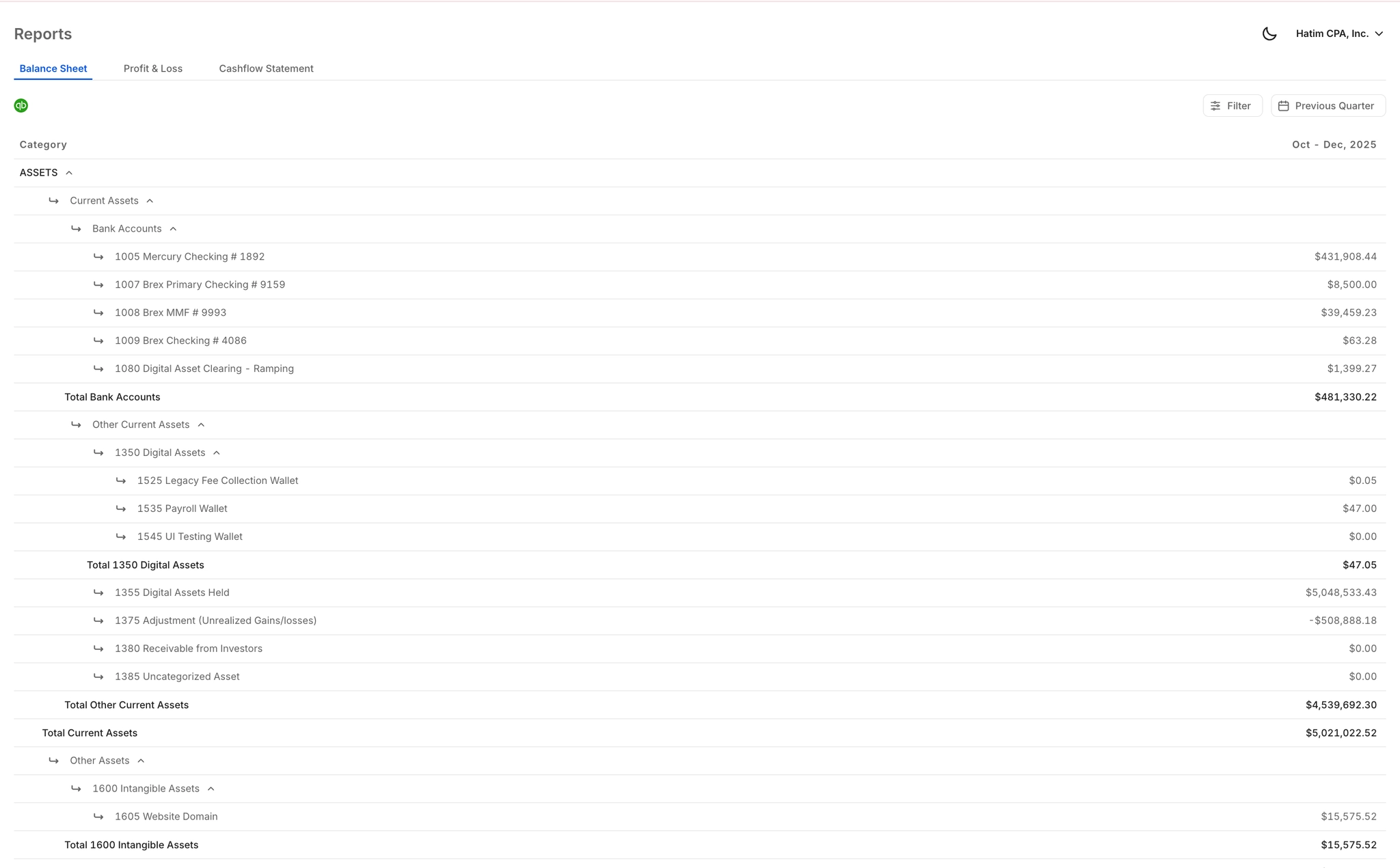
Clean, formatted P&L and cash flow exports built for VC updates and due diligence — pulling accurate Stripe revenue data directly from your reconciled QuickBooks records, not a spreadsheet.
Ready to Transform Your Business?
How It Works
Get started in minutes, not months.
Connect QuickBooks
Finlens reads your GL and identifies accrual-eligible transactions
Review AI-Generated Schedules
Finlens auto-builds prepaid, deferred revenue, and amortization schedules; your team reviews and approves
Entries Post Automatically at Month-End
Journal entries sync to QuickBooks on schedule; close faster, audit trail preserved
Why Choose Finlens
Why teams choose Finlens.
Works on Top of QuickBooks
No migration. No new GL. Finlens augments the tools your team already uses — real-time two-way sync means your QuickBooks data is always current.
80%+ Less Manual Bookkeeping
AI categorization, automated reconciliation, and smart schedules replace the spreadsheet work that eats your team’s hours.
Backed by Y Combinator & Accel
Built in San Francisco by a team that understands accounting workflows. Trusted by firms and founders scaling fast.
12,000+ Bank Connections
Connect every bank account, credit card, and financial tool your clients use. Powered by Plaid.
Frequently Asked Questions
Does Finlens replace QuickBooks?
No. Finlens works on top of your existing QuickBooks setup — it is an automation layer, not a replacement. Your chart of accounts, historical data, and accountant workflows stay exactly where they are. Finlens handles the Stripe-to-QuickBooks data flow automatically, so QuickBooks always has clean, reconciled records without anyone touching it manually.
How does Finlens handle Stripe fees and net payouts?
Finlens separates gross Stripe revenue from processing fees, refunds, and net payout amounts before anything hits QuickBooks. Each component gets mapped to the correct GL account automatically. This eliminates the most common source of payout mismatches — where a Stripe deposit arrives net of fees but gets recorded at gross in QuickBooks.
Will this create duplicate transactions in QuickBooks?
No. Finlens is designed specifically to prevent duplicate entries, which is one of the most common failure points of native Stripe connectors. The sync logic checks for existing records before writing to QuickBooks, so each transaction — whether a sale, refund, or fee — appears exactly once in your books.
Do I need to migrate off QuickBooks to use Finlens?
There is no migration required. Finlens connects to your existing QuickBooks account and augments it with automation. You keep your current QBO subscription, your existing chart of accounts, and your accountant relationship. Finlens simply removes the manual work of syncing Stripe data into it.
How is this different from the native Stripe QuickBooks integration?
The native connector syncs transaction data but leaves fee mapping, payout timing, and revenue recognition to you. Finlens goes further — it auto-categorizes every transaction using AI, separates gross revenue from fees and refunds, reconciles payouts against your bank records, and generates investor-ready reports. It handles the correctness layer the native integration skips.