Stripe to QuickBooks Sync Automated by AI
Finlens connects Stripe and QuickBooks in real time, automating revenue recognition, fee reconciliation, and transaction categorization so you never touch a CSV again.
Manual Sync Is Costing You Hours
CSV Exports Eat Your Week
Manually exporting Stripe data and importing it into QuickBooks is error-prone and repeats itself every single month.
Fees and Refunds Get Misrecorded
Stripe payouts bundle fees, refunds, and gross revenue together, making accurate QuickBooks entries nearly impossible to do by hand.
Books Are Always Out of Date
Manual workflows mean your QuickBooks records lag days or weeks behind your actual Stripe transaction activity.
Real-Time Stripe and QuickBooks Sync with AI
Finlens automates the entire Stripe to QuickBooks data flow: gross revenue, fees, refunds, and payouts are categorized, recognized, and synced in real time. No migration, no spreadsheets, no manual imports.
Automated Stripe Revenue Reconciliation
Finlens auto-calculates gross revenue, Stripe fees, refunds, and payouts then maps each component correctly into QuickBooks. Annual subscriptions are broken into monthly recognized revenue automatically.
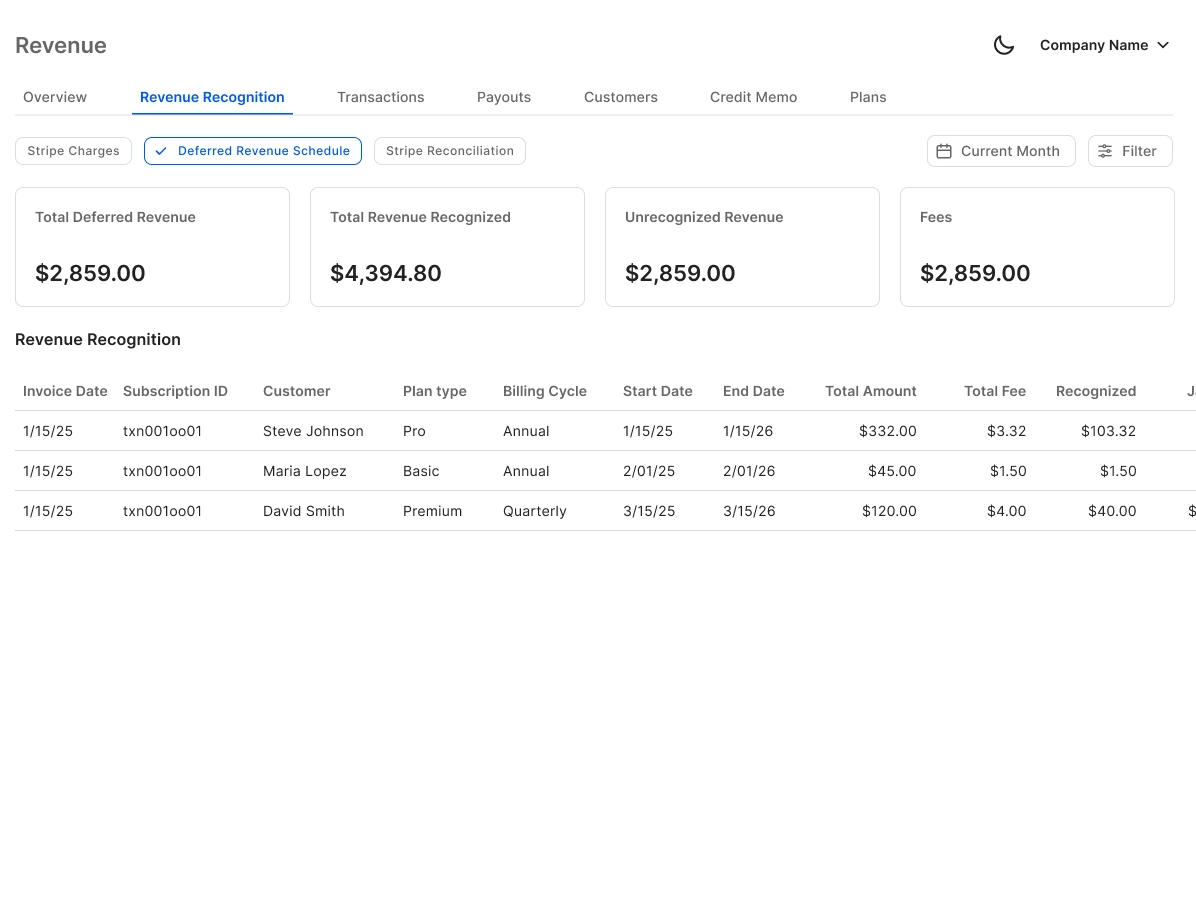
Live QuickBooks Two-Way Sync
Categorized Stripe transactions, journal entries, and reconciled records flow bidirectionally into your existing QuickBooks setup. No migration required and no new GL to learn.

AI Categorization for Stripe Transactions
Every Stripe transaction is auto-categorized at first pass using GL logic and historical patterns. The AI learns from corrections over time, reducing manual review to an exception-only workflow.

Automated Stripe Bank Reconciliation
Finlens automatically matches Stripe payouts against QuickBooks bank records, flags discrepancies, and clears matched items. Eliminates the most tedious step in your monthly Stripe close.

Real-Time Financial Reports
P&L, Balance Sheet, and Cash Flow statements stay current as Stripe transactions sync in. No waiting for period close to see accurate revenue figures in QuickBooks.
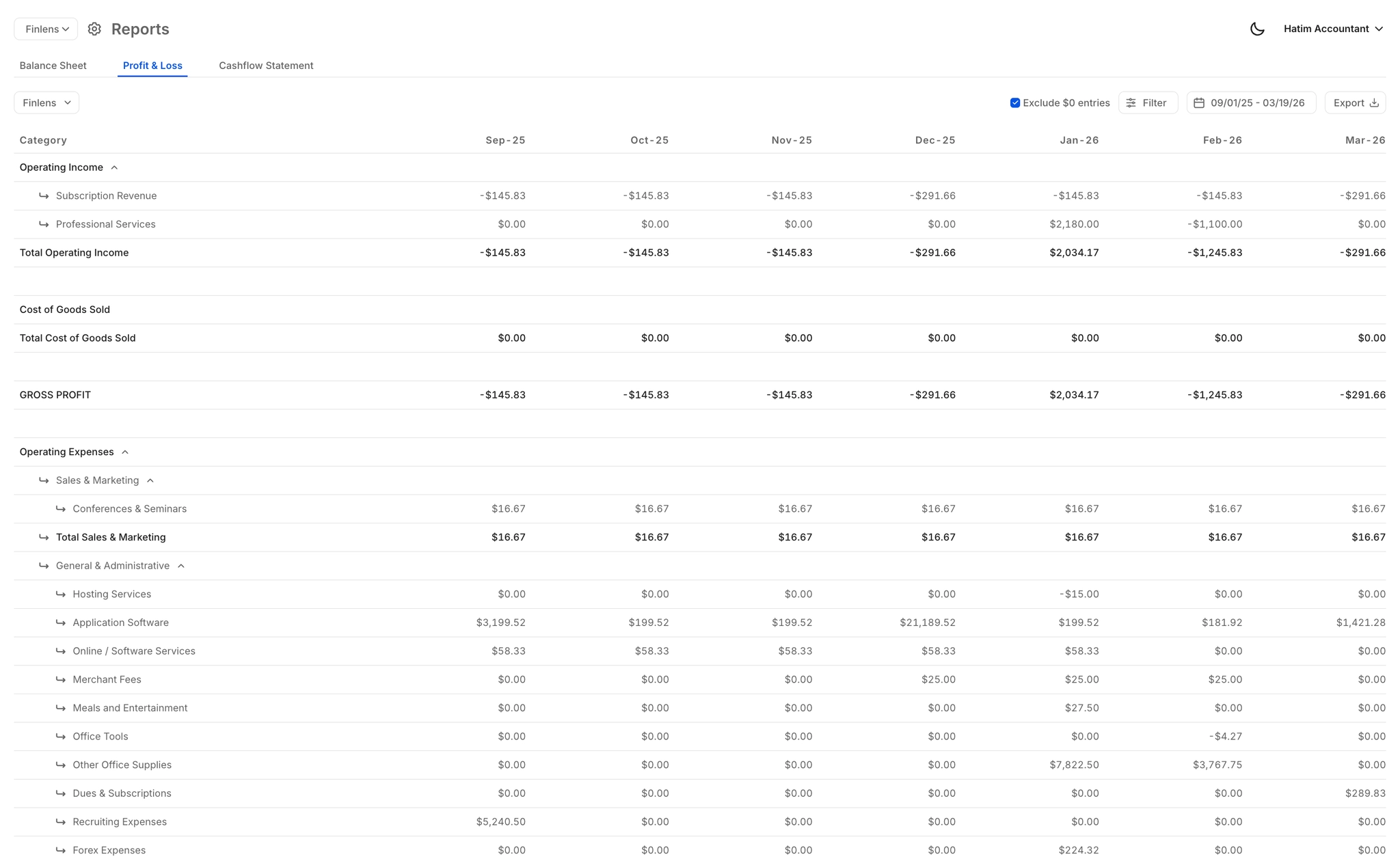
Ready to Transform Your Business?
How It Works
Get started in minutes, not months.
Connect QuickBooks
Finlens reads your GL and identifies accrual-eligible transactions
Review AI-Generated Schedules
Finlens auto-builds prepaid, deferred revenue, and amortization schedules; your team reviews and approves
Entries Post Automatically at Month-End
Journal entries sync to QuickBooks on schedule; close faster, audit trail preserved
Why Choose Finlens
Why teams choose Finlens.
Works on Top of QuickBooks
No migration. No new GL. Finlens augments the tools your team already uses — real-time two-way sync means your QuickBooks data is always current.
80%+ Less Manual Bookkeeping
AI categorization, automated reconciliation, and smart schedules replace the spreadsheet work that eats your team’s hours.
Backed by Y Combinator & Accel
Built in San Francisco by a team that understands accounting workflows. Trusted by firms and founders scaling fast.
12,000+ Bank Connections
Connect every bank account, credit card, and financial tool your clients use. Powered by Plaid.
Frequently Asked Questions
Does Finlens replace QuickBooks?
No. Finlens works on top of your existing QuickBooks account and augments it with AI automation. There is no migration, no new general ledger to learn, and no disruption to your current QuickBooks setup. Your accountant or CPA continues working in QuickBooks exactly as before. Finlens simply automates the manual workflows that QuickBooks does not handle natively, including the Stripe to QuickBooks sync.
Why doesn't Stripe natively sync with QuickBooks?
Stripe and QuickBooks do not have a direct native integration because their data models are fundamentally different. Stripe records gross charges, fees, refunds, and net payouts as separate events, while QuickBooks expects clean journal entries. Bridging that gap manually means exporting CSVs, splitting payout amounts, and accounting for fees and refunds by hand every month. Finlens automates this entire translation layer.
What Stripe data does Finlens sync into QuickBooks?
Finlens syncs gross revenue, Stripe processing fees, refunds, disputes, and net payouts into QuickBooks. For subscription businesses, annual payments are automatically broken into monthly recognized revenue. Every component is mapped to the correct QuickBooks account without manual intervention.
Does Finlens work with QuickBooks Online and QuickBooks Desktop?
Finlens is built to work on top of QuickBooks. For the most current compatibility details specific to your QuickBooks version, we recommend connecting with the Finlens team directly during onboarding.
How does the AI categorization handle Stripe fees and refunds?
Finlens uses GL logic and learned patterns to separate each Stripe transaction component automatically. Gross revenue, processing fees, and refunds are each categorized into their correct QuickBooks accounts at first pass. When the AI is uncertain, the transaction is flagged for human review rather than posted incorrectly. Nothing is written to QuickBooks without a verified category.