Stripe Reconciliation Software for QuickBooks Firms
Finlens connects Stripe and QuickBooks in real time, automating payment reconciliation and revenue recognition across all your clients from one dashboard.
Stripe Reconciliation Is Still Manual
CSV Exports Every Month
Manually downloading Stripe CSVs and importing them into QuickBooks takes hours per client and invites data entry errors.
Fees and Refunds Misclassified
Stripe gross payouts mix fees, refunds, and net deposits. Sorting them manually per client breaks close timelines.
Reconciliation Delays Close
Without automated matching, Stripe transactions stall month-end close across every client account you manage.
Automated Stripe to QuickBooks Reconciliation
Finlens pulls Stripe transactions in real time, separates gross revenue, fees, and refunds, and posts clean journal entries directly to QuickBooks. No CSV exports, no spreadsheets, no migration required.
Automated Stripe to QuickBooks Sync
Auto-calculates gross revenue, Stripe fees, refunds, and net payouts and posts them directly to QuickBooks. Annual subscriptions are split into monthly recognized revenue without any manual intervention.
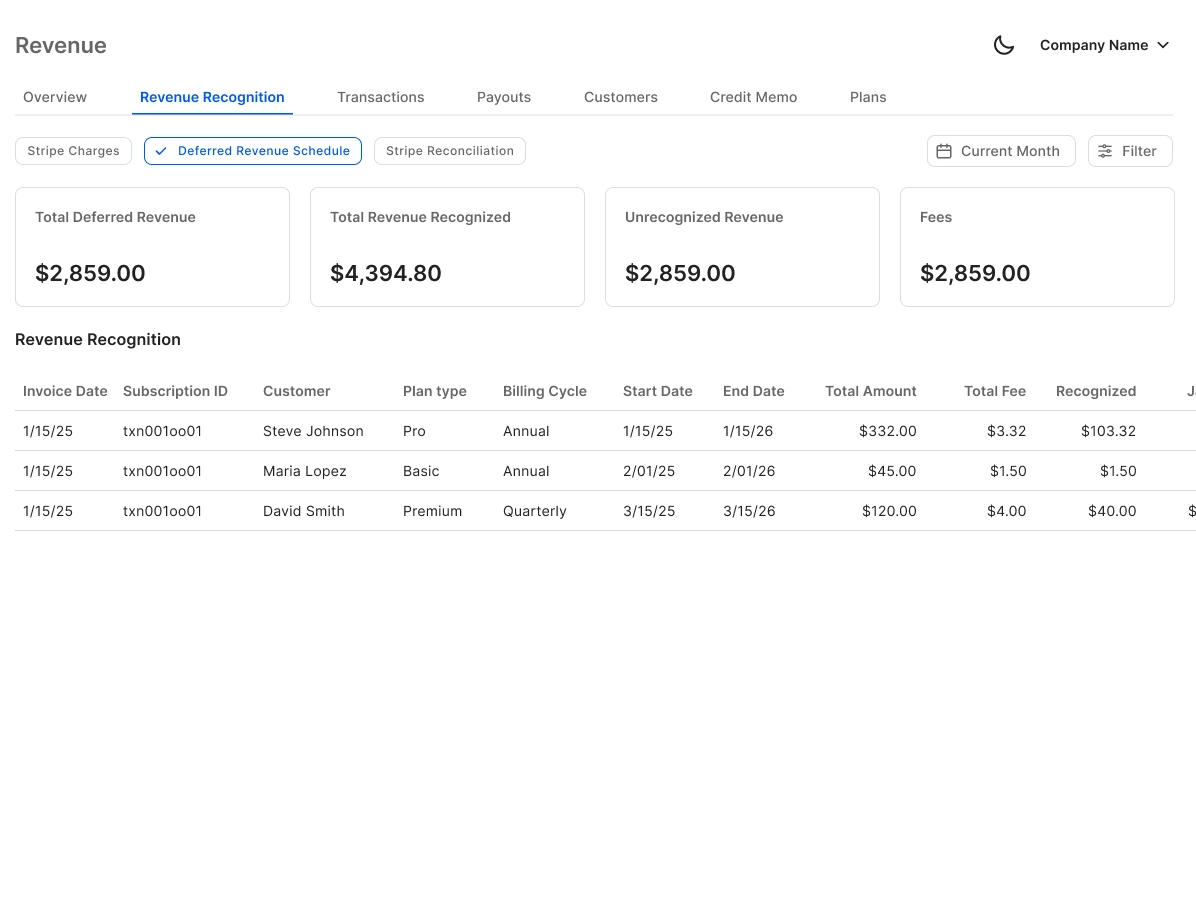
Real-Time Two-Way QuickBooks Sync
Journal entries, bank transactions, bills, and invoices flow bidirectionally between Finlens and QuickBooks in real time. No migration, no duplicate data entry, and no disruption to your existing QBO setup.

Bank Reconciliation Automation
Finlens automatically matches Stripe payouts and bank deposits against QuickBooks records, eliminating the manual line-by-line reconciliation that slows close across high-volume client accounts.

Month-End Close Acceleration
Task management, team assignments, and progress tracking for the full close workflow. Reconciliation, categorization, and GAAP schedules run in parallel so firms close 40 to 70 percent faster.

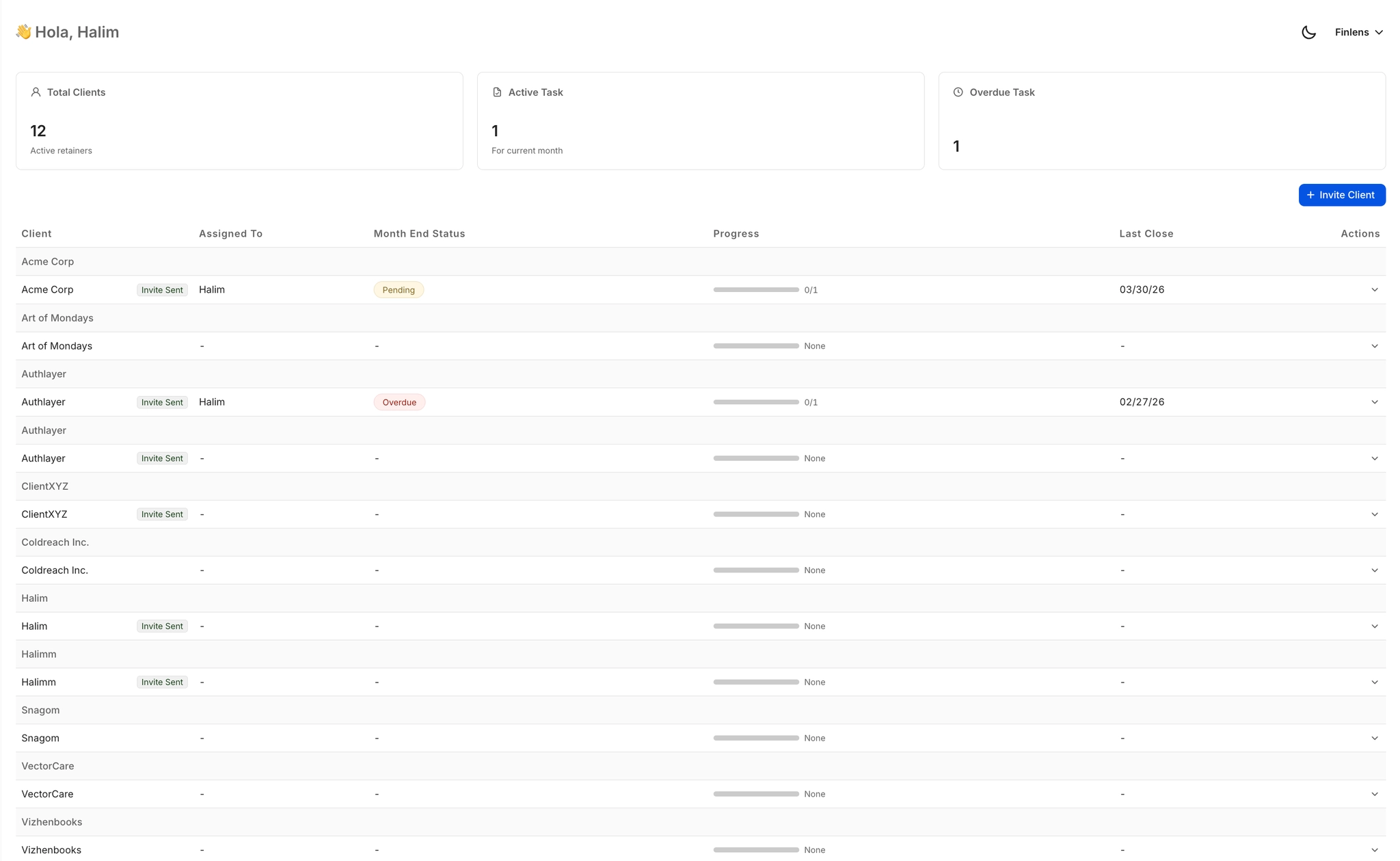
Multi-Client Reconciliation Dashboard
Manage Stripe reconciliation status across 50 or more clients from a single view. See open items, pending approvals, and close deadlines without switching between QuickBooks accounts.
Ready to Transform Your Business?
How It Works
Get started in minutes, not months.
Connect QuickBooks
Finlens reads your GL and identifies accrual-eligible transactions
Review AI-Generated Schedules
Finlens auto-builds prepaid, deferred revenue, and amortization schedules; your team reviews and approves
Entries Post Automatically at Month-End
Journal entries sync to QuickBooks on schedule; close faster, audit trail preserved
Why Choose Finlens
Why teams choose Finlens.
Works on Top of QuickBooks
No migration. No new GL. Finlens augments the tools your team already uses — real-time two-way sync means your QuickBooks data is always current.
80%+ Less Manual Bookkeeping
AI categorization, automated reconciliation, and smart schedules replace the spreadsheet work that eats your team’s hours.
Backed by Y Combinator & Accel
Built in San Francisco by a team that understands accounting workflows. Trusted by firms and founders scaling fast.
12,000+ Bank Connections
Connect every bank account, credit card, and financial tool your clients use. Powered by Plaid.
Frequently Asked Questions
Does Finlens replace QuickBooks for Stripe reconciliation?
No. Finlens works on top of QuickBooks, not instead of it. It pulls Stripe transaction data, applies the correct accounting treatment, and posts clean journal entries back to your existing QuickBooks accounts. Your clients stay on QuickBooks and your team works within their existing QBO setup. There is no migration, no new general ledger to manage, and no disruption to your current workflows.
How does Finlens handle Stripe fees and refunds in QuickBooks?
Finlens automatically separates gross revenue, processing fees, refunds, and net payouts from each Stripe payout. Each component is categorized and posted to the correct QuickBooks account without manual intervention. This eliminates the common error of booking the net Stripe deposit as gross revenue, which distorts P&L reporting and complicates reconciliation.
Does Finlens support Stripe subscription revenue recognition?
Yes. Finlens breaks annual and multi-period Stripe subscriptions into monthly recognized revenue, posting the appropriate journal entries to QuickBooks each period. This gives you GAAP-compliant revenue recognition for SaaS and subscription clients without building or maintaining separate spreadsheet schedules.
How long does it take to connect Stripe and QuickBooks to Finlens?
Setup requires connecting your clients' Stripe accounts and QuickBooks instances to Finlens. Once connected, Finlens begins pulling transaction data and applying reconciliation logic in real time. There is no manual data mapping required for standard Stripe transaction types, and no historical data migration is needed to get started.
Can Finlens handle Stripe reconciliation across multiple clients at once?
Yes. Finlens is built specifically for accounting firms managing multiple clients. The multi-client dashboard shows reconciliation status, open items, and close progress for every client account in a single view. Accountants can manage Stripe reconciliation for 50 or more clients without switching between separate QuickBooks logins.