Subscription Revenue Recognition Automated for Firms
Finlens automates GAAP-compliant revenue recognition and Stripe reconciliation on top of QuickBooks. No spreadsheets, no migration.
Manual RevRec Is Slow and Risky
Annual Payments Booked Wrong
Lump-sum subscription payments hit your P&L in full. Deferred revenue schedules live in spreadsheets nobody trusts.
Stripe Reconciliation Never Closes
Gross revenue, fees, refunds, and payouts require manual CSV exports. Month-end drags on because nothing matches automatically.
GAAP Compliance Left to Chance
Manually maintained accrual schedules introduce errors that compound across clients and create real audit exposure.
GAAP Revenue Recognition on Top of QuickBooks
Finlens connects to Stripe and QuickBooks, breaks annual subscriptions into monthly recognized revenue, generates deferred revenue schedules automatically, and posts journal entries back to QBO. No migration, no spreadsheets.
Automated Stripe Revenue Recognition
Finlens auto-calculates gross revenue, Stripe fees, refunds, and payouts, then breaks annual subscription payments into correctly recognized monthly revenue. Entries post directly to QuickBooks with no CSV exports required.
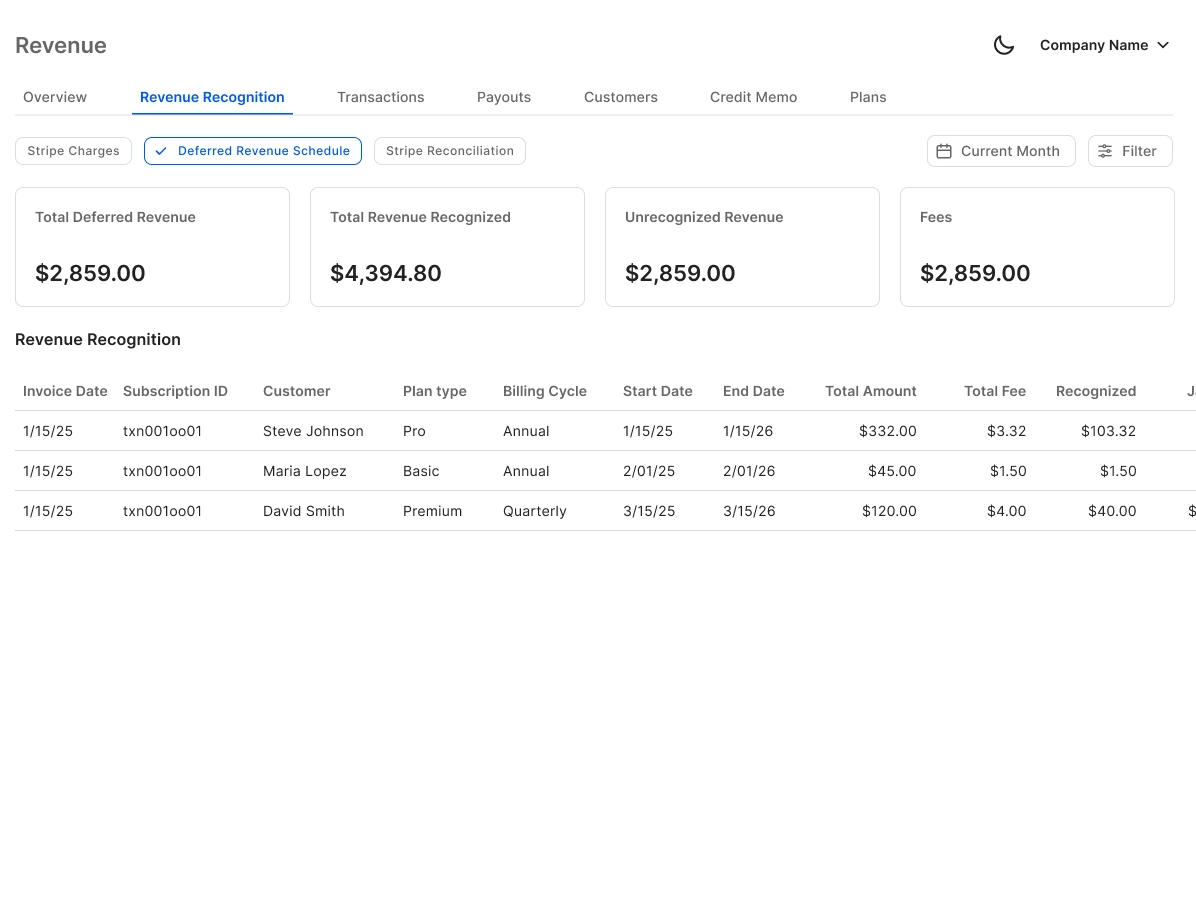
Deferred Revenue Schedule Automation
Automatically generates deferred revenue, accrual, and prepaid amortization schedules as journal entries. Eliminates the error-prone spreadsheets firms maintain manually for every subscription client.
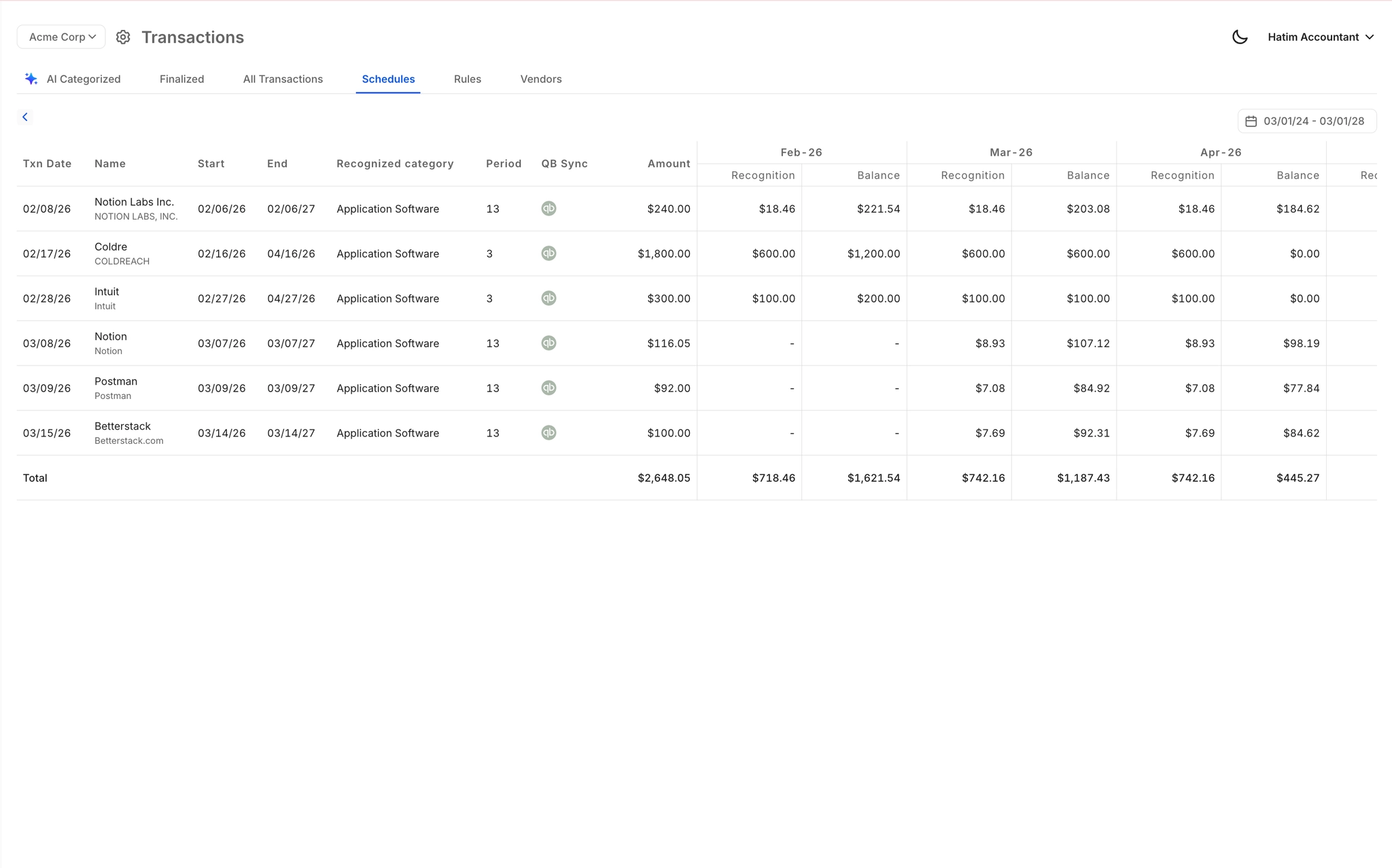
Month-End Close Acceleration
Finlens automates the recurring close workflow across categorization, reconciliation, and GAAP schedules. Firms report up to 40-70% faster close times, meaning subscription clients stop being your most time-consuming engagements.

Real-Time QuickBooks Two-Way Sync
Every recognized revenue entry, deferred revenue adjustment, and Stripe reconciliation syncs back to QuickBooks in real time. No migration required. Finlens layers on top of your existing QBO setup.

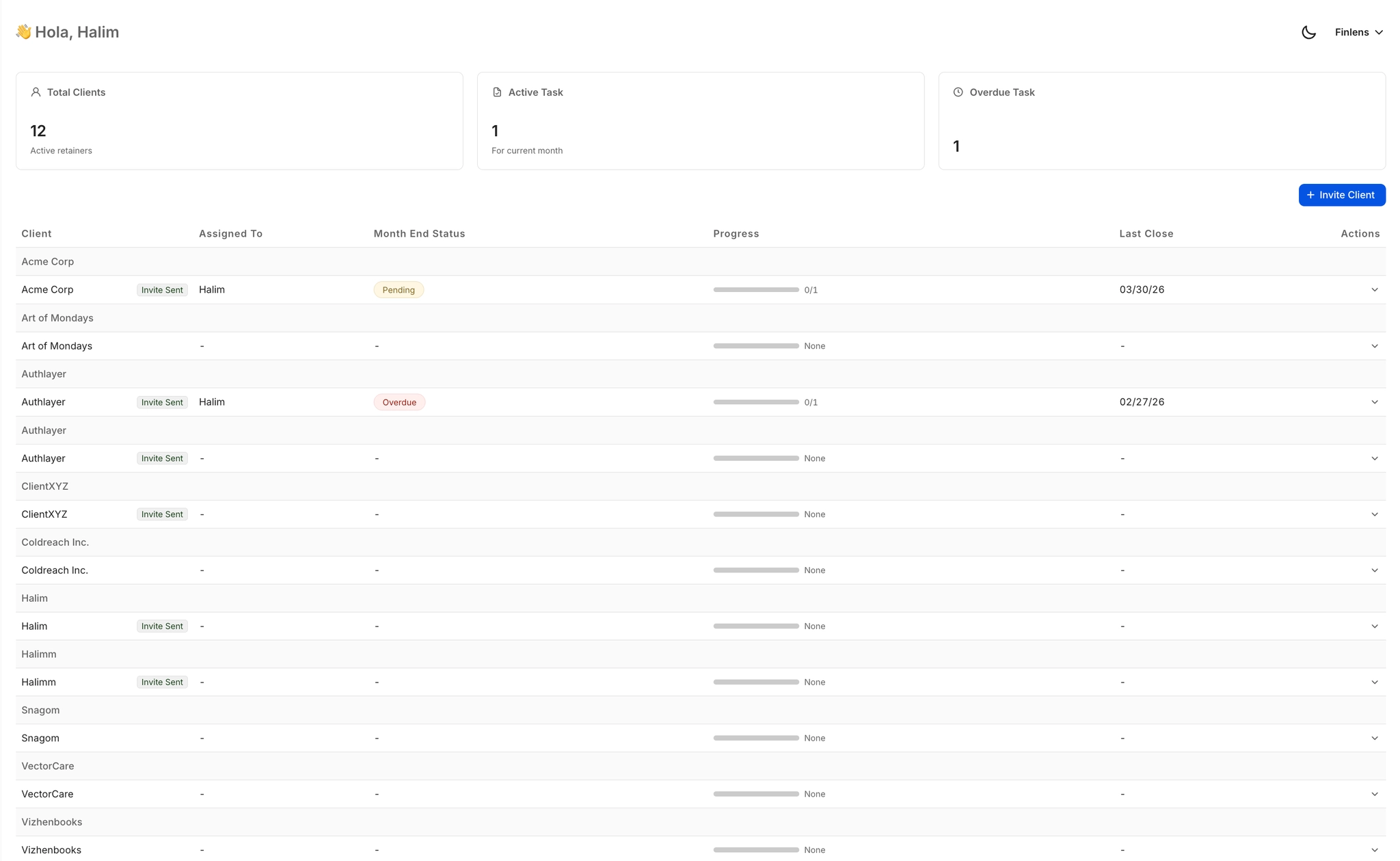
Multi-Client Revenue Recognition Dashboard
Monitor subscription revenue recognition status across all clients from one view. Open items, approvals, and close deadlines surface at a glance so nothing falls through the cracks during month-end.
Ready to Transform Your Business?
How It Works
Get started in minutes, not months.
Connect QuickBooks
Finlens reads your GL and identifies accrual-eligible transactions
Review AI-Generated Schedules
Finlens auto-builds prepaid, deferred revenue, and amortization schedules; your team reviews and approves
Entries Post Automatically at Month-End
Journal entries sync to QuickBooks on schedule; close faster, audit trail preserved
Why Choose Finlens
Why teams choose Finlens.
Works on Top of QuickBooks
No migration. No new GL. Finlens augments the tools your team already uses — real-time two-way sync means your QuickBooks data is always current.
80%+ Less Manual Bookkeeping
AI categorization, automated reconciliation, and smart schedules replace the spreadsheet work that eats your team’s hours.
Backed by Y Combinator & Accel
Built in San Francisco by a team that understands accounting workflows. Trusted by firms and founders scaling fast.
12,000+ Bank Connections
Connect every bank account, credit card, and financial tool your clients use. Powered by Plaid.
Frequently Asked Questions
Does Finlens replace QuickBooks for revenue recognition?
No. Finlens works on top of QuickBooks, not instead of it. It connects to your existing QBO instance, automates GAAP-compliant revenue recognition schedules and Stripe reconciliation, and posts journal entries directly back to QuickBooks. Your GL stays in QuickBooks. There is no migration, no parallel ledger, and no disruption to your existing workflow. Finlens is the automation layer that handles what QuickBooks does not do natively for subscription revenue.
How does Finlens handle deferred revenue for annual subscriptions?
When an annual subscription payment is received via Stripe, Finlens automatically splits the lump sum into the correct monthly recognized revenue amounts and generates the corresponding deferred revenue schedule. Journal entries are created and posted to QuickBooks for each recognition period. The process runs automatically without any manual spreadsheet maintenance required from your team.
Does Finlens support GAAP-compliant revenue recognition schedules?
Yes. Finlens automates GAAP-compliant accrual, deferred revenue, and prepaid amortization schedules. The system generates journal entries for each schedule period and syncs them to QuickBooks in real time. This removes the manual spreadsheet work that creates compliance risk when maintained by hand across multiple subscription clients.
Which Stripe revenue data does Finlens reconcile?
Finlens pulls gross revenue, Stripe processing fees, refunds, and payouts, then reconciles each data point against your QuickBooks transactions. Annual and multi-month subscriptions are broken into monthly recognized amounts. The entire Stripe-to-QuickBooks data flow is automated, eliminating the manual CSV export and import process most teams currently rely on.
How long does it take to connect Stripe and QuickBooks to Finlens?
Setup connects directly to your existing Stripe and QuickBooks accounts. No migration is required and no existing data needs to be moved or reformatted. For CPA firms onboarding a new subscription client, Finlens also automates chart of accounts setup, which saves over three hours compared to manual onboarding.